Video Editing & Motion Graphics · Tools
Premiere Pro vs DaVinci Resolve: which should you learn?
Both are professional editors, so you cannot pick wrong on capability. Resolve is genuinely free with the best color tools; Premiere is subscription-only but the studio default. Here is how to choose by budget and goal.
The Nextversity teamVideo Editing & Motion Graphics schoolUpdated July 20, 20268 min read
On this page
The short answer
Both are professional editors that make broadcast-quality video, so you can't pick wrong on capability. The real split is cost and ecosystem. DaVinci Resolve has a genuinely free version and the best built-in color tools in the business. Premiere Pro is subscription-only but remains the default in agencies and connects tightly to the rest of Adobe. If money is the deciding factor, start with Resolve. If a job or client work is the goal, Premiere is still the safer resume line.
That's the whole decision for most people. Everything below is the reasoning, but don't let the comparison paralyze you: the editing fundamentals transfer between them, and finishing real edits matters more than the badge on the timeline.
You can make the same video in either. The choice is about your wallet and your goal, not about which one is 'better.'
The differences that actually matter
Cost
Resolve's free version is not a trial or a crippled demo. It's a full professional editor, and most people never hit its limits. Premiere Pro is subscription-only, billed monthly or yearly. Over a few years that adds up, which is a real point in Resolve's favor for anyone paying out of pocket.
Color and audio
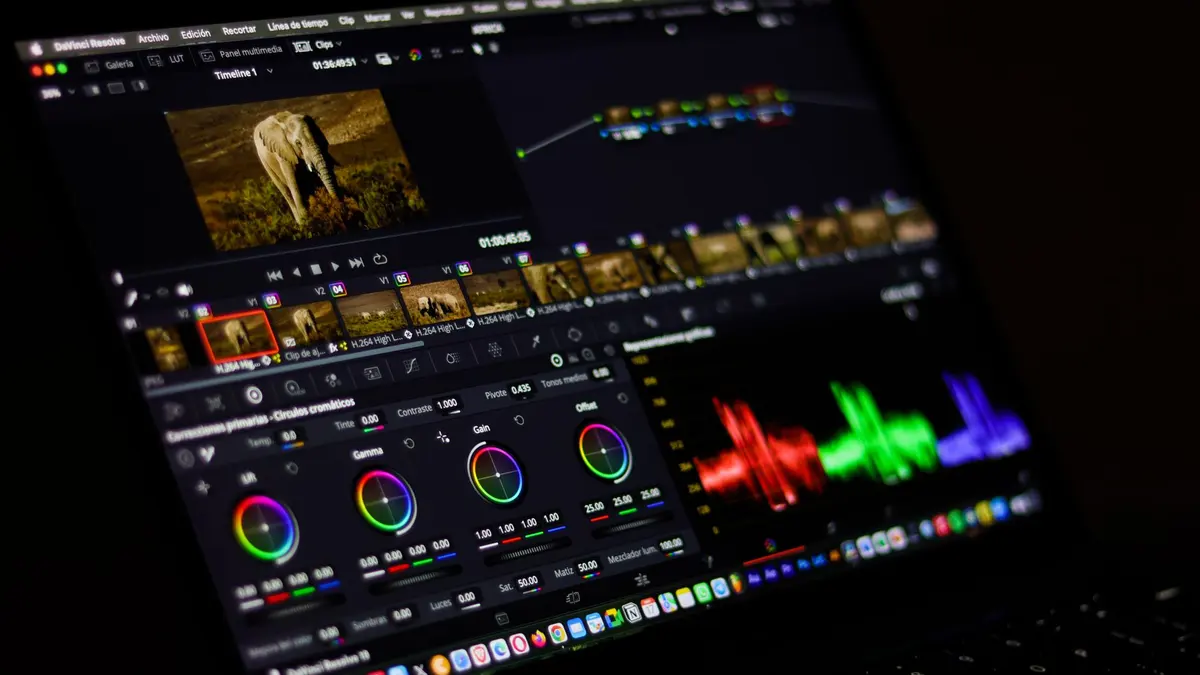
Resolve grew up as a color grading tool, and it shows: its color page is the industry benchmark, with a full audio suite (Fairlight) and visual effects (Fusion) built into the same app. Premiere handles color and audio well and leans on Adobe's other apps for the heavy lifting. If deep color control excites you, Resolve gives you more out of the box. Blackmagic's own Resolve page lays out the free-versus-paid split.
Ecosystem and jobs
Premiere's advantage is the world around it. It's the default in many studios and agencies, and it connects seamlessly to After Effects for motion graphics and to Photoshop and Audition. If you're aiming for employment, Premiere is still the name most job listings ask for, and Adobe's Premiere Pro guide reflects how widely it's documented.
Hardware
Resolve is powerful but hungry, and it leans on your graphics card. It runs best on a recent machine with a dedicated GPU and plenty of RAM. Premiere is a little more forgiving on modest hardware. Check each tool's official system requirements before assuming your computer is up to it.
Which one is right for you
Break the tie with your actual situation:
- On a budget, or just learning: Resolve. Professional tools, zero cost, no reason to wait.
- Aiming at a job or agency work: Premiere Pro. It's the default most employers expect, and it plays well with the rest of Adobe.
- Obsessed with color grading: Resolve. Its color page is the one professionals reach for.
- Already living in Adobe (Photoshop, After Effects): Premiere. The round-trip between apps saves real time.
Both certificates are included in one Nextversity subscription, so you can learn either without a second purchase, and switch if your goal changes.
Switching later is easier than it sounds
The thing beginners worry about most (picking the 'wrong' editor and wasting the effort) is the thing that matters least. Editing fundamentals are portable: pacing, story, cutting on action, sound, color theory, and export discipline all carry from one tool to the next. What changes is where the buttons are and what the shortcuts do.
So learn one properly first. Cut a dozen real projects in it. If a job or a collaborator later needs the other, you'll pick it up in days, not months, because the hard part (knowing what makes an edit work) is already yours.
When not to pay or overthink it
Don't pay for Premiere Pro to edit home videos or the occasional personal project. Resolve's free version covers that forever, and the subscription is only worth it when there's a paying or professional reason behind it. And don't install both to 'compare' them as a beginner. That's the classic way to feel busy and finish nothing. Pick one, based on the guidance above, and commit for a few months.
Enroll in a course when you want the full editing skill in your chosen tool, not just an answer to one problem a free tutorial could solve. The course is for building the whole capability.
Questions people ask
Is DaVinci Resolve as good as Premiere Pro?
Yes, for most work. Both are professional editors used on real productions. Resolve’s free version is remarkably complete and has stronger built-in color tools, while Premiere has the bigger studio ecosystem and job demand. Capability isn’t the deciding factor; cost and goals are.
Is DaVinci Resolve really free?
Yes. The free version of Resolve is a full professional editor, not a trial. There is a paid Studio version that adds some advanced features and effects, but most people never need to upgrade to finish professional-quality work.
Which is better for getting a job, Premiere or Resolve?
Premiere Pro is still the more common requirement in agency and studio job listings, partly because of its Adobe ecosystem. Resolve is growing fast, especially in color-focused roles. If employment is the goal, learning Premiere first is the safer bet.
Can I switch from Premiere to Resolve later?
Easily. Editing fundamentals transfer between the two, so once you know one, learning the other takes days, not months. What changes is the layout and shortcuts, not the underlying skill of editing.
Do I need a powerful computer for DaVinci Resolve?
Resolve is demanding and leans on your graphics card, so it runs best on a recent machine with a dedicated GPU and ample RAM. Premiere is a bit more forgiving on modest hardware. Check the official system requirements before buying anything new.