Video Editing & Motion Graphics school
Certificate in Motion Graphics Using Adobe After Effects
Make things move, then make them belong in the shot.
This After Effects course takes you from your first keyframe to rigged characters, 3D scenes and a tracked effects shot you built yourself, one stage at a time.
Overview
What this After Effects course covers
This After Effects course takes you from your very first keyframe to a tracked, keyed, fully composited shot of your own. No motion graphics background is needed. You learn the graph editor, masks, planar tracking and Roto Brush, then the harder question underneath all of it: why a move reads as mechanical, and what to change so it stops.
From there it builds. Shape layers and morphing logos, character rigging with walk cycles and lip sync, four modules of 3D with cameras, lights and extruded geometry, then visual effects running from disintegration to glowing energy powers. By the end you can take a shot you filmed and put something into it that genuinely belongs there.
Outcomes
What you will be able to do
Requirements
Course requirements
- After Effects on an Adobe plan. Adobe offers a free trial, and current pricing is on their site rather than here, because it changes.
- No motion graphics experience. The first module opens the toolbar and assumes nothing before it.
- Memory more than anything else. After Effects previews by holding frames in RAM, so 16 GB is workable and 32 GB is comfortable.
- Time. This is the longest course in the school, and the character and 3D stretches reward months rather than a weekend.
Syllabus
Motion Graphics Using Adobe After Effects curriculum
203 recorded video lessons you follow along in the software, at your own pace. Quizzes through each module check what stuck, and a 20-question final exam earns your certificate.
1After Effects Interface and Core Tools20 lessons · 16 videos · 15 quizzes
- Course Overview and Learning Expectations (reading)
- Navigating the After Effects Interface (video lesson, 17 minutes 27 seconds)Quiz
- Using the Shape and Pen Tools (reading)Quiz
- Understanding Core After Effects Tools (video lesson, 32 minutes 32 seconds)Quiz
- Working with the Timeline and Layers (video lesson, 25 minutes 9 seconds)
- Working with 3D Tools and Layers (video lesson, 40 minutes 32 seconds)Quiz
- Applying the Shape Tool (video lesson, 35 minutes 45 seconds)Quiz
- Applying the Pen Tool (video lesson, 34 minutes)
- Applying the Text Tool (video lesson, 36 minutes 16 seconds)Quiz
- Applying the Brush and Eraser Tools (video lesson, 39 minutes 17 seconds)Quiz
- Using Clone and Object Removal Tools (video lesson, 32 minutes 30 seconds)Quiz
- Using the Roto Brush Tool (video lesson, 40 minutes 42 seconds)
- Using the Puppet Pin Tool (video lesson, 34 minutes 30 seconds)Quiz
- Working with Photoshop and Illustrator Files (video lesson, 51 minutes 5 seconds)Quiz
- Animation Fundamentals Part 1 (video lesson, 27 minutes 59 seconds)Quiz
- Animation Fundamentals Part 2 (video lesson, 26 minutes 57 seconds)
- 3D Animation Fundamentals Part 1 (reading)Quiz
- 3D Animation Fundamentals Part 2 (reading)Quiz
- Video Editing in After Effects Part 1 (video lesson, 38 minutes 43 seconds)Quiz
- Video Editing in After Effects Part 2 (video lesson, 35 minutes 37 seconds)Quiz
2New After Effects Tools and Workflow Features6 lessons · 5 quizzes
- Using the Tracker (reading)Quiz
- Working with 3D Model Lighting and HDRI (reading)
- Using Universal Mattes (reading)Quiz
- Exporting After Effects Projects (reading)Quiz
- Using Mocha and Firefly Part 1 (reading)Quiz
- Using Mocha and Firefly Part 2 (reading)Quiz
3Video Editing and Visual Effects Techniques15 lessons · 15 videos · 11 quizzes
- Creating Video Transitions (video lesson, 32 minutes 7 seconds)Quiz
- Enhancing Visual Elements (video lesson, 29 minutes 53 seconds)
- Working with Green Screens (video lesson, 33 minutes 8 seconds)Quiz
- Applying Video Overlays (video lesson, 42 minutes 14 seconds)
- Adjusting Speed and Motion (video lesson, 39 minutes 19 seconds)Quiz
- Stabilising Footage and Applying Color Correction (video lesson, 41 minutes 34 seconds)Quiz
- Creating Sky Replacement Effects (video lesson, 57 minutes 52 seconds)Quiz
- Fixing Footage and Exporting Projects (video lesson, 43 minutes 43 seconds)
- Combining Text and Video (video lesson, 47 minutes 18 seconds)Quiz
- Tracking Text in Video (video lesson, 32 minutes 15 seconds)Quiz
- Creating a Clone Effect (video lesson, 29 minutes 44 seconds)Quiz
- Creating Neon Animations (video lesson, 32 minutes 29 seconds)
- Animating Still Images (video lesson, 27 minutes 36 seconds)Quiz
- Visual Effects Techniques Part 1 (video lesson, 56 minutes 45 seconds)Quiz
- Visual Effects Techniques Part 2 (video lesson, 49 minutes 45 seconds)Quiz
4Motion Graphics and Animated Design16 lessons · 16 videos · 11 quizzes
- Animating with Trim Paths (video lesson, 55 minutes 47 seconds)Quiz
- Creating Looping Social Posts Part 1 (video lesson, 47 minutes 50 seconds)
- Creating Looping Social Posts Part 2 (video lesson, 57 minutes 16 seconds)Quiz
- Creating Morphing Animations Part 1 (video lesson, 12 minutes 43 seconds)Quiz
- Creating Morphing Animations Part 2 (video lesson, 15 minutes 1 second)
- Creating Morphing Animations Part 3 (video lesson, 18 minutes 15 seconds)Quiz
- Creating Loading Animations (video lesson, 48 minutes 24 seconds)Quiz
- Creating Liquid Motion Effects (video lesson, 46 minutes 58 seconds)
- Logo Animation Example Part 1 (video lesson, 40 minutes)Quiz
- Logo Animation Example Part 2 (video lesson, 46 minutes 36 seconds)Quiz
- Logo Animation Example Part 3 (video lesson, 34 minutes 23 seconds)
- App UI Animation Part 1 (video lesson, 43 minutes 59 seconds)Quiz
- App UI Animation Part 2 (video lesson, 31 minutes 8 seconds)Quiz
- HUD Animation Part 1 (video lesson, 36 minutes 34 seconds)
- HUD Animation Part 2 (video lesson, 40 minutes 2 seconds)Quiz
- HUD Animation Part 3 (video lesson, 37 minutes 5 seconds)Quiz
5Character Animation Fundamentals17 lessons · 17 videos · 10 quizzes
- Converting Character File Types (video lesson, 18 minutes 15 seconds)Quiz
- Animating Eyes Part 1 (video lesson, 13 minutes 23 seconds)
- Animating Eyes Part 2 (video lesson, 11 minutes 4 seconds)Quiz
- Animating the Head and Hair (video lesson, 17 minutes 21 seconds)
- Creating Mouth Shapes (video lesson, 10 minutes 27 seconds)Quiz
- Facial Expression Animation Example A Part 1 (video lesson, 13 minutes 33 seconds)Quiz
- Facial Expression Animation Example A Part 2 (video lesson, 16 minutes 30 seconds)Quiz
- Facial Expression Animation Example A Part 3 (video lesson, 15 minutes 50 seconds)
- Facial Expression Animation Example A Part 4 (video lesson, 15 minutes 21 seconds)Quiz
- Facial Expression Animation Example A Part 5 (video lesson, 16 minutes 17 seconds)
- Facial Expression Animation Example B Part 1 (video lesson, 14 minutes 6 seconds)Quiz
- Facial Expression Animation Example B Part 2 (video lesson, 15 minutes 44 seconds)
- Facial Expression Animation Example B Part 3 (video lesson, 12 minutes 32 seconds)Quiz
- Facial Expression Animation Example B Part 4 (video lesson, 13 minutes 16 seconds)
- Installing Duik Bassel Plugins (video lesson, 7 minutes 34 seconds)Quiz
- Getting Started with Duik Bassel Part 1 (video lesson, 19 minutes 4 seconds)
- Getting Started with Duik Bassel Part 2 (video lesson, 18 minutes 12 seconds)Quiz
6Character Movement and Scene Animation24 lessons · 24 videos · 15 quizzes
- Animating Talking Characters Without Plugins Part 1 (video lesson, 9 minutes 51 seconds)Quiz
- Animating Talking Characters Without Plugins Part 2 (video lesson, 12 minutes 26 seconds)
- Creating a Character Walk Cycle Part 1 (video lesson, 9 minutes 55 seconds)Quiz
- Creating a Character Walk Cycle Part 2 (video lesson, 14 minutes 45 seconds)Quiz
- Creating a Character Walk Cycle Part 3 (video lesson, 15 minutes 10 seconds)
- Creating a Character Walk Cycle Part 4 (video lesson, 16 minutes 46 seconds)Quiz
- Creating a Character Walk Cycle Part 5 (video lesson, 21 minutes 12 seconds)
- Animating a Bike Ride Part 1 (video lesson, 15 minutes 49 seconds)Quiz
- Animating a Bike Ride Part 2 (video lesson, 13 minutes 59 seconds)
- Animating a Bike Ride Part 3 (video lesson, 11 minutes 45 seconds)Quiz
- Animating a Bike Ride Part 4 (video lesson, 12 minutes 9 seconds)Quiz
- Animating a Night to Day Landscape Part 1 (video lesson, 20 minutes 41 seconds)
- Animating a Night to Day Landscape Part 2 (video lesson, 16 minutes 9 seconds)Quiz
- Animating a Night to Day Landscape Part 3 (video lesson, 15 minutes 43 seconds)
- Animating a Night to Day Landscape Part 4 (video lesson, 17 minutes 9 seconds)Quiz
- Creating a Character Run Cycle Part 1 (video lesson, 15 minutes 24 seconds)Quiz
- Creating a Character Run Cycle Part 2 (video lesson, 17 minutes 47 seconds)
- Creating a Character Run Cycle Part 3 (video lesson, 16 minutes 28 seconds)Quiz
- Creating a Character Run Cycle Part 4 (video lesson, 14 minutes 37 seconds)
- Creating a Character Run Cycle Part 5 (video lesson, 15 minutes 32 seconds)Quiz
- Animating Complex Character Scenes Part 1 (video lesson, 19 minutes 33 seconds)Quiz
- Animating Complex Character Scenes Part 2 (video lesson, 20 minutes 37 seconds)
- Animating Complex Character Scenes Part 3 (video lesson, 23 minutes 27 seconds)Quiz
- Animating Complex Character Scenes Part 4 (video lesson, 11 minutes)Quiz
73D Animation Fundamentals in After Effects11 lessons · 11 videos · 7 quizzes
- Introduction to 3D Animation in After Effects (video lesson, 38 seconds)
- Working with Camera Layers Part 1 (video lesson, 11 minutes 53 seconds)Quiz
- Working with Camera Layers Part 2 (video lesson, 7 minutes 55 seconds)
- Working with 3D Lights Part 1 (video lesson, 12 minutes 47 seconds)Quiz
- Working with 3D Lights Part 2 (video lesson, 5 minutes 14 seconds)
- Working with 3D Lights Part 3 (video lesson, 13 minutes 27 seconds)Quiz
- Using Layer Styles Part 1 (video lesson, 11 minutes 21 seconds)Quiz
- Using Layer Styles Part 2 (video lesson, 12 minutes 11 seconds)
- Using Layer Styles Part 3 (video lesson, 14 minutes 37 seconds)Quiz
- Working with Cinema 4D (video lesson, 14 minutes 17 seconds)Quiz
- Using Material Options and Environment Layers (video lesson, 14 minutes 39 seconds)Quiz
83D Text Animation Techniques9 lessons · 9 videos · 6 quizzes
- Placing Text Behind a Subject (video lesson, 13 minutes 18 seconds)Quiz
- Animating Elements Through Text A Part 1 (video lesson, 10 minutes 45 seconds)
- Animating Elements Through Text A Part 2 (video lesson, 4 minutes 43 seconds)Quiz
- Animating Elements Through Text B Part 1 (video lesson, 10 minutes 59 seconds)Quiz
- Animating Elements Through Text B Part 2 (video lesson, 5 minutes 1 second)
- Animating Lines Through Text Part 1 (video lesson, 13 minutes 21 seconds)Quiz
- Animating Lines Through Text Part 2 (video lesson, 12 minutes 25 seconds)Quiz
- Creating 3D Text Styles Part 1 (video lesson, 11 minutes 38 seconds)
- Creating 3D Text Styles Part 2 (video lesson, 9 minutes 46 seconds)Quiz
9Popular 3D Animation Styles and Effects21 lessons · 21 videos · 13 quizzes
- Creating a Creative Photo Montage (video lesson, 11 minutes 52 seconds)Quiz
- Creating a Sky Flip Effect (video lesson, 11 minutes 20 seconds)
- Creating Freeze Frame Transitions A (video lesson, 14 minutes 56 seconds)Quiz
- Creating Freeze Frame Transitions B Part 1 (video lesson, 9 minutes 23 seconds)Quiz
- Creating Freeze Frame Transitions B Part 2 (video lesson, 9 minutes 38 seconds)
- Creating a Dolly Zoom Effect Part 1 (video lesson, 11 minutes 28 seconds)Quiz
- Creating a Dolly Zoom Effect Part 2 (video lesson, 7 minutes 47 seconds)
- Placing Elements in the Sky Part 1 (video lesson, 7 minutes 52 seconds)Quiz
- Placing Elements in the Sky Part 2 (video lesson, 10 minutes 22 seconds)
- Placing Elements in the Sky Part 3 (video lesson, 15 minutes 28 seconds)Quiz
- Working with Compositions and Camera Part 1 (video lesson, 9 minutes 24 seconds)
- Working with Compositions and Camera Part 2 (video lesson, 7 minutes 14 seconds)Quiz
- Transforming 2D Images into 3D Scenes Part 1 (video lesson, 10 minutes 5 seconds)Quiz
- Transforming 2D Images into 3D Scenes Part 2 (video lesson, 13 minutes 34 seconds)
- Transforming 2D Images into 3D Scenes Part 3 (video lesson, 4 minutes 9 seconds)Quiz
- Creating a 3D Mobile App Scene Part 1 (video lesson, 14 minutes 32 seconds)Quiz
- Creating a 3D Mobile App Scene Part 2 (video lesson, 6 minutes 29 seconds)
- Creating a Detective Desk Scene Part 1 (video lesson, 11 minutes 25 seconds)Quiz
- Creating a Detective Desk Scene Part 2 (video lesson, 4 minutes 31 seconds)
- Creating a Detective Desk Scene Part 3 (video lesson, 15 minutes 5 seconds)Quiz
- Creating a Detective Desk Scene Part 4 (video lesson, 5 minutes 28 seconds)Quiz
103D Geometry and Shape Animation22 lessons · 22 videos · 14 quizzes
- Constructing Geometric Shapes A Part 1 (video lesson, 8 minutes 48 seconds)Quiz
- Constructing Geometric Shapes A Part 2 (video lesson, 8 minutes 13 seconds)
- Constructing Geometric Shapes B Part 1 (video lesson, 15 minutes 20 seconds)Quiz
- Constructing Geometric Shapes B Part 2 (video lesson, 2 minutes 33 seconds)
- Constructing Geometric Shapes C Part 1 (video lesson, 10 minutes 33 seconds)Quiz
- Constructing Geometric Shapes C Part 2 (video lesson, 9 minutes 20 seconds)
- Creating Floating Cubes Part 1 (video lesson, 13 minutes 34 seconds)Quiz
- Creating Floating Cubes Part 2 (video lesson, 9 minutes 3 seconds)Quiz
- Creating Sphere Planet Animations Part 1 (video lesson, 9 minutes 35 seconds)
- Creating Sphere Planet Animations Part 2 (video lesson, 8 minutes 36 seconds)Quiz
- Creating Sphere Planet Animations Part 3 (video lesson, 10 minutes 6 seconds)Quiz
- Creating Sphere Planet Animations Part 4 (video lesson, 8 minutes 16 seconds)
- Creating Sphere Planet Animations Part 5 (video lesson, 10 minutes 54 seconds)Quiz
- Creating Neon Shape Animations Part 1 (video lesson, 6 minutes 45 seconds)Quiz
- Creating Neon Shape Animations Part 2 (video lesson, 8 minutes 58 seconds)
- Creating Neon Shape Animations Part 3 (video lesson, 11 minutes 49 seconds)Quiz
- Creating Neon Shape Animations Part 4 (video lesson, 14 minutes 28 seconds)Quiz
- Creating Neon Shape Animations Part 5 (video lesson, 11 minutes 1 second)
- Creating Neon Shape Animations Part 6 (video lesson, 5 minutes 12 seconds)Quiz
- Creating Metallic Logo Motion Part 1 (video lesson, 14 minutes 52 seconds)Quiz
- Creating Metallic Logo Motion Part 2 (video lesson, 12 minutes 8 seconds)
- Creating Metallic Logo Motion Part 3 (video lesson, 3 minutes 38 seconds)Quiz
11Visual Effects and Tracking Fundamentals7 lessons · 7 videos · 5 quizzes
- Applying Patterns to Surfaces (video lesson, 5 minutes 22 seconds)Quiz
- Mocha Tracking in After Effects A Part 1 (video lesson, 12 minutes 48 seconds)
- Mocha Tracking in After Effects A Part 2 (video lesson, 6 minutes 14 seconds)Quiz
- Mocha Tracking in After Effects B Part 1 (video lesson, 11 minutes 7 seconds)Quiz
- Mocha Tracking in After Effects B Part 2 (video lesson, 5 minutes 55 seconds)
- Mocha Tracking in After Effects B Part 3 (video lesson, 9 minutes 5 seconds)Quiz
- Mocha Tracking in After Effects C (video lesson, 14 minutes 5 seconds)Quiz
12Distortion and Disintegration VFX9 lessons · 9 videos · 6 quizzes
- Face Distortion Effects A Part 1 (video lesson, 11 minutes 58 seconds)Quiz
- Face Distortion Effects A Part 2 (video lesson, 8 minutes 17 seconds)
- Face Distortion Effects A Part 3 (video lesson, 7 minutes 21 seconds)Quiz
- Face Distortion Effects B (video lesson, 12 minutes 54 seconds)
- Creating a Disintegration Effect Part 1 (video lesson, 14 minutes 36 seconds)Quiz
- Creating a Disintegration Effect Part 2 (video lesson, 8 minutes 58 seconds)
- Disintegration VFX Part 1 (video lesson, 13 minutes 35 seconds)Quiz
- Disintegration VFX Part 2 (video lesson, 17 minutes 33 seconds)Quiz
- Disintegration VFX Part 3 (video lesson, 15 minutes 4 seconds)Quiz
13Eye Effects and Horror VFX22 lessons · 22 videos · 13 quizzes
- Creating Black Eye Effects Part 1 (video lesson, 6 minutes 50 seconds)Quiz
- Creating Black Eye Effects Part 2 (video lesson, 13 minutes 10 seconds)
- Creating Black Eye Effects Part 3 (video lesson, 9 minutes 44 seconds)Quiz
- Creating Black Eye Effects Part 4 (video lesson, 7 minutes 38 seconds)
- Creating Black Eye Effects Part 5 (video lesson, 9 minutes 7 seconds)Quiz
- Creating Horror Film Eye Effects Part 1 (video lesson, 7 minutes 52 seconds)
- Creating Horror Film Eye Effects Part 2 (video lesson, 11 minutes 59 seconds)Quiz
- Creating Horror Film Eye Effects Part 3 (video lesson, 7 minutes 46 seconds)Quiz
- Creating Horror Film Eye Effects Part 4 (video lesson, 8 minutes 18 seconds)
- Creating Horror Film Eye Effects Part 5 (video lesson, 14 minutes 10 seconds)Quiz
- Creating Horror Film Eye Effects Part 6 (video lesson, 6 minutes 44 seconds)
- Creating Iris Effects A Part 1 (video lesson, 6 minutes 28 seconds)Quiz
- Creating Iris Effects A Part 2 (video lesson, 10 minutes 32 seconds)
- Creating Iris Effects A Part 3 (video lesson, 15 minutes 13 seconds)Quiz
- Creating Iris Effects A Part 4 (video lesson, 12 minutes 47 seconds)
- Creating Iris Effects A Part 5 (video lesson, 9 minutes 12 seconds)Quiz
- Creating Iris Effects A Part 6 (video lesson, 9 minutes 23 seconds)
- Creating Iris Effects A Part 7 (video lesson, 6 minutes 50 seconds)Quiz
- Creating Iris Effects B Part 1 (video lesson, 5 minutes 59 seconds)Quiz
- Creating Iris Effects B Part 2 (video lesson, 12 minutes 2 seconds)
- Creating Iris Effects B Part 3 (video lesson, 7 minutes 36 seconds)Quiz
- Creating Iris Effects B Part 4 (video lesson, 10 minutes 34 seconds)Quiz
14Glowing Visual Effects and Energy Powers14 lessons · 14 videos · 8 quizzes
- Creating Energy Power Effects Part 1 (video lesson, 8 minutes 53 seconds)Quiz
- Creating Energy Power Effects Part 2 (video lesson, 8 minutes 45 seconds)
- Creating Energy Power Effects Part 3 (video lesson, 13 minutes 44 seconds)Quiz
- Creating Energy Power Effects Part 4 (video lesson, 11 minutes 47 seconds)
- Creating Fire Hand Effects Part 1 (video lesson, 14 minutes 32 seconds)Quiz
- Creating Fire Hand Effects Part 2 (video lesson, 15 minutes 28 seconds)
- Creating Electricity Power Effects Part 1 (video lesson, 15 minutes 41 seconds)Quiz
- Creating Electricity Power Effects Part 2 (video lesson, 14 minutes 12 seconds)Quiz
- Creating Electricity Power Effects Part 3 (video lesson, 12 minutes 24 seconds)
- Creating Glowing Vein Effects Part 1 (video lesson, 9 minutes)Quiz
- Creating Glowing Vein Effects Part 2 (video lesson, 9 minutes 18 seconds)Quiz
- Creating Glowing Vein Effects Part 3 (video lesson, 13 minutes 5 seconds)
- Creating Glowing Vein Effects Part 4 (video lesson, 6 minutes 40 seconds)Quiz
- Course Completion and Next Steps (video lesson, 1 minute 46 seconds)
Certificate
Earn a certificate you can show
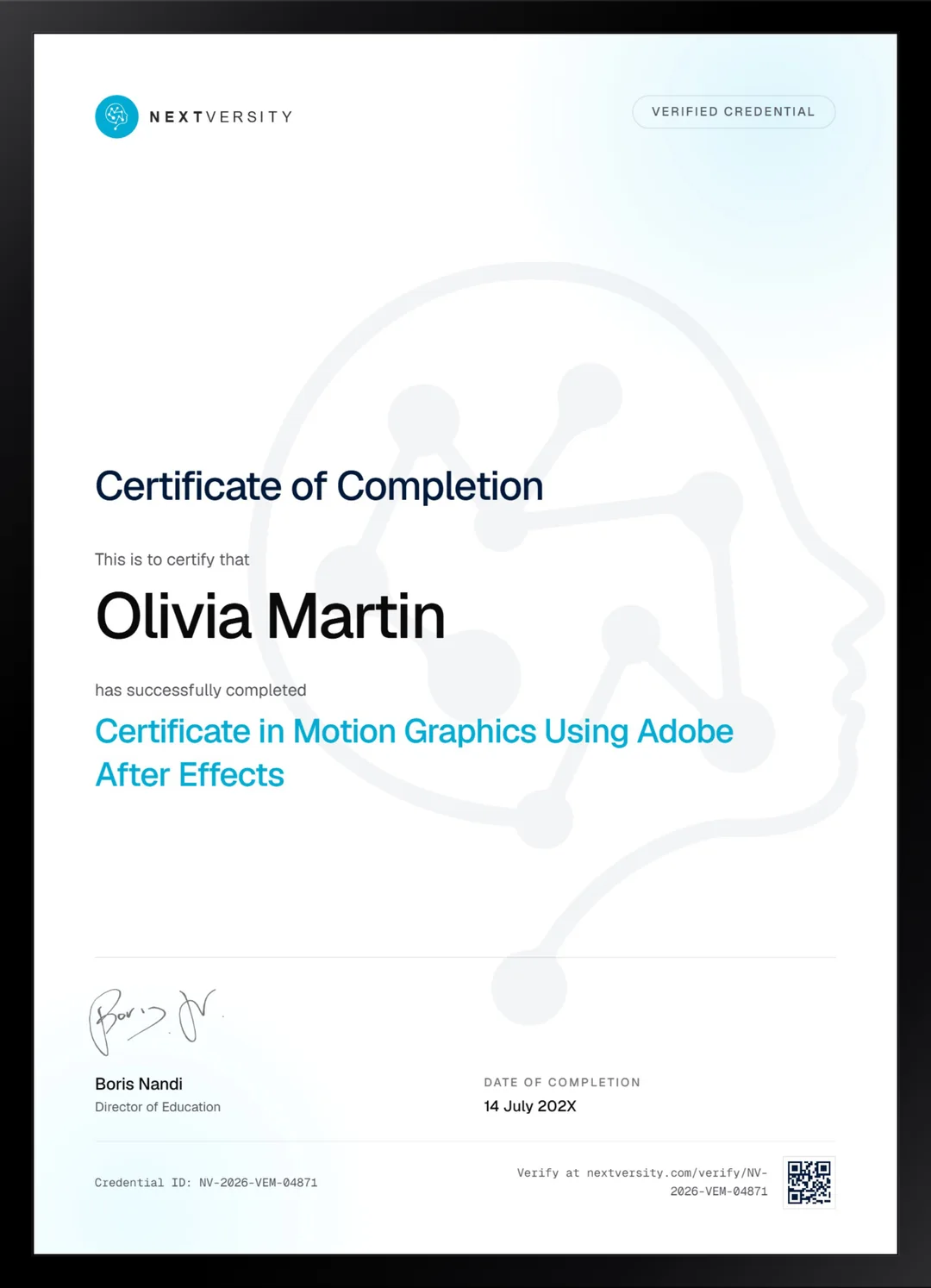
Finish the final module and your Motion Graphics Using Adobe After Effects certificate is issued automatically. Download it, share it with employers and clients, or add it to your resume and LinkedIn.
Where this can take you
Skills from this school show up in roles like these. The certificate proves you finished; the projects you build are what get you hired.
- Video editor
- Motion graphics designer
- Content editor for YouTube and social
- Post-production assistant
Enroll with confidence
Enroll with confidence
Full details in the refund policy. One subscription covers this course and every other course in all 8 schools.
Pair it with
More from the Video Editing & Motion Graphics school
 Certificate
From your first import to green screen, color grading and a finished mix, with a certificate at the end.
171 lessonsSelf-pacedCertificate
 Certificate
All seven Resolve pages on the free edition, with three modules of grading and a Fairlight mix.
105 lessonsSelf-pacedCertificate
FAQ
Common questions about the After Effects course
Can a complete beginner learn After Effects?
Yes, and nothing is assumed. The first module opens on the interface, the layers, the timeline and every tool in the toolbar, one at a time. If you have used layers anywhere before, in Photoshop or an editor, that opening stretch will move faster for you. The honest part is length rather than difficulty: this is the biggest course in the school.
Is After Effects a video editor?
No, and that is the most common mistake people make with it. After Effects works shot by shot: it stacks layers, animates them over time and renders frames. Cutting a long interview down in it is possible and miserable. Premiere Pro or DaVinci Resolve do the cutting, and After Effects makes the shots inside that cut do something.
How long does the After Effects course take to get through?
There is no single honest figure, because these lessons are built to be followed rather than watched, and a shot you build always takes longer than the lesson showing it. As a plan rather than a promise: three lessons a sitting, three sittings a week, and you will be through the motion graphics stretch inside a couple of months with real work to show for it.
Does the course cover character animation and rigging?
Two full modules of it. You rig a flat character with Duik, work with inverse kinematics, build walk cycles and lip sync, then animate complete scenes with several characters and props moving together. Those two modules genuinely build on each other rather than sitting side by side, so they are the part of the course most worth doing in order.
Should I learn After Effects or Premiere Pro first?
Premiere Pro first if you need to finish whole videos and only want titles that move, because its keyframing covers that. After Effects if things moving is the actual point of the work: shape morphs, rigged characters, tracked 3D elements and energy effects all need it. Both courses come with the same subscription, so this is really about which one you open tonight.
Will I get a certificate for After Effects I can show employers?
Yes. Work through every lesson, pass the final exam, and your certificate is issued automatically with a verification code and a public link anyone can check. Add it to LinkedIn in two clicks or attach it to an application. What wins motion graphics work is the reel, though, and this course is built so you finish with pieces worth putting in one.
What support do I get while learning After Effects?
Next Tutor sits beside every lesson and already knows which one you have open, so you can ask why a render came out wrong or what an expression does without leaving the page. It is useful rather than flawless, so check anything critical. A real person answers support email, and each quiz explains why the right answer was right.
Free info pack
Not ready to enroll? Start with the guide.
The full curriculum for this course, what you'll build, and how it fits with the rest of the school, in one short guide.