AI & Automation school
Certificate in AI Prompt Engineering Using ChatGPT
Be specific about what you want, then check what comes back.
Most disappointing ChatGPT answers are a prompt problem. This prompt engineering course fixes the prompt early, then points it at research, writing, images, data, automations and custom GPTs.
Overview
What this ChatGPT prompt engineering course covers
This prompt engineering course spends very little time on how a language model works and a great deal watching real jobs get done. An early module builds a six-element prompt formula, and everything afterward is that formula pointed at something: research, story structure, images, an automation, a spreadsheet you upload and question, then custom GPTs and memory.
Where it gets specific is in checking. The research lessons open a citation rather than trusting it, the data lessons show the code that produced the answer, and the automation module sets a spending limit before anything runs. That habit is the actual skill. Most of the course works on a free account, and the parts that do not are named here rather than at lesson thirty-four.
Outcomes
What you will be able to do
Requirements
Course requirements
- A ChatGPT account. Most of the course runs on the free plan.
- No coding and nothing to install. Everything runs in a browser.
- An automation account for two of the modules. That is a separate company with its own free tier and limits.
- One real job you want done, chosen before you start. A target makes the whole course easier to steer.
Syllabus
AI Prompt Engineering Using ChatGPT curriculum
39 recorded video lessons you follow along in the software, at your own pace. Quizzes through each module check what stuck, and a 20-question final exam earns your certificate.
1Course Introduction1 lesson
- Welcome (reading)
2ChatGPT Setup and Prompting Fundamentals7 lessons · 7 videos · quiz
- Setting Up Your ChatGPT Account and Exploring the Interface (video lesson, 1 minute 27 seconds)
- Customizing ChatGPT Settings and Personalization (video lesson, 2 minutes 38 seconds)
- Essential Prompting Techniques and Commands (video lesson, 8 minutes 7 seconds)
- Using Advanced ChatGPT Tools (video lesson, 7 minutes 1 second)
- Exploring Custom GPTs (video lesson, 2 minutes 43 seconds)
- Getting Started with Voice Mode (video lesson, 1 minute 40 seconds)
- Understanding Paid Plan Features (video lesson, 3 minutes 35 seconds)Quiz
3Research, Planning and Ideation with ChatGPT5 lessons · 5 videos · quiz
- Introduction to Practical Research with ChatGPT (video lesson, 2 minutes 5 seconds)
- Conducting Topic Research with ChatGPT (video lesson, 11 minutes 54 seconds)
- Brainstorming Business and Product Ideas (video lesson, 5 minutes 41 seconds)
- Planning a YouTube Channel Launch (video lesson, 8 minutes 21 seconds)
- Using Web Browsing for Updated Research (video lesson, 5 minutes 27 seconds)Quiz
4Creative Writing and Content Development2 lessons · 2 videos · quiz
- Introduction to Creative ChatGPT Workflows (video lesson, 1 minute 37 seconds)
- Creating Stories with Structured Prompts (video lesson, 12 minutes 35 seconds)Quiz
5Image Generation and Visual Prompting Workflows5 lessons · 5 videos · quiz
- Introduction to ChatGPT's Visual Capabilities (video lesson, 1 minute 50 seconds)
- Creating Images from Text Prompts (video lesson, 5 minutes 50 seconds)
- Editing Images with ChatGPT (video lesson, 3 minutes 58 seconds)
- Combining Images and Text Prompts (video lesson, 4 minutes 42 seconds)
- Using Visual Prompts for Creative Inspiration (video lesson, 3 minutes 22 seconds)Quiz
6Automation and Repeatable Workflow Systems3 lessons · 3 videos · quiz
- Automating Tasks with Zapier (video lesson, 15 minutes 8 seconds)
- Creating Reusable Content Workflows (video lesson, 4 minutes 3 seconds)
- Building Reusable Prompt Templates (video lesson, 1 minute 34 seconds)Quiz
7Data Analysis and File-Based Workflows4 lessons · 4 videos · quiz
- Understanding ChatGPT's Data Analysis Capabilities (video lesson, 1 minute 38 seconds)
- Analysing CSV and Excel Files (video lesson, 3 minutes 43 seconds)
- Working with Text-Based Data (video lesson, 2 minutes 13 seconds)
- Cleaning and Formatting Data with ChatGPT (video lesson, 2 minutes 40 seconds)Quiz
8Practical ChatGPT Workflows for Daily Use5 lessons · 5 videos · quiz
- Creating Productivity Workflows (video lesson, 3 minutes 2 seconds)
- Using ChatGPT for Email and Calendar Support (video lesson, 3 minutes 34 seconds)
- Creating Research Digests and Using Voice Mode (video lesson, 9 minutes 12 seconds)
- Using ChatGPT for Recipes, Travel and Everyday Planning (video lesson, 4 minutes 39 seconds)
- Applying Voice Mode in Real-Life Situations (video lesson, 3 minutes)Quiz
9Custom GPTs, Memory and Personalization3 lessons · 3 videos · quiz
- Understanding Custom GPTs (video lesson, 1 minute 31 seconds)
- Building Your Own Custom GPT (video lesson, 6 minutes 55 seconds)
- Understanding Memory and Custom Instructions (video lesson, 3 minutes 36 seconds)Quiz
10Advanced Prompt Engineering and AI Integrations5 lessons · 5 videos · quiz
- Advanced Prompt Engineering Techniques (video lesson, 12 minutes 41 seconds)
- Advanced Data Analysis and Code Interpreter Workflows (video lesson, 6 minutes 50 seconds)
- Creating a Hello World Project with the OpenAI API (video lesson, 7 minutes 29 seconds)
- Building an End-to-End Zapier Automation (video lesson, 13 minutes 7 seconds)
- Enhancing a Custom GPT with Advanced Workflows (video lesson, 8 minutes 9 seconds)Quiz
11Capstone Projects and Course Completion2 lessons
- Introduction to the Capstone Projects (reading)
- Course Wrap-Up and Next Steps (reading)
Certificate
Earn a certificate you can show
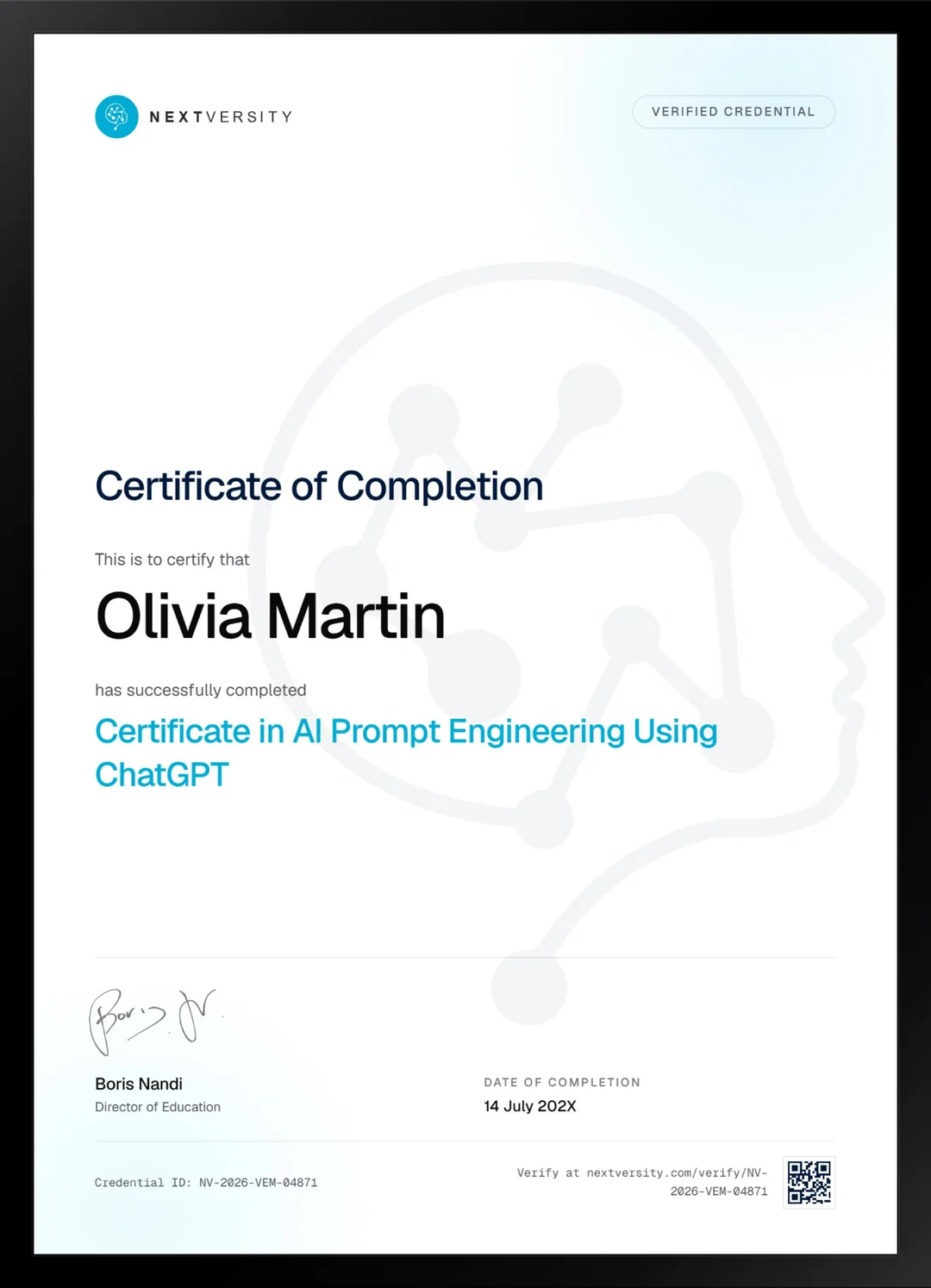
Finish the final module and your AI Prompt Engineering Using ChatGPT certificate is issued automatically. Download it, share it with employers and clients, or add it to your resume and LinkedIn.
Where this can take you
Skills from this school show up in roles like these. The certificate proves you finished; the projects you build are what get you hired.
- AI content specialist
- Prompt engineer
- Marketing automation specialist
- AI workflow consultant
Enroll with confidence
Enroll with confidence
Full details in the refund policy. One subscription covers this course and every other course in all 8 schools.
Pair it with
More from the AI & Automation school
 Certificate
Three answer modes, prompts that hold their shape, then content, study and small coding jobs on a free account.
15 lessonsSelf-pacedCertificate
 Certificate
Prompt anatomy, parameters, reference images and the edit tab, then three projects taken from moodboard to export.
51 lessonsSelf-pacedCertificate
FAQ
Common questions about the ChatGPT prompt engineering course
Do I need ChatGPT Plus for this course?
Not for most of it. The free plan carries the prompting, research, writing, image and everyday-workflow modules, which is the bulk of the course. Custom GPTs and deep research need a paid plan, and the API work is billed separately by usage. That is stated here rather than at lesson thirty-four for a reason.
Is this prompt engineering course good for beginners?
Yes, and it starts at creating the account. It suits you best if you already use ChatGPT a little, get mediocre answers back and suspect the problem is you rather than the tool. It usually is, and the six-element formula is the fix. No coding is needed anywhere in the course.
What is the six-element prompt formula?
It is the structure the rest of the course leans on: naming the elements a good prompt should carry so you stop leaving important decisions to the model by accident. Once you can see which of the six you left out, fixing a disappointing answer takes seconds instead of another five attempts at rephrasing.
Does the course cover image generation in ChatGPT?
Yes, several lessons: creating images from text, editing them, combining images with text prompts, and using pictures as creative input. What those lessons do not cover is rights, training data or commercial use, and that is a genuine gap worth knowing about before you put a generated image on something you sell.
Will the lessons still match ChatGPT after an update?
The decisions will. The labels may not. This interface moves faster than almost any other software taught here, so menu names and button positions drift between the recording and today. The first lesson of the prompting module covers how to read the course around that, and the underlying method has been stable throughout.
Does it cover automations and custom GPTs?
Both. One module automates a repeated job through a no-code automation tool and builds reusable prompt templates, and a later module returns for a longer end-to-end build. Custom GPTs get their own module covering instructions, memory and personalization, with the advice to test your instructions in an ordinary chat first.
Should I take the ChatGPT course or the DeepSeek one?
Take this one for the wider surface: images, file uploads, custom GPTs, memory, voice and automations. Take DeepSeek if you want an open model you can run yourself, or if cost is the deciding factor. The prompting skill transfers between them almost completely, and both certificates are in the same subscription.
Free info pack
Not ready to enroll? Start with the guide.
The full curriculum for this course, what you'll build, and how it fits with the rest of the school, in one short guide.