AI & Automation school
Certificate in AI Image Generation Using Midjourney
Get the image you actually intended, then finish it.
This Midjourney course treats a generation as the start rather than the finish: prompt anatomy and parameters, then references and the edit tab, then three projects that end in an exported file.
Overview
What this Midjourney course covers
Anybody can type a sentence and get four images back. This Midjourney course is about the next part: the five-part anatomy of a prompt, the parameters most people leave at default, and diagnosing a bad result from what the four images disagree about rather than rolling again and hoping.
You learn reference images for keeping a subject looking like itself, three lessons in the edit tab, tileable patterns and post-production, then build three projects that each end in an exported file: an interior visualization, a character poster, and a commercial set including a brand mockup and a storybook laid out for print. Read the ethics and licensing lessons before you sell anything, because those terms are far easier to comply with than to unwind.
Outcomes
What you will be able to do
Requirements
Course requirements
- Midjourney on a paid plan. At the time of recording there is no free tier, so nothing can be generated without paying.
- Nothing else that costs money. The other tools used in the projects all have free options.
- No drawing ability and no prior design software. Everything outside Midjourney is taught as it comes up.
- A subject of your own for the project modules, plus somewhere to keep files, because those modules produce plenty.
Syllabus
AI Image Generation Using Midjourney curriculum
49 recorded video lessons you follow along in the software, at your own pace. Quizzes through each module check what stuck, and a 20-question final exam earns your certificate.
1Course Introduction1 lesson
- Welcome (reading)
2Midjourney Foundations and AI Image Generation Basics6 lessons · 6 videos · quiz
- Introduction to Midjourney (video lesson, 5 minutes 24 seconds)
- Understanding How AI Art Tools Work (video lesson, 5 minutes 40 seconds)
- Understanding Midjourney Pricing and Account Setup (video lesson, 5 minutes 48 seconds)
- Exploring the Midjourney Interface (video lesson, 9 minutes 57 seconds)
- Prompting Fundamentals for Midjourney (video lesson, 7 minutes 18 seconds)
- Understanding Ethics, Copyright and AI Image Generation (video lesson, 4 minutes 20 seconds)Quiz
3Advanced Prompting Techniques for Midjourney7 lessons · 7 videos · quiz
- Organizing and Managing Prompts (video lesson, 4 minutes 18 seconds)
- Using Parameters and Settings (video lesson, 17 minutes 25 seconds)
- Managing Hallucinations and Improving Consistency (video lesson, 16 minutes 23 seconds)
- Applying Styles to Image Prompts (video lesson, 9 minutes 11 seconds)
- Advanced Prompt Engineering Techniques (video lesson, 7 minutes 58 seconds)
- Using ChatGPT to Support Prompt Development (video lesson, 11 minutes 48 seconds)
- Prompting Practice Lab (video lesson, 1 minute 6 seconds)Quiz
4Midjourney Image Workflows and Creative Controls9 lessons · 9 videos · quiz
- Understanding Midjourney Versions (video lesson, 12 minutes 32 seconds)
- Generating Human Faces and Anatomy (video lesson, 12 minutes 5 seconds)
- Using Reference Images Effectively (video lesson, 8 minutes 14 seconds)
- Using the Edit Tab Part 1 (video lesson, 11 minutes 37 seconds)
- Using the Edit Tab Part 2 (video lesson, 13 minutes 3 seconds)
- Using the Edit Tab Part 3 (video lesson, 10 minutes 14 seconds)
- Creating Patterns and Tileable Designs (video lesson, 9 minutes 26 seconds)
- Creating the Look of Motion in Images (video lesson, 14 minutes 46 seconds)
- Post-Production and Image Refinement (video lesson, 6 minutes 54 seconds)Quiz
5Project 1: Interior Concept Visualization4 lessons · 4 videos · quiz
- Developing a Moodboard and Visual Inspiration (video lesson, 13 minutes 14 seconds)
- Generating Base Interior Images (video lesson, 15 minutes 42 seconds)
- Combining and Refining Base Images (video lesson, 13 minutes 30 seconds)
- Refining Images with Photopea and Exporting Final Files (video lesson, 13 minutes 24 seconds)Quiz
6Project 2: Fantasy Character Design4 lessons · 4 videos · quiz
- Brainstorming Character Ideas and Gathering References (video lesson, 13 minutes 39 seconds)
- Creating Base Character Images and Blending Concepts (video lesson, 18 minutes 14 seconds)
- Upscaling and Refining Character Artwork (video lesson, 19 minutes 59 seconds)
- Designing a Character Poster in Canva (video lesson, 9 minutes 4 seconds)Quiz
7Applied Midjourney Projects and Commercial Workflows9 lessons · 9 videos · quiz
- Brainstorming a Brand Mockup Concept (video lesson, 15 minutes 19 seconds)
- Generating Product and Lifestyle Mockup Poses (video lesson, 16 minutes 9 seconds)
- Upscaling Mockups and Making Adjustments (video lesson, 12 minutes 21 seconds)
- Preparing Mockup Templates and Export Files (video lesson, 14 minutes 13 seconds)
- Developing a Trendy Poster Concept (video lesson, 18 minutes 12 seconds)
- Creating Poster Variations and Upscaling (video lesson, 11 minutes 19 seconds)
- Editing and Exporting Poster Designs (video lesson, 13 minutes 31 seconds)
- Creating Storybook Images and Story Concepts with ChatGPT (video lesson, 16 minutes 43 seconds)
- Designing the Storybook Layout and Exporting (video lesson, 17 minutes 12 seconds)Quiz
8Monetisation and Business Opportunities with Midjourney8 lessons · 7 videos · quiz
- Overview of Monetisation Opportunities (video lesson, 4 minutes 20 seconds)
- Understanding Midjourney Licensing (video lesson, 6 minutes 21 seconds)
- Using Print-on-Demand Platforms (video lesson, 10 minutes 32 seconds)
- Creating Digital Products with AI Artwork (video lesson, 5 minutes 25 seconds)
- Offering Midjourney Services as a Freelancer (video lesson, 9 minutes 11 seconds)
- Selling AI Artwork as Stock Content (reading)
- Using Midjourney for Branding Projects (video lesson, 5 minutes 19 seconds)
- Monetisation Challenge and Practical Exercise (video lesson, 2 minutes 26 seconds)Quiz
9Course Wrap-Up and Continuing Development3 lessons · 3 videos
- Common Mistakes to Avoid (video lesson, 6 minutes 42 seconds)
- Staying Current with Midjourney Updates (video lesson, 4 minutes 30 seconds)
- Next Steps for Continued Learning (video lesson, 5 minutes 6 seconds)
Certificate
Earn a certificate you can show
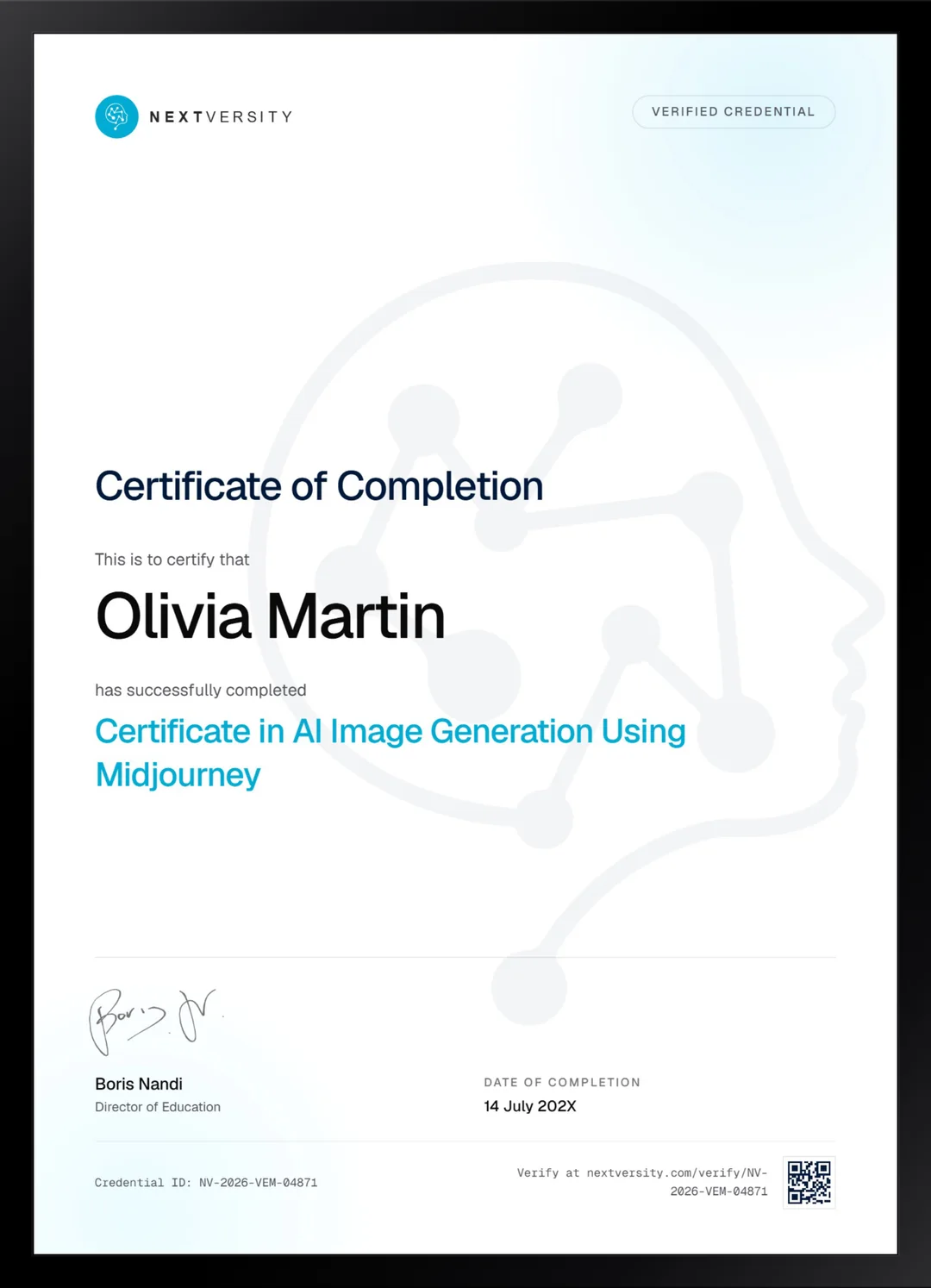
Finish the final module and your AI Image Generation Using Midjourney certificate is issued automatically. Download it, share it with employers and clients, or add it to your resume and LinkedIn.
Where this can take you
Skills from this school show up in roles like these. The certificate proves you finished; the projects you build are what get you hired.
- AI content specialist
- Prompt engineer
- Marketing automation specialist
- AI workflow consultant
Enroll with confidence
Enroll with confidence
Full details in the refund policy. One subscription covers this course and every other course in all 8 schools.
Pair it with
More from the AI & Automation school
 Certificate
Inpainting, outpainting, image guidance and upscalers, then a model you train yourself and artwork built to print.
29 lessonsSelf-pacedCertificate
 Certificate
Generative fill and expand, then product mockups in Photoshop, logos in Illustrator and social sets in Express.
37 lessonsSelf-pacedCertificate
FAQ
Common questions about the Midjourney course
Is there a free version of Midjourney?
Not at the time these lessons were recorded, and that is the single biggest thing to know before enrolling. You can browse other people’s images without paying, but you cannot generate anything. If you need a tool with a genuine free tier, the Leonardo AI certificate in this school is the one to take instead.
Do I need to be able to draw to learn Midjourney?
No. Nothing in the course assumes drawing ability or prior design software, and every outside tool it uses is taught as it comes up. What it will not do is teach you design: it hands you a good-looking image and cannot tell you whether the composition serves the brief. That judgment is a separate skill worth building.
Does the Midjourney course cover the edit tab and inpainting?
Three consecutive lessons on the edit tab, plus separate lessons on reference images, tileable patterns and post-production. Repairing a fault inside an otherwise good image by erasing a small region and reprompting it is the technique that turns a near-miss into a usable file, and it is where most of the practical value sits.
Can I sell images I make with Midjourney?
The licensing lesson answers that for your plan, and the course deliberately sends you to the current terms rather than restating them, because those terms change. What it does insist on is disclosing AI involvement wherever you publish, which is increasingly what platforms and clients expect and is far easier to do from the start.
How long does the Midjourney course take?
Around 20 to 25 hours if you build alongside it, and most of that time sits in the three project modules rather than in the videos. It is self-paced with no deadlines. Doing one project properly teaches you more than watching all three, so treat the project modules as the course rather than the finale.
Should I learn Midjourney or Leonardo AI?
Midjourney if style and the strength of a single generation matter most, and you are willing to pay from day one. Leonardo if you want to keep working on an image inside the same app, train a model of your own, or start on a free tier. Both certificates come with one subscription, so plenty of people learn both.
What do I get when I finish the Midjourney course?
Finished work first: an interior visualization, a character poster, a brand mockup set, a trend poster and a storybook, all exported. Then the credential. Once every lesson and quiz is done a twenty-question final exam opens at a 75% pass mark, and passing issues a certificate with a verification code.
Free info pack
Not ready to enroll? Start with the guide.
The full curriculum for this course, what you'll build, and how it fits with the rest of the school, in one short guide.