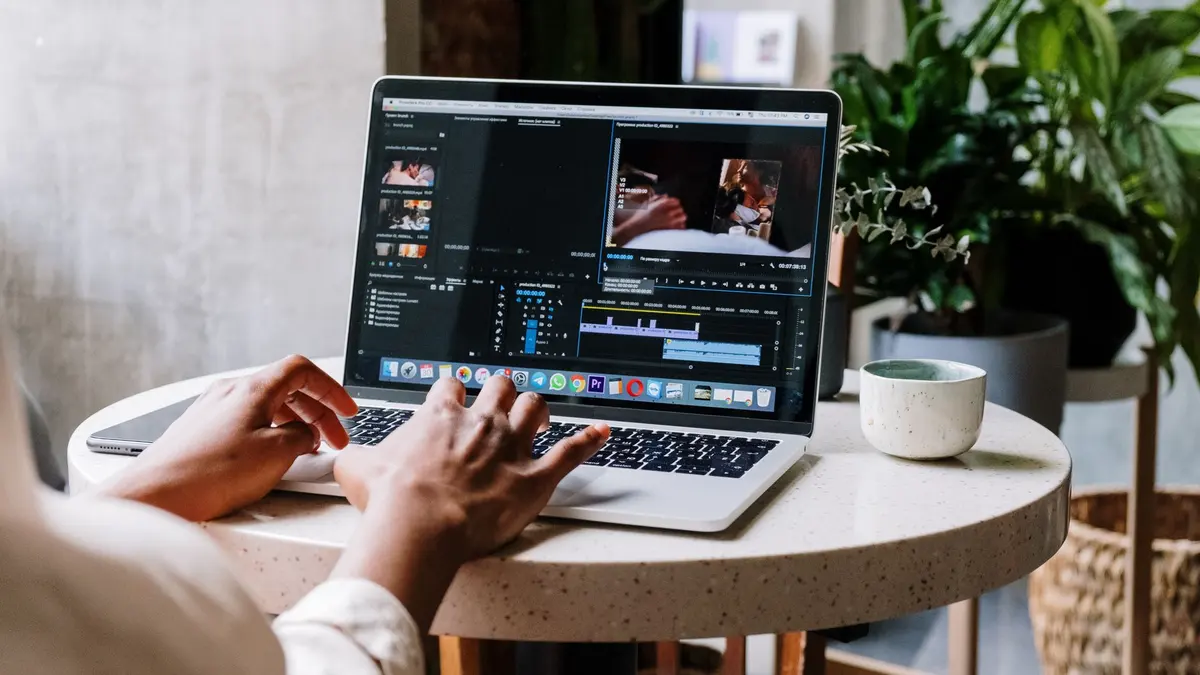
Video Editing & Motion Graphics school
Certificate in Video Editing Using Adobe Premiere Pro
From your first import to a finished, graded, mixed film.
This Premiere Pro course takes you from your first import to green screen, sound design and a finished, graded film you are proud to share.
Overview
What this Premiere Pro course covers
This Premiere Pro course takes you from absolute beginner to confident video editor. You will learn the tools and techniques professional editors use every day, working along in Premiere Pro from your first import through cutting, color grading, titles, sound and export. No editing experience is needed and nothing is assumed.
By the end you will be able to turn a folder of raw clips into a polished, graded, properly mixed video on your own. The second half goes further than most courses ever reach, into green screen, rotoscoping, object removal, motion tracking and speed ramps. Whether you are editing for work, for clients or for your own channel, you will finish with the skills and the confidence to make what you can already picture.
Outcomes
What you will be able to do
Requirements
Course requirements
- Adobe Premiere Pro. Any recent version works, and Adobe offers a free trial so you can start before you commit to a plan.
- No video editing experience. The course opens the software with you and assumes you have never edited before.
- No Premiere Pro skills. Everything you need is taught from the first lesson onward.
- A computer that meets the system requirements Adobe publishes, plus your own clips from module 20 onward, where the supplied practice footage stops.
Syllabus
Video Editing Using Adobe Premiere Pro curriculum
170 recorded video lessons you follow along in the software, at your own pace. Quizzes through each module check what stuck, and a 20-question final exam earns your certificate.
1Premiere Pro Setup and Installation4 lessons · 3 videos · quiz
- Welcome (reading)
- Accessing Premiere Pro and Understanding Adobe Subscriptions (video lesson, 1 minute 26 seconds)
- Comparing Premiere Pro and the Creative Cloud Suite (video lesson, 7 minutes 40 seconds)
- Using the Adobe Creative Cloud Desktop App (video lesson, 49 seconds)Quiz
2Premiere Pro Interface and Project Setup3 lessons · 3 videos · quiz
- Opening Premiere Pro and Understanding Keyboard Differences (video lesson, 1 minute 52 seconds)
- Creating a New Premiere Pro Project (video lesson, 4 minutes 38 seconds)
- Understanding the Premiere Pro Layout and Workspace (video lesson, 9 minutes 56 seconds)Quiz
3Workspace Setup and Preferences3 lessons · 3 videos · quiz
- Managing Premiere Pro Workspaces (video lesson, 4 minutes 24 seconds)
- Setting Preferences and Auto-Save Options (video lesson, 12 minutes 58 seconds)
- Workspace Setup Review and Best Practice (video lesson, 5 minutes 36 seconds)Quiz
4Media Importing and Footage Management5 lessons · 5 videos · 2 quizzes
- Importing Footage into Premiere Pro (video lesson, 11 minutes 28 seconds)
- Understanding Frame Rates, PAL and NTSC (video lesson, 25 minutes 8 seconds)
- Managing Footage with Best Practice Workflows (video lesson, 16 minutes 5 seconds)
- Working with Proxies (video lesson, 7 minutes 45 seconds)Quiz
- Customizing the Program Monitor Button Layout (video lesson, 12 minutes 58 seconds)Quiz
5Frame Rates and Media Interpretation2 lessons · 2 videos · quiz
- Understanding High Frame Rate Footage (video lesson, 2 minutes 38 seconds)
- Converting Frame Rates for Editing (video lesson, 6 minutes 5 seconds)Quiz
6Sequences, Aspect Ratios and Track Management4 lessons · 4 videos · 2 quizzes
- Creating a Premiere Pro Sequence (video lesson, 15 minutes 45 seconds)
- Understanding Aspect Ratios for Video (video lesson, 5 minutes 20 seconds)
- Using the Source Monitor with In and Out Points (video lesson, 19 minutes 59 seconds)Quiz
- Understanding Video Tracks and Layering (video lesson, 29 minutes 26 seconds)Quiz
7Premiere Pro Updates and Version Management1 lesson · 1 video
- Understanding Premiere Pro Updates and Version Changes (video lesson, 11 minutes 32 seconds)
8Keyboard Shortcuts and Editing Efficiency2 lessons · 2 videos · quiz
- Why Keyboard Shortcuts Matter (video lesson, 6 minutes 32 seconds)
- Creating Custom Keyboard Shortcuts (video lesson, 36 minutes 48 seconds)Quiz
9Media Transform Controls and Visual Adjustments2 lessons · 2 videos · quiz
- Using Effect Controls for Position, Scale and Rotation (video lesson, 22 minutes 12 seconds)
- Creating Picture Effects with Crop, Drop Shadow and Color Matte (video lesson, 39 minutes 52 seconds)Quiz
10Video Transition Fundamentals2 lessons · 2 videos · quiz
- Applying Video Transitions (video lesson, 30 minutes 27 seconds)
- Understanding Default Transitions (video lesson, 8 minutes 15 seconds)Quiz
11Audio Importing and Editing Fundamentals4 lessons · 4 videos · 2 quizzes
- Understanding Audio Tracks (video lesson, 14 minutes 22 seconds)
- Understanding Music Licensing (video lesson, 18 minutes 15 seconds)
- Importing Audio into Premiere Pro (video lesson, 15 minutes 51 seconds)Quiz
- Editing Audio in Premiere Pro (video lesson, 88 minutes 51 seconds)Quiz
12Motion Design and Keyframing Fundamentals3 lessons · 3 videos · 2 quizzes
- Animating Images with Keyframes (video lesson, 23 minutes 55 seconds)
- Animating Video with Keyframes (video lesson, 18 minutes 46 seconds)Quiz
- Animating Crop Effects (video lesson, 16 minutes 6 seconds)Quiz
13Color Correction and Grading Fundamentals4 lessons · 4 videos · 2 quizzes
- Correcting Exposure and White Balance with Lumetri (video lesson, 27 minutes 16 seconds)
- Using Creative LUTs in Lumetri Color (video lesson, 28 minutes 26 seconds)
- Working with Lumetri Curves (video lesson, 28 minutes 9 seconds)Quiz
- Using Lumetri Color Wheels (video lesson, 18 minutes 44 seconds)Quiz
14Text and Essential Graphics4 lessons · 4 videos · 2 quizzes
- Using Essential Graphics and Creating Text (video lesson, 18 minutes 3 seconds)
- Animating Text (video lesson, 19 minutes 17 seconds)Quiz
- Using Color Mattes in Text Animation (video lesson, 23 minutes 16 seconds)
- Using MOGRTs in Essential Graphics (video lesson, 31 minutes 22 seconds)Quiz
15Advanced Color Correction Workflows3 lessons · 3 videos · 2 quizzes
- Applying Color Correction Across Multiple Clips (video lesson, 11 minutes 56 seconds)
- Color Correcting with Adjustment Layers (video lesson, 6 minutes 35 seconds)Quiz
- Using Master Clip Color Correction (video lesson, 14 minutes 25 seconds)Quiz
16Exporting and Delivery Settings3 lessons · 3 videos · quiz
- Exporting a Still Frame (video lesson, 4 minutes 13 seconds)
- Exporting a Video Sequence (video lesson, 33 minutes 51 seconds)
- Choosing Export Settings for Different Platforms (video lesson, 7 minutes 4 seconds)Quiz
17Video Reframing for Different Formats2 lessons · 2 videos · quiz
- Understanding Why Reframing Matters (video lesson, 1 minute 25 seconds)
- Reframing Video for Different Aspect Ratios (video lesson, 12 minutes 1 second)Quiz
18Plugins and Advanced Graphics Tools3 lessons · 3 videos · quiz
- Understanding Why Editors Use Plugins (video lesson, 5 minutes 20 seconds)
- Using Premiere Composer (video lesson, 37 minutes 59 seconds)
- Using Motion Array Assets (video lesson, 49 minutes 54 seconds)Quiz
19Captions and Subtitle Workflows3 lessons · 3 videos · quiz
- Understanding Hardcoded and Sidecar Subtitles (video lesson, 6 minutes 52 seconds)
- Creating Subtitles in Premiere Pro (video lesson, 31 minutes 9 seconds)
- Exporting and Rendering Subtitle Options (video lesson, 7 minutes 19 seconds)Quiz
20Advanced Premiere Pro Editing Techniques31 lessons · 31 videos · 7 quizzes
- Introduction to Advanced Editing Techniques (video lesson, 5 minutes 31 seconds)
- Creating Cut-Out Text Effects (video lesson, 22 minutes 34 seconds)
- Creating Flip and Advanced Rotation Effects (video lesson, 18 minutes 35 seconds)
- Introduction to Character-Based Effects (video lesson, 17 minutes 46 seconds)
- Speeding Up Footage (video lesson, 5 minutes 36 seconds)
- Animating a Progress Bar (video lesson, 12 minutes 28 seconds)Quiz
- Creating Masking Transitions (video lesson, 41 minutes 37 seconds)
- Creating a Simple Photo Montage (video lesson, 27 minutes 32 seconds)
- Blurring Faces in Video (video lesson, 13 minutes 38 seconds)Quiz
- Tracking Graphics with After Effects (video lesson, 53 minutes 26 seconds)
- Creating a Lock-On Effect (video lesson, 22 minutes 29 seconds)
- Removing Objects from Video (video lesson, 59 minutes 30 seconds)Quiz
- Creating a Write-On Text Effect (video lesson, 29 minutes 38 seconds)
- Creating a Tracking Composite (video lesson, 56 minutes 19 seconds)Quiz
- Creating a Text Message Effect (video lesson, 39 minutes 19 seconds)
- Introduction to Rotoscoping (video lesson, 28 minutes 39 seconds)
- Using Track Mattes (video lesson, 17 minutes 16 seconds)
- Advanced Rotoscoping Techniques (video lesson, 32 minutes 59 seconds)
- Introduction to Greenscreen Editing (video lesson, 20 minutes 34 seconds)
- Creating a Double Exposure Effect (video lesson, 41 minutes 23 seconds)
- Creating Fly-Through 3D Text (video lesson, 25 minutes 17 seconds)
- Creating Speed Ramps (video lesson, 21 minutes 4 seconds)Quiz
- Creating a Scribble Effect (video lesson, 19 minutes 11 seconds)
- Understanding J-Cuts (video lesson, 9 minutes 44 seconds)
- Creating a Constant Zoom Effect (video lesson, 10 minutes 56 seconds)Quiz
- Creating a Vanish Effect (video lesson, 19 minutes 31 seconds)
- Automating a Sequence to Music (video lesson, 10 minutes 23 seconds)
- Creating a Displacement Ripple Effect (video lesson, 25 minutes 4 seconds)
- Creating a Sketch-to-Video Effect (video lesson, 31 minutes 28 seconds)
- Creating a Title Blur Effect (video lesson, 27 minutes 34 seconds)
- Converting Text Animations into MOGRT Templates (video lesson, 39 minutes 6 seconds)Quiz
21Advanced Premiere Pro Course Orientation2 lessons · 2 videos · quiz
- Introduction to Advanced Premiere Pro (video lesson, 33 seconds)
- Advanced Premiere Pro Overview and Review (video lesson, 8 minutes 41 seconds)Quiz
22Advanced Color Correction and Video Enhancement15 lessons · 15 videos · 4 quizzes
- Skin Retouching Part 1 (video lesson, 15 minutes 8 seconds)
- Skin Retouching Part 2 (video lesson, 23 minutes 10 seconds)
- Teeth Whitening in Video (video lesson, 6 minutes 39 seconds)Quiz
- Removing People from Video Clips (video lesson, 14 minutes 47 seconds)
- Stabilising Video Footage (video lesson, 17 minutes 44 seconds)
- Reducing Noise and Grain (video lesson, 13 minutes 39 seconds)
- Enhancing Colors in Video (video lesson, 23 minutes 35 seconds)Quiz
- Understanding the Meaning of Colors (video lesson, 14 minutes 27 seconds)
- Creating Mood Through Color (video lesson, 24 minutes 7 seconds)
- Using Color Match (video lesson, 7 minutes 2 seconds)
- Applying Lens Correction (video lesson, 9 minutes 54 seconds)
- Correcting Lighting Issues (video lesson, 9 minutes 35 seconds)Quiz
- Creating Blur and Depth Effects (video lesson, 12 minutes 55 seconds)
- Multi-Camera Editing (video lesson, 11 minutes 35 seconds)
- Creating Zoom Effects (video lesson, 15 minutes 35 seconds)Quiz
23Video Editing Style Practice6 lessons · 6 videos · 2 quizzes
- Creating a Warm and Dreamy Video Style (video lesson, 15 minutes)
- Creating a Cinematic and Moody Video Style (video lesson, 15 minutes 12 seconds)
- Creating a Euphoria-Inspired Video Style (video lesson, 9 minutes 57 seconds)
- Creating a Vintage Video Style (video lesson, 14 minutes 34 seconds)
- Editing Wedding Video Styles (video lesson, 12 minutes 44 seconds)Quiz
- Editing Travel Video Styles (video lesson, 8 minutes 45 seconds)Quiz
24Sound Design and Audio Post-Production23 lessons · 23 videos · 4 quizzes
- Introduction to Sound Design (video lesson, 7 minutes 36 seconds)
- Nature Sound Design Example Part 1 (video lesson, 24 minutes 49 seconds)
- Nature Sound Design Example Part 2 (video lesson, 13 minutes 7 seconds)
- Action Sound Design Example Part 1 (video lesson, 10 minutes 53 seconds)
- Action Sound Design Example Part 2 (video lesson, 24 minutes 12 seconds)
- Action Sound Design Example Part 3 (video lesson, 12 minutes 38 seconds)Quiz
- Cleaning Audio Tracks (video lesson, 27 minutes 50 seconds)
- Vocal Sound Design Example Part 1 (video lesson, 38 minutes 12 seconds)
- Vocal Sound Design Example Part 2 (video lesson, 20 minutes 27 seconds)
- Tips for Recording Better Audio (video lesson, 15 minutes 23 seconds)
- Audio Effects Part 1 (video lesson, 17 minutes 39 seconds)
- Audio Effects Part 2 (video lesson, 24 minutes 35 seconds)
- Audio Effects Part 3 (video lesson, 18 minutes 50 seconds)
- Using Audio Panning (video lesson, 23 minutes 5 seconds)Quiz
- 3D Audio Example 1 (video lesson, 15 minutes 42 seconds)
- 3D Audio Example 2 Part 1 (video lesson, 20 minutes)
- 3D Audio Example 2 Part 2 (video lesson, 16 minutes 40 seconds)
- Understanding What Makes a Strong Commercial (video lesson, 19 minutes 26 seconds)
- Commercial Audio Practice Part 1 (video lesson, 14 minutes 20 seconds)
- Commercial Audio Practice Part 2 (video lesson, 14 minutes 25 seconds)Quiz
- Commercial Audio Practice Part 3 (video lesson, 20 minutes 9 seconds)
- Commercial Audio Practice Part 4 (video lesson, 14 minutes 24 seconds)
- Commercial Audio Practice Part 5 (video lesson, 17 minutes 14 seconds)Quiz
25Advanced Transition Techniques16 lessons · 16 videos · 4 quizzes
- Introduction to Advanced Transitions (video lesson, 8 minutes 25 seconds)
- Understanding Types of Cuts in Editing (video lesson, 21 minutes 58 seconds)
- Creating Basic Action Transitions (video lesson, 11 minutes 16 seconds)
- Creating Basic Zoom Transitions (video lesson, 6 minutes 47 seconds)Quiz
- Creating a Sweep Glow Transition (video lesson, 11 minutes 5 seconds)
- Creating a Sky Flip Transition (video lesson, 10 minutes 52 seconds)
- Creating a Dolly Zoom Effect (video lesson, 5 minutes 52 seconds)Quiz
- Creating a Photo Puzzle Transition (video lesson, 16 minutes 1 second)
- Creating a Zoom Split Transition (video lesson, 12 minutes 1 second)
- Creating a Mask Tunnel Transition (video lesson, 15 minutes 14 seconds)
- Creating a Motion Swipe Transition (video lesson, 12 minutes 43 seconds)
- Creating a Freeze Frame Transition (video lesson, 21 minutes 33 seconds)
- Creating a Cross Object Transition (video lesson, 11 minutes 48 seconds)
- Creating a Speed Ramp Transition (video lesson, 9 minutes 13 seconds)
- Fast and Easy Transition Ideas (video lesson, 11 minutes 14 seconds)Quiz
- Additional Transition Ideas (video lesson, 17 minutes 48 seconds)Quiz
26Advanced Video Effects and Creative Compositing21 lessons · 21 videos · 4 quizzes
- Creating Color Isolation and Color Change Effects (video lesson, 4 minutes 26 seconds)
- Creating Music Video Effects (video lesson, 17 minutes 48 seconds)
- Glow Effects Part 1 (video lesson, 19 minutes 5 seconds)
- Glow Effects Part 2 (video lesson, 21 minutes 44 seconds)
- Creating Light Effects (video lesson, 21 minutes 20 seconds)
- Creating a Handheld Camera Effect (video lesson, 5 minutes 4 seconds)Quiz
- Using Overlays and Elements (video lesson, 11 minutes)
- Adding a Scar Effect (video lesson, 12 minutes 24 seconds)Quiz
- Glitch Effects Part 1 (video lesson, 19 minutes 38 seconds)
- Glitch Effects Part 2 (video lesson, 17 minutes 47 seconds)
- Glitch Effects Part 3 (video lesson, 15 minutes 9 seconds)
- Sky Replacement Effects Part 1 (video lesson, 17 minutes 37 seconds)Quiz
- Sky Replacement Effects Part 2 (video lesson, 12 minutes 41 seconds)
- Creating Spinning Background Effects (video lesson, 8 minutes 48 seconds)
- Building Placement Effect Part 1 (video lesson, 15 minutes 58 seconds)
- Building Placement Effect Part 2 (video lesson, 16 minutes 26 seconds)Quiz
- Magic Power Effects Part 1 (video lesson, 11 minutes 49 seconds)
- Magic Power Effects Part 2 (video lesson, 12 minutes 7 seconds)
- Creating Freeze Clone Effects (video lesson, 12 minutes)
- Creating a Big Head Effect (video lesson, 6 minutes 14 seconds)
- Creating a Door Transition Effect (video lesson, 15 minutes 37 seconds)
Certificate
Earn a certificate you can show
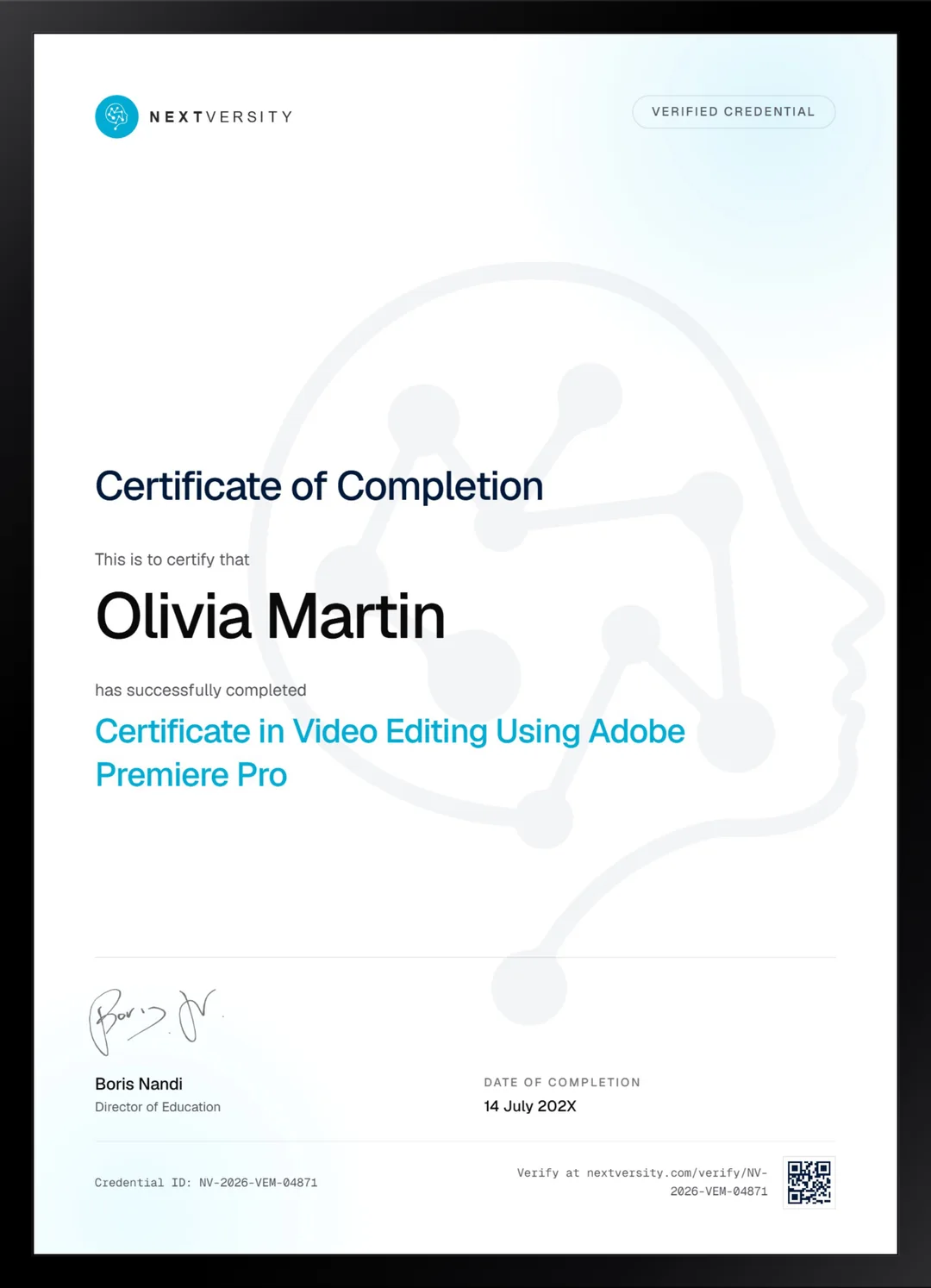
Finish the final module and your Video Editing Using Adobe Premiere Pro certificate is issued automatically. Download it, share it with employers and clients, or add it to your resume and LinkedIn.
Where this can take you
Skills from this school show up in roles like these. The certificate proves you finished; the projects you build are what get you hired.
- Video editor
- Motion graphics designer
- Content editor for YouTube and social
- Post-production assistant
Enroll with confidence
Enroll with confidence
Full details in the refund policy. One subscription covers this course and every other course in all 8 schools.
Pair it with
More from the Video Editing & Motion Graphics school
 Certificate
Keyframes and shape morphs, then character rigging, 3D cameras, tracking, keying and energy effects.
213 lessonsSelf-pacedCertificate
 Certificate
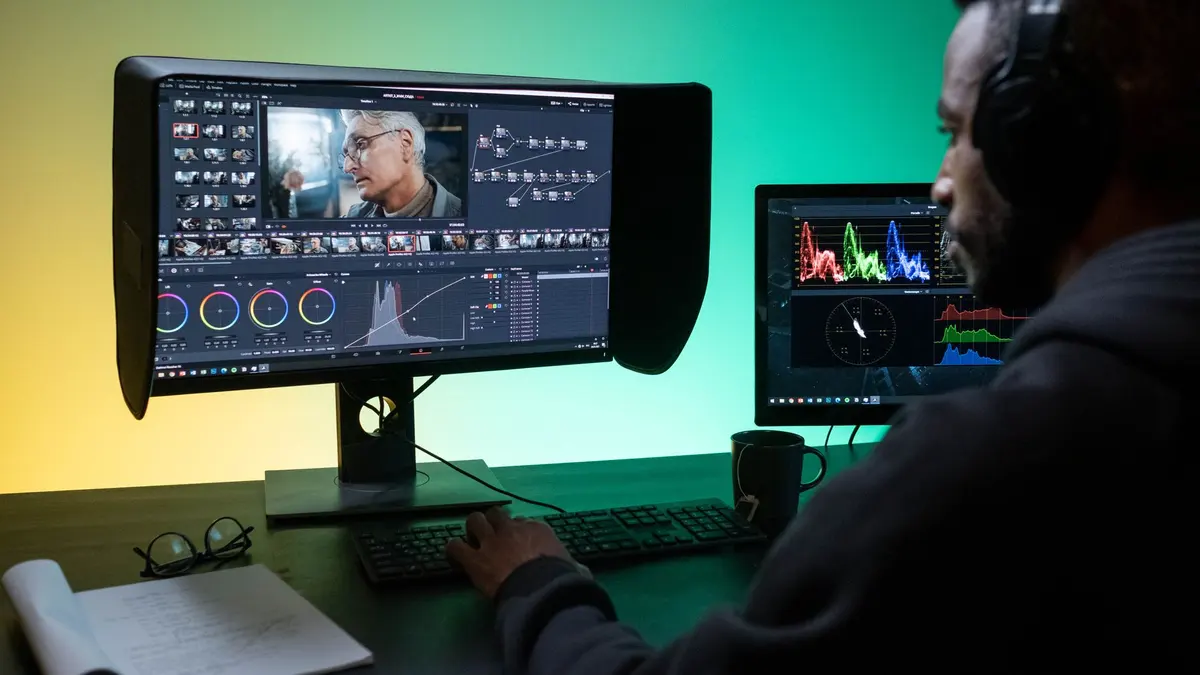
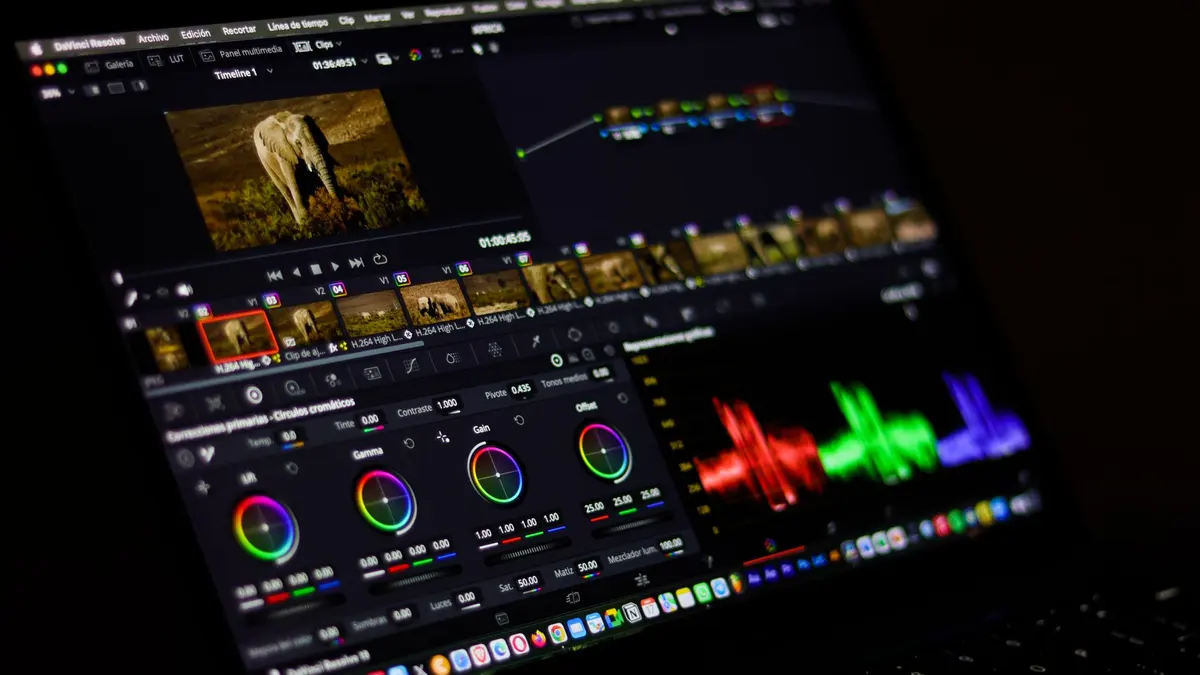
All seven Resolve pages on the free edition, with three modules of grading and a Fairlight mix.
105 lessonsSelf-pacedCertificate
FAQ
Common questions about the Premiere Pro course
How long will it take me to finish?
That is up to you, because nothing here runs to a schedule. Budget 100 to 130 hours if you edit alongside the lessons, which is the version worth doing. At three to five hours a week that is a few months, and plenty of people move faster by starting with the modules they came for and treating the rest as reference.
Do I need any prior experience?
None at all. This is built for complete beginners. The opening module installs the software, and the one after it opens Premiere Pro for the first time and explains what every panel is for. The pace is deliberately slow at the start, so by the time the harder effects modules arrive, the interface is no longer the thing you are fighting.
Do I need to pay for Adobe to take this course?
You need Premiere Pro on your machine, and Adobe offers a free trial if you want to start straight away. The course names no price or plan on purpose, because Adobe changes both and anything written here would be out of date within a year. Check Adobe for current pricing. If paying is not on the table, our DaVinci Resolve course runs entirely on its free edition.
What kind of work can these skills lead to?
Video editing sits behind a lot of roles: editor, content creator, social media coordinator, marketing assistant, videographer, and freelance work for local businesses. The certificate shows you finished the course. What actually gets you work is the reel you build while you learn, which is why this course has you editing real projects rather than watching someone else edit.
Will I get a certificate I can put on my resume or LinkedIn?
Yes. Finish every lesson, pass the final exam, and your certificate is issued automatically with a unique verification code and a public link anyone can check. Download it as a PDF, add it to your LinkedIn profile in two clicks, or send it straight to a client. It stays valid whether or not you keep your subscription running.
Is this the same as an official Adobe certification?
No, and it is worth being straight about that. Adobe runs its own certified professional exams through a separate testing provider, and this is not one of them. What you get here is a Nextversity certificate proving you completed the course and passed the exam, plus the portfolio you built along the way. In practice, most employers ask to see the edit.
What support do I get while I am learning?
Next Tutor sits beside every lesson and already knows which one you are on, so you can ask why a render looks wrong or what a setting does and get an answer in seconds. It is genuinely useful rather than perfect, so check anything important. A real person answers support email, and every quiz explains why an answer was right.
Free info pack
Not ready to enroll? Start with the guide.
The full curriculum for this course, what you'll build, and how it fits with the rest of the school, in one short guide.