3D Design & Animation school
Certificate in Blender 3D Fundamentals
Open Blender for the first time, finish with something you made.
A Blender course that starts at the download page. Model, sculpt, retopologize, unwrap, texture, light and render, then run the whole pipeline once more on an object of your own.
Overview
What this Blender course covers
Blender is free, which is why most people try it, and hostile in its opening hours, which is why most people stop. This Blender course is built for exactly that moment. It opens on the download page, sets the handful of preferences that actually matter, and assumes you have never seen the interface in your life.
The long middle is modeling, from extrude and loop cut to the modifiers and orthographic reference work, with a third of it built along rather than demonstrated. Then sculpting and retopology, then surfacing, where beginners usually stall: shader nodes, UV space, texel density and baking a normal map onto a low-poly mesh. A final module runs the whole pipeline again on one object of your own, which is the test that actually counts.
Outcomes
What you will be able to do
Requirements
Course requirements
- Blender, free from blender.org. Nothing in this course costs money.
- A three-button mouse. Not a preference: the middle button clicks as well as scrolls, and almost every Blender operation uses it.
- A numeric keypad, or Emulate Numpad switched on. The first module shows exactly where that setting lives.
- No 3D experience at all. The course starts at the download page and assumes nothing beyond that.
Syllabus
Blender 3D Fundamentals curriculum
76 recorded video lessons you follow along in the software, at your own pace. Quizzes through each module check what stuck, and a 20-question final exam earns your certificate.
1Blender Setup and Interface Fundamentals5 lessons · 4 videos · quiz
- Introduction (reading)
- Course Overview and Learning Expectations (video lesson, 1 minute 20 seconds)
- Downloading Blender (video lesson, 5 minutes 22 seconds)
- Configuring Blender Settings and Preferences (video lesson, 18 minutes 54 seconds)
- Navigating the Blender Interface (video lesson, 24 minutes 16 seconds)Quiz
2Mesh Modeling Fundamentals5 lessons · 5 videos · quiz
- Adding and Transforming Mesh Objects Part 1 (video lesson, 20 minutes 36 seconds)
- Adding and Transforming Mesh Objects Part 2 (video lesson, 16 minutes 49 seconds)
- Creating an Object with Blender Primitive Objects (video lesson, 118 minutes)
- Editing Mesh Objects (video lesson, 44 minutes 40 seconds)
- Creating Objects by Editing Primitive Vertices (video lesson, 101 minutes 25 seconds)Quiz
3Core Mesh Editing Operations9 lessons · 9 videos · quiz
- Using the Extrude Tool (video lesson, 19 minutes 17 seconds)
- Extrude Tool Demonstration (video lesson, 7 minutes 32 seconds)
- Using Delete, Fill and Join Operations (video lesson, 10 minutes 20 seconds)
- Using Loop Cut and Subdivide (video lesson, 10 minutes 54 seconds)
- Loop Cut, Delete, Fill and Join Demonstration (video lesson, 12 minutes 15 seconds)
- Using Bevel and Inset (video lesson, 9 minutes 54 seconds)
- Creating an Object with Mesh Editing Operations Part 1 (video lesson, 40 minutes 7 seconds)
- Creating an Object with Mesh Editing Operations Part 2 (video lesson, 19 minutes 18 seconds)
- Creating an Object with Mesh Editing Operations Part 3 (video lesson, 36 minutes 43 seconds)Quiz
4Essential Blender Modifiers6 lessons · 6 videos · quiz
- Using the Subdivision Surface Modifier (video lesson, 13 minutes 24 seconds)
- Using the Mirror Modifier (video lesson, 12 minutes 33 seconds)
- Creating a Symmetrical Object (video lesson, 27 minutes 53 seconds)
- Using Boolean Operations (video lesson, 10 minutes 18 seconds)
- Using the Array Modifier (video lesson, 13 minutes 1 second)
- Essential Modifiers Demonstration (video lesson, 40 minutes 32 seconds)Quiz
5Modeling from Orthographic References3 lessons · 3 videos · quiz
- Understanding Orthographic References (video lesson, 20 minutes 4 seconds)
- Modeling from a Reference Image Part 1 (video lesson, 21 minutes 21 seconds)
- Modeling from a Reference Image Part 2 (video lesson, 39 minutes 34 seconds)Quiz
6Intermediate Mesh Editing Operations5 lessons · 5 videos · quiz
- Using Knife and Bisect Tools (video lesson, 15 minutes 2 seconds)
- Using Spin, Smooth and Shrink Tools (video lesson, 17 minutes 4 seconds)
- Bridging Edge Loops (video lesson, 14 minutes 30 seconds)
- Modeling with Intermediate Mesh Operations Part 1 (video lesson, 29 minutes 18 seconds)
- Modeling with Intermediate Mesh Operations Part 2 (video lesson, 32 minutes 23 seconds)Quiz
7Sculpting Fundamentals in Blender4 lessons · 4 videos · quiz
- Introduction to Mesh Sculpting (video lesson, 4 minutes 28 seconds)
- Navigating the Sculpting Workspace (video lesson, 7 minutes 59 seconds)
- Using Sculpting Brushes (video lesson, 15 minutes 2 seconds)
- Understanding Non-Sculpting Brushes (video lesson, 13 minutes 3 seconds)Quiz
8Subdivision Methods for Sculpting4 lessons · 4 videos · quiz
- Using the Multiresolution Modifier (video lesson, 12 minutes 35 seconds)
- Using Dynamic Topology (video lesson, 17 minutes 15 seconds)
- Sculpting an Organic Form Part 1 (video lesson, 43 minutes 7 seconds)
- Sculpting an Organic Form Part 2 (video lesson, 19 minutes 31 seconds)Quiz
9Symmetrical Sculpting Techniques3 lessons · 3 videos · quiz
- Configuring Symmetry Settings (video lesson, 13 minutes 25 seconds)
- Sculpting a Symmetrical Organic Mesh Part 1 (video lesson, 55 minutes 38 seconds)
- Sculpting a Symmetrical Organic Mesh Part 2 (video lesson, 29 minutes 48 seconds)Quiz
10Retopology Fundamentals4 lessons · 4 videos · quiz
- Introduction to Retopology (video lesson, 22 minutes 40 seconds)
- Retopologising a Sculpt Part 1 (video lesson, 39 minutes 27 seconds)
- Retopologising a Sculpt Part 2 (video lesson, 45 minutes 58 seconds)
- Retopologising a Sculpt Part 3 (video lesson, 42 minutes 19 seconds)Quiz
11High-Resolution Sculpting Techniques2 lessons · 2 videos · quiz
- Cleaning Up Sculpted Models (video lesson, 22 minutes 34 seconds)
- Sculpting with Alphas (video lesson, 18 minutes 17 seconds)Quiz
12Materials, Shading and Texture Fundamentals5 lessons · 5 videos · quiz
- Introduction to Materials (video lesson, 9 minutes 16 seconds)
- Coloring a Model with Materials (video lesson, 32 minutes 9 seconds)
- Shading and Textures Part 1 (video lesson, 17 minutes 47 seconds)
- Shading and Textures Part 2 (video lesson, 18 minutes 45 seconds)
- Creating a Tiling Texture (video lesson, 27 minutes 32 seconds)Quiz
13UV Mapping and Texture Coordinates3 lessons · 3 videos · quiz
- Introduction to UV Space and Coordinates (video lesson, 19 minutes 47 seconds)
- UV Unwrapping a Complex Object (video lesson, 41 minutes 40 seconds)
- Understanding Texel Density (video lesson, 16 minutes 44 seconds)Quiz
143D Texture Painting in Blender5 lessons · 5 videos · quiz
- Texture Painting Color Maps Part 1 (video lesson, 14 minutes 18 seconds)
- Texture Painting Color Maps Part 2 (video lesson, 25 minutes 51 seconds)
- Texture Painting Non-Color Maps (video lesson, 28 minutes 33 seconds)
- Coloring a Model in the 3D Texture Painter Part 1 (video lesson, 66 minutes 1 second)
- Coloring a Model in the 3D Texture Painter Part 2 (video lesson, 16 minutes 5 seconds)Quiz
15Normal Map Fundamentals1 lesson · 1 video · quiz
- Understanding Normal Maps (video lesson, 25 minutes 2 seconds)Quiz
16Lighting, Cameras and Rendering3 lessons · 3 videos · 2 quizzes
- Working with Lights (video lesson, 11 minutes 20 seconds)Quiz
- Working with Cameras (video lesson, 8 minutes 2 seconds)
- Configuring Render Engines and Settings (video lesson, 24 minutes 38 seconds)Quiz
17Final Blender Project1 lesson · 1 video · quiz
- Final Project Overview (video lesson, 18 minutes 46 seconds)Quiz
18Blender 4.0 Features and Workflow Updates9 lessons · 9 videos
- Introduction to Blender 4.0 Updates (video lesson, 31 seconds)
- Blender 4.0 Update Overview (video lesson, 1 minute 43 seconds)
- Using Light Linking (video lesson, 12 minutes 20 seconds)
- Exploring Blender 4.0 Interface Updates (video lesson, 12 minutes 12 seconds)
- Using Model Snapping (video lesson, 6 minutes 3 seconds)
- Using the Portal BSDF Node (video lesson, 13 minutes 41 seconds)
- Working with Matrix Nodes (video lesson, 12 minutes 39 seconds)
- Using the Geometry Node Tool (video lesson, 6 minutes 31 seconds)
- Blender 4.0 Update Summary (video lesson, 16 minutes 59 seconds)
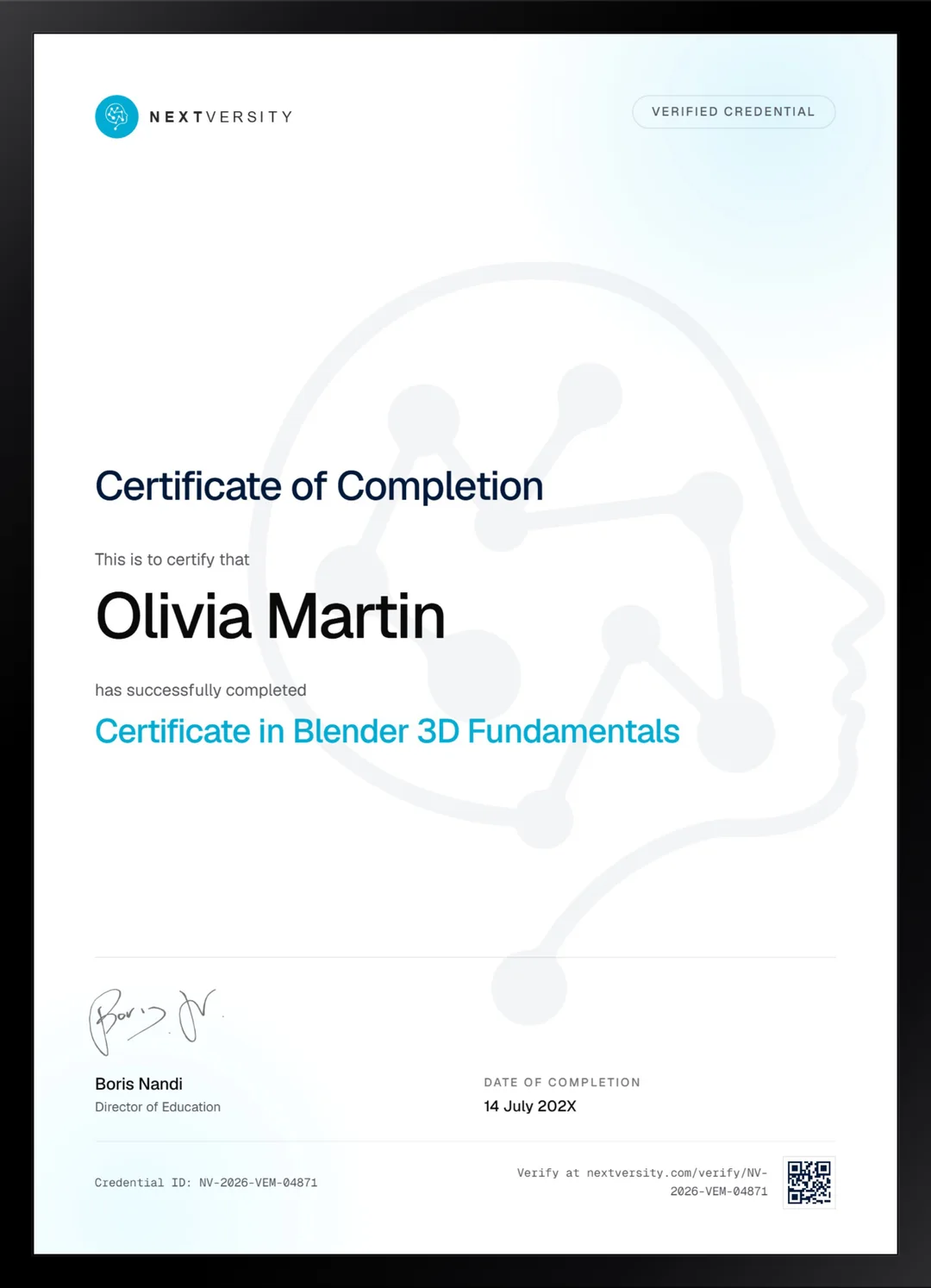
Certificate
Earn a certificate you can show
Finish the final module and your Blender 3D Fundamentals certificate is issued automatically. Download it, share it with employers and clients, or add it to your resume and LinkedIn.
Where this can take you
Skills from this school show up in roles like these. The certificate proves you finished; the projects you build are what get you hired.
- 3D modeler
- 3D generalist
- Environment artist
- Product visualization artist
Enroll with confidence
Enroll with confidence
Full details in the refund policy. One subscription covers this course and every other course in all 8 schools.
Pair it with
More from the 3D Design & Animation school
 Certificate
Two game-ready characters in Blender, from the concept sketch through sculpt, retopology, textures and final render.
216 lessonsSelf-pacedCertificate
 Certificate
Plan, block out, model, unwrap, texture, scatter and light two complete Blender scenes, start to finish.
132 lessonsSelf-pacedCertificate
FAQ
Common questions about the Blender course
Can I learn Blender with no 3D experience at all?
Yes, and that is the assumption the entire course runs on. It starts at the download page, sets the handful of preferences that matter before you touch anything, and teaches navigation before modeling. If you have opened Blender before and closed it again in confusion, that reaction is normal and this course is the answer to it.
Do I really need a three-button mouse for Blender?
Yes, and it is the one thing worth spending money on before you start. Blender navigation is built around a middle button that both clicks and scrolls, and almost every operation uses it. Emulating it on a trackpad is possible and genuinely miserable. A basic wired mouse costs very little and removes the biggest source of early frustration.
Which version of Blender does the course use?
It was recorded on Blender 3.0.1, and a later module covers what changed in 4.0, including light linking, the Ray Portal BSDF and geometry node tools. Install a current release. Between those two points, a menu that has moved has simply moved, and the module at the end tells you where the significant ones went.
Does this Blender course teach animation?
No, and that is worth saying plainly because the old introduction video claims otherwise. There is not a single keyframe in the run. What you get instead is the whole static pipeline: modeling, sculpting, retopology, UVs, texturing, lighting and rendering. Animation is a separate discipline, and starting it before you can model is the wrong order anyway.
Is Blender free, and does the course need anything paid?
Blender is free and open source, and nothing else here costs money. The course uses three add-ons: Loop Tools and Node Wrangler ship with Blender and only need switching on, and UV TexTools is a free download. There is no paid asset pack, no subscription and no upsell anywhere in the course.
How long does it take to get comfortable in Blender?
Budget roughly 25 to 35 hours if you build alongside the lessons, which is the only version worth taking. At three or four lessons a week you are through in a couple of months. Keep a notes file of shortcuts open in a second window, because the course names roughly a hundred and writing them down is what makes them stick.
Should I start here or go straight to character modeling?
Start here if the interface is still unfamiliar. The character and environment courses in this school both assume you can navigate a viewport and edit a mesh without thinking about it. Do this one first and those become a genuine step up. Skip it and you will spend both of them fighting the software instead of learning the craft.
Free info pack
Not ready to enroll? Start with the guide.
The full curriculum for this course, what you'll build, and how it fits with the rest of the school, in one short guide.