3D Design & Animation school
Certificate in 3D Environment Design Using Blender
Two finished scenes, from first planning sketch to final render.
A 3D environment design course that builds two complete Blender scenes end to end, a graveyard and a medieval town, with two instructors deliberately solving the same problems differently.
Overview
What this 3D environment design course covers
Most 3D teaching hands you an object. A 3D environment design course has to hand you a place, and the difference is scope: a scene is only finished when the camera can point anywhere in it without finding something unmade. This course runs that whole problem twice, with two instructors solving it deliberately differently.
The first project starts before Blender opens, with a reference board, an asset list and a way of sizing a scene you will actually finish, then a gray blockout, asset modeling and materials you author yourself. The second uses downloaded PBR sets pushed further, geometry nodes filling the streets, and a rendered image sequence. Both end in a composited render worth showing, and a third scene is set as a brief nobody walks you through.
Outcomes
What you will be able to do
Requirements
Course requirements
- Blender, free from blender.org. Any release from 3.0 onward is fine.
- Enough Blender to move around a 3D viewport. An eight-lesson crash course near the start covers the program if you are rusty.
- A mouse with a scroll wheel. Emulating a three-button mouse makes this course considerably harder than it needs to be.
- GScatter, a free scattering add-on, and somewhere to keep reference images. Nothing here needs a paid asset pack.
Syllabus
3D Environment Design Using Blender curriculum
131 recorded video lessons you follow along in the software, at your own pace. Quizzes through each module check what stuck, and a 20-question final exam earns your certificate.
1Course Orientation and Environment Art Foundations3 lessons · 2 videos · 2 quizzes
- Welcome (reading)
- Course Overview and Learning Expectations (video lesson, 51 seconds)Quiz
- Introduction to Environment Art (video lesson, 11 minutes 7 seconds)Quiz
2Environment Planning and Pre-Production3 lessons · 3 videos · 2 quizzes
- Planning a 3D Environment Scene (video lesson, 12 minutes 34 seconds)Quiz
- Gathering References Part 1 (video lesson, 24 minutes 25 seconds)
- Gathering References Part 2 (video lesson, 13 minutes 23 seconds)Quiz
3Blender Interface and Modeling Fundamentals8 lessons · 8 videos · 2 quizzes
- Downloading and Installing Blender (video lesson, 7 minutes 3 seconds)Quiz
- Blender Interface Overview (video lesson, 12 minutes 57 seconds)
- Using Transform Tools (video lesson, 16 minutes 27 seconds)
- Adding and Removing Mesh Detail (video lesson, 23 minutes 33 seconds)
- Understanding Pivot Points and Selection Order (video lesson, 2 minutes 41 seconds)
- Mesh Modeling Operations Part 1 (video lesson, 17 minutes 50 seconds)
- Mesh Modeling Operations Part 2 (video lesson, 14 minutes 21 seconds)
- Working with Modifiers (video lesson, 26 minutes 13 seconds)Quiz
4Environment Blockout and Scene Layout11 lessons · 11 videos · 2 quizzes
- Using Grids and Snapping (video lesson, 9 minutes 53 seconds)
- Blocking Out the Mausoleum (video lesson, 22 minutes 38 seconds)
- Blocking Out the Fence (video lesson, 22 minutes 13 seconds)
- Blocking Out the Landscape (video lesson, 17 minutes 50 seconds)
- Blocking Out the Tombstones (video lesson, 14 minutes 23 seconds)
- Blocking Out the Trees (video lesson, 30 minutes 46 seconds)
- Refining the Scene Blockout Part 1 (video lesson, 27 minutes 19 seconds)Quiz
- Refining the Scene Blockout Part 2 (video lesson, 31 minutes 54 seconds)
- Refining the Scene Blockout Part 3 (video lesson, 30 minutes 40 seconds)
- Blocking Out Story Props Part 1 (video lesson, 23 minutes 28 seconds)
- Blocking Out Story Props Part 2 (video lesson, 23 minutes 28 seconds)Quiz
5Environment Asset Modeling25 lessons · 25 videos · 2 quizzes
- Setting Up the Asset Browser (video lesson, 14 minutes 28 seconds)
- Modeling the Mausoleum Part 1 (video lesson, 27 minutes 16 seconds)
- Modeling the Mausoleum Part 2 (video lesson, 27 minutes 2 seconds)
- Modeling the Mausoleum Part 3 (video lesson, 20 minutes 6 seconds)
- Modeling the Mausoleum Part 4 (video lesson, 14 minutes 12 seconds)
- Modeling the Mausoleum Part 5 (video lesson, 19 minutes 50 seconds)Quiz
- Modeling the Mausoleum Part 6 (video lesson, 46 minutes 29 seconds)
- Modeling the Mausoleum Part 7 (video lesson, 21 minutes 42 seconds)
- Modeling the Mausoleum Part 8 (video lesson, 23 minutes 2 seconds)
- Modeling the Fence Part 1 (video lesson, 21 minutes 34 seconds)
- Modeling the Fence Part 2 (video lesson, 11 minutes 51 seconds)
- Modeling Trees Part 1 (video lesson, 31 minutes 14 seconds)
- Modeling Trees Part 2 (video lesson, 28 minutes 15 seconds)
- Modeling Trees Part 3 (video lesson, 25 minutes 32 seconds)
- Modeling Headstones Part 1 (video lesson, 32 minutes 55 seconds)
- Modeling Headstones Part 2 (video lesson, 20 minutes 16 seconds)
- Modeling Headstones Part 3 (video lesson, 15 minutes 35 seconds)
- Modeling Headstones Part 4 (video lesson, 17 minutes 56 seconds)
- Modeling Small Props Part 1 (video lesson, 18 minutes 46 seconds)
- Modeling Small Props Part 2 (video lesson, 22 minutes 3 seconds)
- Modeling Small Props Part 3 (video lesson, 15 minutes)
- Modeling Small Props Part 4 (video lesson, 14 minutes 27 seconds)
- Modeling Small Props Part 5 (video lesson, 25 minutes 10 seconds)
- Modeling Small Props Part 6 (video lesson, 10 minutes 56 seconds)
- Low-Poly Modeling and Optimization (video lesson, 15 minutes 12 seconds)Quiz
6UV Unwrapping for Environment Assets10 lessons · 10 videos · 2 quizzes
- UV Unwrapping Part 1 (video lesson, 24 minutes 25 seconds)
- UV Unwrapping Part 2 (video lesson, 13 minutes 1 second)
- UV Unwrapping Brick Assets (video lesson, 17 minutes 56 seconds)
- UV Unwrapping the Mausoleum Part 1 (video lesson, 25 minutes 57 seconds)Quiz
- UV Unwrapping the Mausoleum Part 2 (video lesson, 20 minutes 31 seconds)
- Understanding Texel Density (video lesson, 13 minutes 46 seconds)
- UV Unwrapping Headstones Part 1 (video lesson, 7 minutes 18 seconds)
- UV Unwrapping Headstones Part 2 (video lesson, 8 minutes 39 seconds)
- UV Unwrapping the Fence (video lesson, 29 minutes 9 seconds)
- UV Unwrapping Small Props (video lesson, 23 minutes 53 seconds)Quiz
7Texture Creation and Material Development25 lessons · 25 videos · 2 quizzes
- Creating Tree Normal Maps (video lesson, 14 minutes 3 seconds)
- Creating Brick Normal Maps (video lesson, 11 minutes 43 seconds)
- Creating Headstone Normal Maps (video lesson, 4 minutes 47 seconds)
- Creating Mausoleum Normal Maps Part 1 (video lesson, 18 minutes 52 seconds)
- Creating Mausoleum Normal Maps Part 2 (video lesson, 4 minutes 52 seconds)
- Creating Small Prop Normal Maps (video lesson, 10 minutes 16 seconds)
- Creating Tree Ambient Occlusion Maps (video lesson, 10 minutes 22 seconds)
- Creating Headstone Ambient Occlusion Maps (video lesson, 7 minutes 28 seconds)
- Creating Mausoleum Ambient Occlusion Maps (video lesson, 6 minutes 43 seconds)
- Creating a Roof Tiling Texture (video lesson, 26 minutes 15 seconds)
- Introduction to Texture Painting (video lesson, 12 minutes 43 seconds)
- Texture Painting Bricks Part 1 (video lesson, 23 minutes 38 seconds)
- Texture Painting Bricks Part 2 (video lesson, 18 minutes 5 seconds)
- Texture Painting Bricks Part 3 (video lesson, 18 minutes 4 seconds)
- Texture Painting Trees Part 1 (video lesson, 19 minutes 45 seconds)
- Texture Painting Trees Part 2 (video lesson, 29 minutes 27 seconds)
- Texture Painting Trees Part 3 (video lesson, 24 minutes 47 seconds)
- Texture Painting Trees Part 4 (video lesson, 26 minutes 42 seconds)
- Texture Painting Trees Part 5 (video lesson, 9 minutes 3 seconds)Quiz
- Texture Painting the Fence (video lesson, 12 minutes 47 seconds)
- Creating Glass and Additional Shaders (video lesson, 10 minutes 29 seconds)
- Layering Materials (video lesson, 15 minutes 55 seconds)
- Hand-Painting Tiling Textures (video lesson, 19 minutes 2 seconds)
- Creating Tiling Normal Maps (video lesson, 9 minutes 26 seconds)
- Replacing Blockmesh Assets (video lesson, 11 minutes 52 seconds)Quiz
8Foliage, Lighting and Final Scene Polish13 lessons · 13 videos · quiz
- Creating Grass Foliage (video lesson, 29 minutes 58 seconds)
- Creating Grass with Particle Systems (video lesson, 18 minutes 33 seconds)
- Creating Grass with Geometry Nodes (video lesson, 27 minutes 34 seconds)
- Using Vertex Painting (video lesson, 12 minutes 6 seconds)
- Refining Materials (video lesson, 8 minutes 5 seconds)
- Creating Simple Fog (video lesson, 7 minutes 49 seconds)
- Creating Hanging Moss (video lesson, 27 minutes 39 seconds)
- Lighting the Environment (video lesson, 16 minutes 2 seconds)
- Using Directional Lights (video lesson, 7 minutes 38 seconds)
- Creating Sky Lighting (video lesson, 6 minutes 19 seconds)
- Rendering Still Images (video lesson, 16 minutes 7 seconds)
- Rendering Video (video lesson, 15 minutes 56 seconds)
- Project Conclusion and Review (video lesson, 40 seconds)Quiz
9Project Two: Medieval Town Environment1 lesson · 1 video
- Introduction to the Medieval Town Project (video lesson, 57 seconds)
10Medieval Town Asset Modeling9 lessons · 9 videos · 2 quizzes
- Medieval Town Modeling Part 1 (video lesson, 16 minutes 35 seconds)
- Medieval Town Modeling Part 2 (video lesson, 20 minutes 43 seconds)
- Medieval Town Modeling Part 3 (video lesson, 18 minutes 38 seconds)Quiz
- Medieval Town Modeling Part 4 (video lesson, 31 minutes 14 seconds)
- Medieval Town Modeling Part 5 (video lesson, 16 minutes 6 seconds)
- Medieval Town Modeling Part 6 (video lesson, 27 minutes 9 seconds)
- Medieval Town Modeling Part 7 (video lesson, 25 minutes 52 seconds)
- Medieval Town Modeling Part 8 (video lesson, 30 minutes 54 seconds)
- Medieval Town Modeling Part 9 (video lesson, 26 minutes 27 seconds)Quiz
11Medieval Town Texturing and Materials9 lessons · 9 videos · 2 quizzes
- Medieval Town Texturing Part 1 (video lesson, 32 minutes 5 seconds)
- Medieval Town Texturing Part 2 (video lesson, 26 minutes 34 seconds)Quiz
- Medieval Town Texturing Part 3 (video lesson, 29 minutes 8 seconds)
- Medieval Town Texturing Part 4 (video lesson, 29 minutes 25 seconds)
- Medieval Town Texturing Part 5 (video lesson, 24 minutes 36 seconds)
- Medieval Town Texturing Part 6 (video lesson, 27 minutes 1 second)
- Medieval Town Texturing Part 7 (video lesson, 22 minutes 53 seconds)
- Medieval Town Texturing Part 8 (video lesson, 24 minutes 48 seconds)
- Medieval Town Texturing Part 9 (video lesson, 24 minutes 9 seconds)Quiz
12Medieval Town Animation5 lessons · 5 videos · quiz
- Medieval Town Animation Part 1 (video lesson, 27 minutes)
- Medieval Town Animation Part 2 (video lesson, 28 minutes 31 seconds)
- Medieval Town Animation Part 3 (video lesson, 27 minutes 6 seconds)
- Medieval Town Animation Part 4 (video lesson, 27 minutes 6 seconds)
- Medieval Town Animation Part 5 (video lesson, 31 minutes 26 seconds)Quiz
13Medieval Town Lighting4 lessons · 4 videos · 2 quizzes
- Medieval Town Lighting Part 1 (video lesson, 25 minutes 50 seconds)
- Medieval Town Lighting Part 2 (video lesson, 23 minutes 13 seconds)
- Medieval Town Lighting Part 3 (video lesson, 29 minutes 6 seconds)Quiz
- Medieval Town Lighting Part 4 (video lesson, 23 minutes 16 seconds)Quiz
14Medieval Town Composition2 lessons · 2 videos
- Medieval Town Composition Part 1 (video lesson, 57 seconds)
- Medieval Town Composition Part 2 (video lesson, 18 minutes 47 seconds)
15Medieval Town Rendering2 lessons · 2 videos · quiz
- Medieval Town Rendering Part 1 (video lesson, 18 minutes 9 seconds)
- Medieval Town Rendering Part 2 (video lesson, 17 minutes 12 seconds)Quiz
16Course Conclusion and Final Animation2 lessons · 2 videos · quiz
- Course Wrap-Up (video lesson, 2 minutes 36 seconds)
- Final Environment Animation (video lesson, 8 seconds)Quiz
Certificate
Earn a certificate you can show
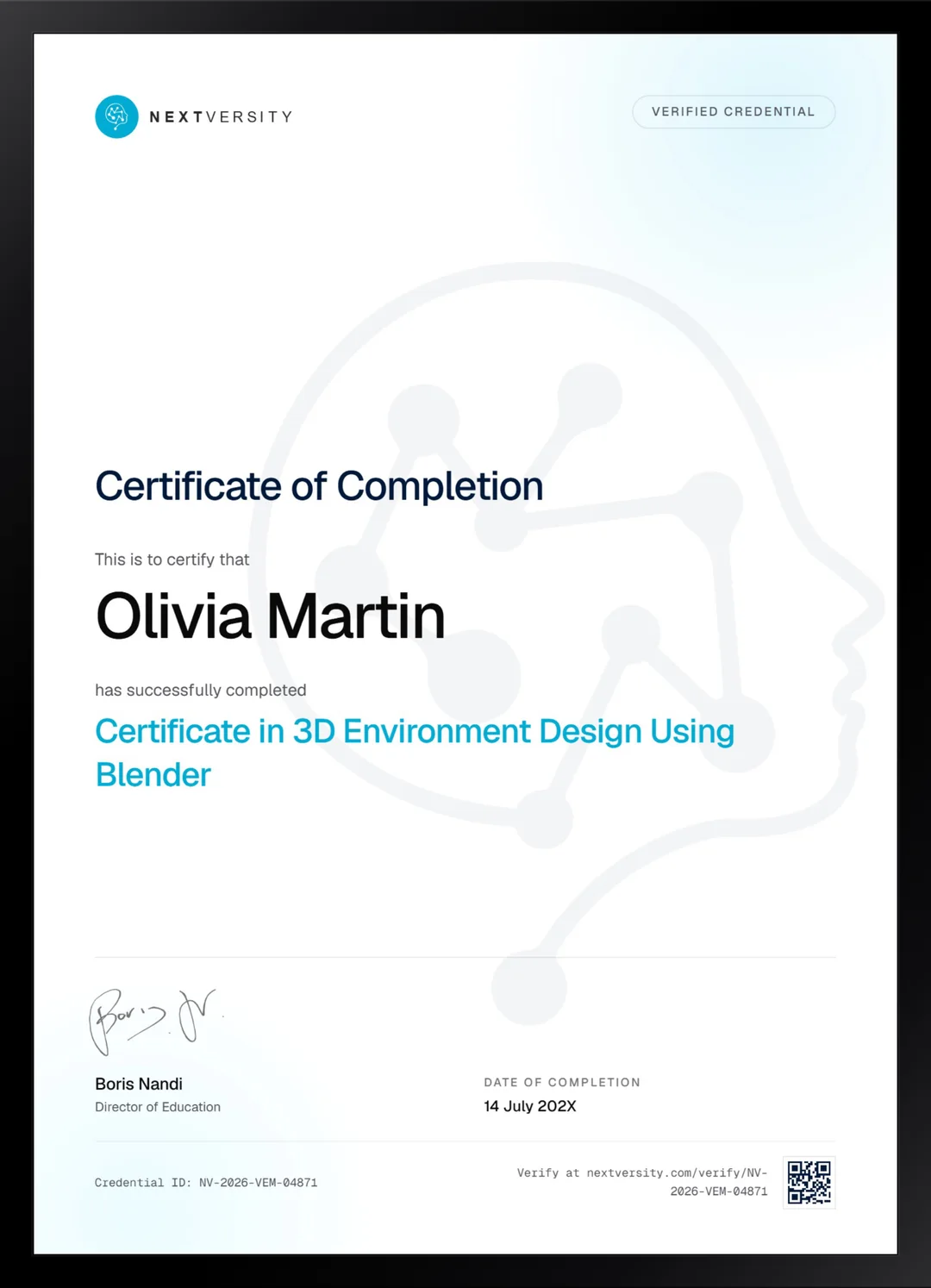
Finish the final module and your 3D Environment Design Using Blender certificate is issued automatically. Download it, share it with employers and clients, or add it to your resume and LinkedIn.
Where this can take you
Skills from this school show up in roles like these. The certificate proves you finished; the projects you build are what get you hired.
- 3D modeler
- 3D generalist
- Environment artist
- Product visualization artist
Enroll with confidence
Enroll with confidence
Full details in the refund policy. One subscription covers this course and every other course in all 8 schools.
Pair it with
More from the 3D Design & Animation school
 Certificate
Start at the download page and finish with an object modeled, sculpted, unwrapped, textured, lit and rendered.
77 lessonsSelf-pacedCertificate
 Certificate
Two game-ready characters in Blender, from the concept sketch through sculpt, retopology, textures and final render.
216 lessonsSelf-pacedCertificate
FAQ
Common questions about the 3D environment design course
Do I need to know Blender before an environment design course?
Enough to find your way around a 3D viewport. There is an eight-lesson crash course covering the program near the start, and it moves fast. If you have never opened Blender, take the Blender 3D Fundamentals certificate in this school first. It is in the same subscription, and this course becomes far more enjoyable afterward.
What do you actually build in this course?
Two complete scenes. The first is a graveyard built from a blank file: planned, blocked out in gray shapes, modeled, unwrapped, textured with maps you author yourself, then scattered with foliage and lit. The second is a medieval town with animation and a rendered sequence. Both end as composited images worth putting in a portfolio.
How long does the environment design course take to finish?
Roughly 60 to 90 hours if you build along rather than watch, and that is an estimate rather than a promise. The distribution is lopsided, with the two big build-along modules taking far longer than their lesson counts suggest. Do not start this while you are still finishing something else, because it rewards a clear run.
Does the course cover foliage, grass and scattering?
Yes, three different ways: particle systems, geometry nodes, and GScatter, a free add-on that does not ship with Blender and arrives with enough free assets to follow the lessons. Scattering is what separates a scene that looks modeled from one that looks like a place, so it gets proper attention rather than a single lesson.
Do I need to buy texture packs or paid add-ons?
No. Blender is free, GScatter is free, and the reference tool used in the planning module is a free download. The first project authors its own materials from scratch, and the second uses downloaded PBR sets from free libraries. Nothing in this course is gated behind a purchase of any kind.
Does this course cover characters as well as scenes?
No. Every figure in the second project was imported rather than made, and the course is upfront about that. Characters are a separate discipline with a different pipeline, and the Character Modeling certificate in this school covers them properly. Environments and characters pair well, and plenty of artists specialize in one and buy the other.
Will the finished scenes work as portfolio pieces?
That is exactly what they are built for. Both projects end in a composited render, either a still image or a clip, at a size worth showing. Environment art portfolios are judged on complete scenes rather than individual props, which is why this course insists on planning, blockout and scope before you model anything.
Free info pack
Not ready to enroll? Start with the guide.
The full curriculum for this course, what you'll build, and how it fits with the rest of the school, in one short guide.