Graphic Design & Illustration school
Certificate in Adobe Photoshop
Retouching, compositing, mockups and brand work, taught as builds.
This Photoshop course is unusually broad: photo retouching, graphic design, illustration, mockups and compositing in one place, taught as builds rather than tool tours.
Overview
What this Photoshop course covers
Photoshop is really five jobs sharing one program, and most courses pick one of them. This Photoshop course takes all five: photo retouching, graphic design, illustration, mockups and compositing. One module tours the tools, and everything after that is making things, with no prior experience assumed anywhere.
You build portraits and sky replacements, restore photographs that are damaged or faded, take a brand from logo to a written guidelines document, put artwork onto shirts, cans and screens with smart objects, and composite one image across fourteen straight lessons. You finish able to cut a subject out cleanly, hair included, and retouch a face so the person still looks like themselves.
Outcomes
What you will be able to do
Requirements
Course requirements
- Photoshop. Adobe offers a free trial, and current pricing sits on their site rather than here, because it changes.
- No prior experience. The tools module opens on the home screen and the new document dialog, and assumes nothing.
- A mouse or trackpad. A graphics tablet helps in the illustration and retouching lessons and is never required.
- Images to work on. Where you do not have the exact file, a similar shot from a free stock site does the job.
Syllabus
Adobe Photoshop curriculum
164 recorded video lessons you follow along in the software, at your own pace. Quizzes through each module check what stuck, and a 20-question final exam earns your certificate.
1Course Orientation1 lesson
- Course Overview and Learning Expectations (reading)
2Photoshop Tools and Workflow Fundamentals13 lessons · 13 videos · 3 quizzes
- Getting Started with Adobe Photoshop (video lesson, 17 minutes 3 seconds)
- Understanding Color Tools and Color Selection (video lesson, 23 minutes 4 seconds)
- Using the Move Tool (video lesson, 18 minutes 35 seconds)
- Using the Frame, Crop and Eyedropper Tools (video lesson, 14 minutes 18 seconds)Quiz
- Working with Selection Tools (video lesson, 21 minutes 33 seconds)
- Brushes and Layer Fundamentals Part 1 (video lesson, 20 minutes 46 seconds)
- Layer Management Part 2 (video lesson, 21 minutes 14 seconds)
- Healing and Adjustment Tools (video lesson, 18 minutes 42 seconds)
- Working with the Text Tool (video lesson, 19 minutes 10 seconds)Quiz
- Working with the Pen Tool (video lesson, 22 minutes 18 seconds)
- Using the Actions Panel (video lesson, 4 minutes 5 seconds)
- Creating Custom Brushes and Patterns (video lesson, 8 minutes 17 seconds)
- Creating Basic Animation in Photoshop (video lesson, 12 minutes 52 seconds)Quiz
3Photo Editing and Image Enhancement21 lessons · 21 videos · 4 quizzes
- Portrait Editing Fundamentals (video lesson, 17 minutes 53 seconds)
- Introduction to Camera Raw (video lesson, 23 minutes 53 seconds)
- Editing Images with Camera Raw (video lesson, 12 minutes 53 seconds)Quiz
- High-End Portrait Retouching (video lesson, 30 minutes 19 seconds)
- Digital Makeup for Portraits (video lesson, 35 minutes 12 seconds)
- Creating 3D Portrait Effects (video lesson, 33 minutes 59 seconds)
- Creating Studio Background Effects (video lesson, 39 minutes 37 seconds)
- Changing Colors in Images (video lesson, 6 minutes 45 seconds)Quiz
- Golden Hour and Blue Hour Color Effects (video lesson, 22 minutes 3 seconds)
- Editing Landscape Images for Social Media (video lesson, 37 minutes 30 seconds)
- Creating Neon Sign Effects (video lesson, 18 minutes 21 seconds)
- Removing Subjects from Images (video lesson, 56 minutes 12 seconds)Quiz
- Sky Replacement Techniques (video lesson, 31 minutes 26 seconds)
- Using the Sky Replacement Tool (video lesson, 29 minutes 34 seconds)
- Changing Object Colors (video lesson, 32 minutes 49 seconds)
- Introduction to Smart Composition Tools (video lesson, 8 minutes 26 seconds)
- Creating Photo Compositions (video lesson, 21 minutes 39 seconds)
- Applying Text to Surfaces (video lesson, 52 minutes 26 seconds)
- Restoring Old Portraits (video lesson, 56 minutes 14 seconds)
- Colorising Old Photos (video lesson, 34 minutes 19 seconds)
- Restoring Overexposed Portraits (video lesson, 40 minutes 50 seconds)Quiz
4AI-Powered Editing with Neural Filters1 lesson · 1 video
- Neural Filters Overview (video lesson, 29 minutes 8 seconds)
5Principles of Visual Design3 lessons · 3 videos · 2 quizzes
- Poster Design Principles (video lesson, 34 minutes 19 seconds)
- Logo Design Fundamentals (video lesson, 47 minutes 13 seconds)Quiz
- Color Theory for Design (video lesson, 27 minutes 49 seconds)Quiz
6Graphic Design Applications in Photoshop11 lessons · 11 videos · 3 quizzes
- Business Card Design (video lesson, 36 minutes 40 seconds)
- Instagram Post Design (video lesson, 43 minutes 21 seconds)
- Instagram Story Design (video lesson, 34 minutes 56 seconds)Quiz
- Food Poster Design (video lesson, 60 minutes 7 seconds)
- Applying Patterns to Surfaces (video lesson, 17 minutes 5 seconds)
- Logo Design Workflow (video lesson, 22 minutes 34 seconds)Quiz
- Creating Line-Based Logos (video lesson, 28 minutes 35 seconds)
- Brand Identity Design Part 1 (video lesson, 40 minutes)
- Brand Identity Design Part 2 (video lesson, 65 minutes 39 seconds)
- Brand Identity Design Part 3 (video lesson, 44 minutes 10 seconds)
- Creating Brand Guidelines (video lesson, 30 minutes 49 seconds)Quiz
7Digital Illustration Techniques7 lessons · 7 videos · 2 quizzes
- Drawing with Shapes and the Pen Tool (video lesson, 53 minutes 46 seconds)
- Coloring Digital Illustrations (video lesson, 40 minutes 5 seconds)
- Creating 2D Vector Landscapes (video lesson, 53 minutes 8 seconds)
- Flat Illustration Techniques (video lesson, 38 minutes)
- Creating 3D-Style Illustrations (video lesson, 34 minutes 46 seconds)Quiz
- Watercolor Illustration Effects (video lesson, 32 minutes 30 seconds)
- Creating Textured Storybook Illustrations (video lesson, 47 minutes 42 seconds)Quiz
8Mockups, Smart Objects and Geometric Design25 lessons · 25 videos · 6 quizzes
- Introduction to Mockups and Geometric Design (video lesson, 31 seconds)
- Understanding Smart Objects (video lesson, 13 minutes 19 seconds)
- Creating Basic Mockups (video lesson, 7 minutes 35 seconds)Quiz
- Creating Full-Screen Mockups (video lesson, 7 minutes 1 second)
- Creating Geometric Mockups (video lesson, 10 minutes 26 seconds)
- Linked Files and Warping Part 1 (video lesson, 11 minutes 57 seconds)
- Linked Files and Warping Part 2 (video lesson, 14 minutes 19 seconds)
- Creating Fabric Mockups (video lesson, 8 minutes 58 seconds)Quiz
- Creating Reusable Templates (video lesson, 5 minutes 57 seconds)
- Finding and Using Design Templates (video lesson, 8 minutes 4 seconds)
- Intermediate Geometric Design Techniques (video lesson, 9 minutes 29 seconds)
- Creating Mockups with the Warp Tool (video lesson, 10 minutes 58 seconds)
- Creating Metallic Logo Effects Part 1 (video lesson, 12 minutes 54 seconds)
- Creating Metallic Logo Effects Part 2 (video lesson, 5 minutes 26 seconds)
- Creating Mockups from Everyday Objects Part 1 (video lesson, 15 minutes 26 seconds)
- Creating Mockups from Everyday Objects Part 2 (video lesson, 13 minutes 31 seconds)
- Creating Mockups from Everyday Objects Part 3 (video lesson, 12 minutes 29 seconds)Quiz
- Creating Screen Mockups (video lesson, 6 minutes 7 seconds)
- Soda Can Mockups and Gradient Effects (video lesson, 13 minutes 25 seconds)Quiz
- Creating Complex Shapes Part 1 (video lesson, 12 minutes 51 seconds)
- Creating Complex Shapes Part 2 (video lesson, 11 minutes 24 seconds)
- Presenting Design Work Part 1 (video lesson, 9 minutes 40 seconds)
- Presenting Design Work Part 2 (video lesson, 9 minutes 54 seconds)
- Preparing Design Work for Sale Part 1 (video lesson, 11 minutes 49 seconds)Quiz
- Preparing Design Work for Sale Part 2 (video lesson, 3 minutes 24 seconds)Quiz
9Texture, Effects and Creative Compositing39 lessons · 39 videos · 9 quizzes
- Patterns and Brushes Part 1 (video lesson, 15 minutes 6 seconds)
- Patterns and Brushes Part 2 (video lesson, 12 minutes 34 seconds)Quiz
- Creating Weather Elements Part 1 (video lesson, 6 minutes 37 seconds)
- Creating Weather Elements Part 2 (video lesson, 7 minutes 28 seconds)
- Using Generative AI in Photoshop (video lesson, 9 minutes 39 seconds)
- Applying Texture Effects (video lesson, 16 minutes 15 seconds)
- Green Screen Editing Part 1 (video lesson, 14 minutes 43 seconds)
- Green Screen Editing Part 2 (video lesson, 9 minutes 58 seconds)Quiz
- Textured Poster Practice Part 1 (video lesson, 11 minutes 49 seconds)
- Textured Poster Practice Part 2 (video lesson, 13 minutes 52 seconds)
- Channel Separation Effects Part 1 (video lesson, 9 minutes 55 seconds)
- Channel Separation Effects Part 2 (video lesson, 15 minutes 51 seconds)Quiz
- Face Manipulation Techniques Part 1 (video lesson, 15 minutes 1 second)
- Face Manipulation Techniques Part 2 (video lesson, 10 minutes 16 seconds)
- Face Manipulation Techniques Part 3 (video lesson, 12 minutes 59 seconds)
- Face Manipulation Techniques Part 4 (video lesson, 4 minutes 58 seconds)
- Face Manipulation Techniques Part 5 (video lesson, 13 minutes 47 seconds)
- Face Manipulation Techniques Part 6 (video lesson, 5 minutes 1 second)Quiz
- Slice Effect Techniques Part 1 (video lesson, 9 minutes 57 seconds)
- Slice Effect Techniques Part 2 (video lesson, 10 minutes 54 seconds)
- Slice Effect Techniques Part 3 (video lesson, 13 minutes 22 seconds)
- Slice Effect Techniques Part 4 (video lesson, 5 minutes 29 seconds)
- Slice Effect Techniques Part 5 (video lesson, 14 minutes 20 seconds)
- Slice Effect Techniques Part 6 (video lesson, 8 minutes 8 seconds)
- Slice Effect Techniques Part 7 (video lesson, 6 minutes 24 seconds)Quiz
- Developing Creative Composition Ideas (video lesson, 9 minutes 11 seconds)
- Composition Practice Exercise 1 Part 1 (video lesson, 16 minutes 9 seconds)
- Composition Practice Exercise 1 Part 2 (video lesson, 13 minutes 50 seconds)Quiz
- Composition Practice Exercise 1 Part 3 (video lesson, 5 minutes 31 seconds)
- Composition Practice Exercise 2 Part 1 (video lesson, 13 minutes 51 seconds)
- Composition Practice Exercise 2 Part 2 (video lesson, 10 minutes 57 seconds)
- Composition Practice Exercise 2 Part 3 (video lesson, 5 minutes 32 seconds)Quiz
- Composition Practice Exercise 2 Part 4 (video lesson, 14 minutes 4 seconds)
- Advanced Composition Practice Part 1 (video lesson, 14 minutes 45 seconds)
- Advanced Composition Practice Part 2 (video lesson, 5 minutes 13 seconds)
- Advanced Composition Practice Part 3 (video lesson, 16 minutes 20 seconds)
- Advanced Composition Practice Part 4 (video lesson, 6 minutes 2 seconds)
- Advanced Composition Practice Part 5 (video lesson, 11 minutes 22 seconds)Quiz
- Advanced Composition Practice Part 6 (video lesson, 12 minutes 43 seconds)Quiz
10Advanced Photo Retouching Techniques25 lessons · 25 videos · 5 quizzes
- Skin Smoothing Techniques Part 1 (video lesson, 17 minutes 8 seconds)
- Skin Smoothing Techniques Part 2 (video lesson, 6 minutes 54 seconds)Quiz
- Advanced Neural Filters Part 1 (video lesson, 10 minutes 20 seconds)
- Advanced Neural Filters Part 2 (video lesson, 10 minutes 2 seconds)
- Creating Glow Effects Part 1 (video lesson, 13 minutes 31 seconds)
- Creating Glow Effects Part 2 (video lesson, 13 minutes 1 second)Quiz
- Applying Digital Makeup Part 1 (video lesson, 11 minutes 25 seconds)
- Applying Digital Makeup Part 2 (video lesson, 15 minutes 48 seconds)
- Creating Gold and Silver Effects Part 1 (video lesson, 11 minutes 3 seconds)
- Creating Gold and Silver Effects Part 2 (video lesson, 13 minutes 38 seconds)
- Creating Render Elements: Trees (video lesson, 7 minutes 13 seconds)
- Creating Render Elements: Fire (video lesson, 12 minutes 46 seconds)
- Creating Render Elements: Clouds and Rain (video lesson, 18 minutes 5 seconds)
- Liquify Tool Overview (video lesson, 13 minutes 55 seconds)
- Liquify Practice Part 1 (video lesson, 17 minutes 10 seconds)
- Liquify Practice Part 2 (video lesson, 10 minutes 53 seconds)Quiz
- Liquify Practice Part 3 (video lesson, 8 minutes 22 seconds)
- Puppet Warp Techniques Part 1 (video lesson, 15 minutes 43 seconds)
- Puppet Warp Techniques Part 2 (video lesson, 12 minutes 47 seconds)
- Changing Backgrounds Part 1 (video lesson, 11 minutes 55 seconds)
- Changing Backgrounds Part 2 (video lesson, 6 minutes 57 seconds)
- Digital Hair Replacement Part 1 (video lesson, 14 minutes 49 seconds)Quiz
- Digital Hair Replacement Part 2 (video lesson, 12 minutes 7 seconds)
- Digital Hair Removal Part 1 (video lesson, 14 minutes 26 seconds)
- Digital Hair Removal Part 2 (video lesson, 12 minutes 59 seconds)Quiz
113D Design and Visual Effects15 lessons · 15 videos · 2 quizzes
- 3D Design Overview Part 1 (video lesson, 10 minutes 32 seconds)
- 3D Design Overview Part 2 (video lesson, 12 minutes 16 seconds)
- Creating 3D Text (video lesson, 17 minutes 13 seconds)
- Creating 3D Shapes (video lesson, 16 minutes 33 seconds)
- Creating Reflective Materials Part 1 (video lesson, 14 minutes 31 seconds)
- Creating Reflective Materials Part 2 (video lesson, 4 minutes 6 seconds)Quiz
- Abstract 3D Art Ideas Part 1 (video lesson, 11 minutes 1 second)
- Abstract 3D Art Ideas Part 2 (video lesson, 6 minutes 53 seconds)
- Finding 3D Objects and Assets (video lesson, 16 minutes 59 seconds)
- Chrome Effect Poster Design Part 1 (video lesson, 13 minutes 47 seconds)
- Chrome Effect Poster Design Part 2 (video lesson, 16 minutes 58 seconds)
- Chrome Effect Poster Design Part 3 (video lesson, 16 minutes 22 seconds)
- Glossy Abstract Art Part 1 (video lesson, 12 minutes 53 seconds)
- Glossy Abstract Art Part 2 (video lesson, 7 minutes 16 seconds)
- Glossy Abstract Art Part 3 (video lesson, 7 minutes 41 seconds)Quiz
12Course Conclusion and Next Steps1 lesson · 1 video
- Course Conclusion and Next Steps (video lesson, 18 minutes 26 seconds)
13Bonus Creative Projects4 lessons · 3 videos · quiz
- Bonus Project: Mockup Design (video lesson, 29 minutes 8 seconds)
- Bonus Project: Glow Effect (video lesson, 15 minutes 28 seconds)Quiz
- Bonus Project: Double Exposure Effect (video lesson, 9 minutes 2 seconds)
- Bonus Project: Brutalist Poster Design (reading)
Certificate
Earn a certificate you can show
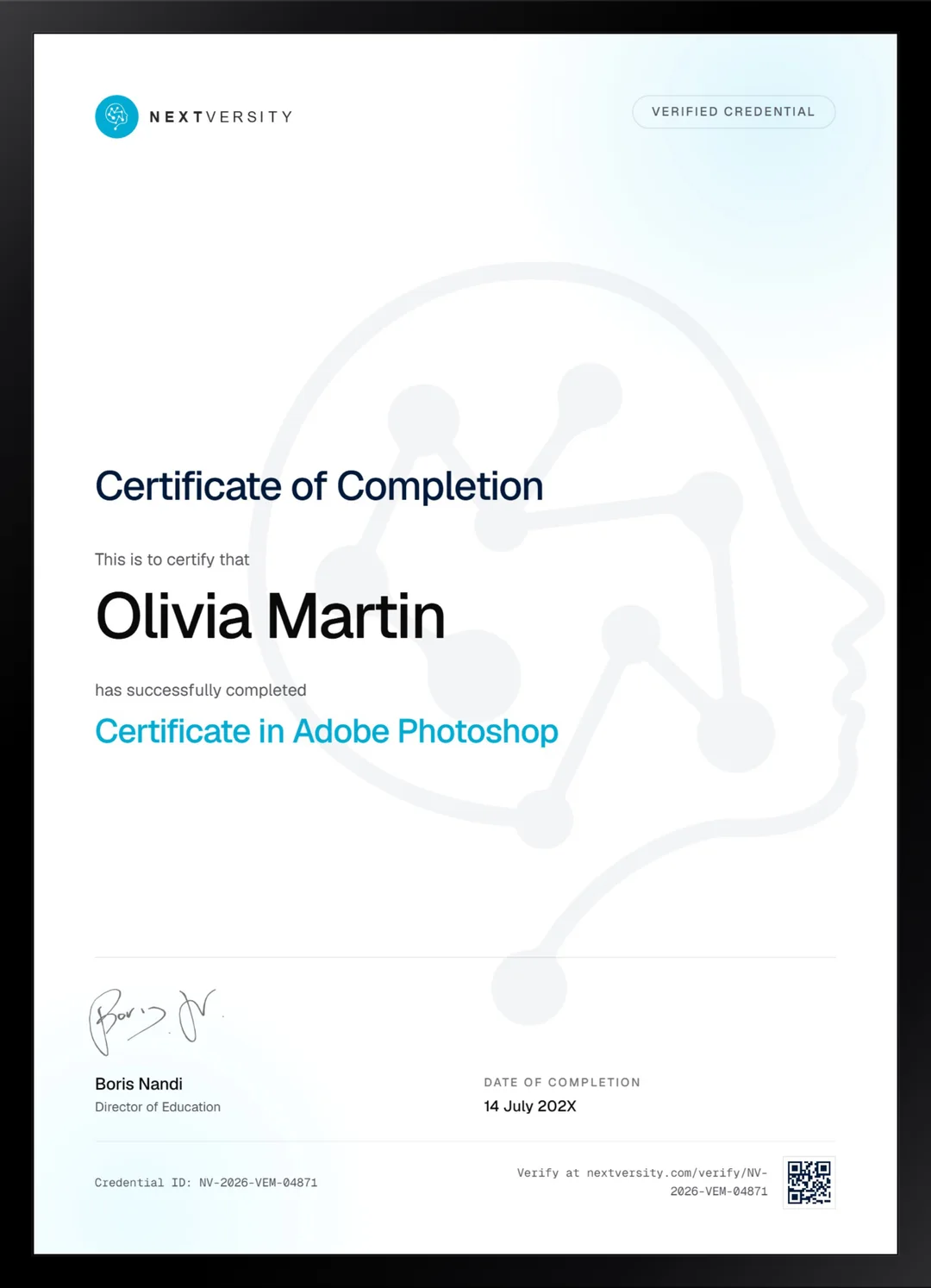
Finish the final module and your Adobe Photoshop certificate is issued automatically. Download it, share it with employers and clients, or add it to your resume and LinkedIn.
Where this can take you
Skills from this school show up in roles like these. The certificate proves you finished; the projects you build are what get you hired.
- Graphic designer
- Brand and identity designer
- Social media designer
- Illustrator
- Freelance design contractor
Enroll with confidence
Enroll with confidence
Full details in the refund policy. One subscription covers this course and every other course in all 8 schools.
Pair it with
More from the Graphic Design & Illustration school
 Certificate
Pen tool, logos, icons, type, patterns, gradient mesh and isometric scenes, built rather than demonstrated.
132 lessonsSelf-pacedCertificate
 Certificate
Read a photograph before you touch a slider, then work the catalog, the Develop panel, masks and exports.
131 lessonsSelf-pacedCertificate
FAQ
Common questions about the Photoshop course
Is this Photoshop course good for beginners?
Yes. The tools module opens on the home screen and the new document dialog and assumes nothing at all. What it does ask for is patience, because this is a long course and the modules are nowhere near equal in size. Pick the two or three you came for, do those properly, and treat the rest as a reference library.
Which version of Photoshop do I need?
Any recent one, and the course deliberately names none. Adobe moves versions and pricing often enough that a figure written here would be wrong inside a year. Panels also shift between releases, and the instructor says so in the first tool lesson: if your screen does not match exactly, the tool is still there and usually one menu away.
Does the course cover photo retouching and compositing?
Both, and together they make up most of the second half. Retouching covers skin, digital makeup, hair replacement and removal, liquify, puppet warp, and glow and metal effects. Compositing is the single largest module, ending in fourteen consecutive lessons that take one image from a rough idea through to a finished, believable result.
Should I learn Photoshop or Canva first?
Canva if you need finished material this week and design is not your job. Photoshop if you want control over the pixels themselves and a skill studios actually hire for. They are barely competitors: one assembles templates fast, the other edits and builds images from scratch. Both courses sit in the same subscription, so plenty of people do both.
How long does this Photoshop course take to finish?
Roughly 50 hours of video, and closer to 90 to 120 hours if you build alongside it, which is the only version worth taking. At three hours a week that is a serious commitment. It is entirely self-paced with no deadlines, so treat the module list as a map rather than a queue and start where your work actually is.
Do I get a Photoshop certificate when I finish?
Yes. Every module closes with a quiz at a 75% pass mark, and those quizzes never stop you moving on. The final exam is the one that counts: it opens once every lesson and quiz is done, draws twenty questions from across the whole course, and passing it issues a certificate with a verification code.
Can I use Photoshop to design apps and websites?
You can push pixels into a screen mockup, but interface work has moved to dedicated tools. If designing app and website screens is the real goal, the UX/UI Design Using Figma certificate in this school is built for exactly that. Photoshop remains the right tool for the imagery inside those screens, which is what this course teaches.
Free info pack
Not ready to enroll? Start with the guide.
The full curriculum for this course, what you'll build, and how it fits with the rest of the school, in one short guide.