
Graphic Design & Illustration school
Certificate in UX/UI Design Using Adobe XD
The interface design process, start to finish, in one short course.
This Adobe XD course teaches the interface design process end to end: research, wireframes, real screens, prototyping, user testing and two complete builds.
Overview
What this Adobe XD course covers
One thing to settle first, because it changes the decision: Adobe stopped developing XD and stopped selling it to new customers. This Adobe XD course is still here because two thirds of it has nothing to do with the software, and every one of those skills moves into any interface tool. If you want the tool teams hire for today, take the Figma certificate instead.
You learn user research and the ten interface principles, low-fidelity wireframing, then real screens with grids, symbols, masking and menus. Then the step that turns a picture of an app into something usable: wiring a prototype, sharing it four ways, and testing it on somebody who has never seen it. It closes on flow diagrams, a complete app and website, and four teardowns of real products.
Outcomes
What you will be able to do
Requirements
Course requirements
- Read this first: Adobe discontinued XD and stopped selling it to new customers, so you may not be able to obtain a copy.
- A decision before the software module: follow along in another interface tool such as Figma, or simply watch. Both work, and the vocabulary transfers either way.
- A laptop or PC. That is the only hardware asked for anywhere in the course.
- No design experience. The course assumes none, and one product idea of your own to design across the whole run.
Syllabus
UX/UI Design Using Adobe XD curriculum
41 recorded video lessons you follow along in the software, at your own pace. Quizzes through each module check what stuck, and a 20-question final exam earns your certificate.
1UX/UI Design Foundations3 lessons · 2 videos · quiz
- Course Overview and Introduction to UI Design (reading)
- Understanding User Research and User Needs (video lesson, 12 minutes 44 seconds)
- Core User Interface Design Principles (video lesson, 20 minutes 49 seconds)Quiz
2Wireframing Fundamentals2 lessons · 2 videos · quiz
- Building UX Wireframes (video lesson, 6 minutes 54 seconds)
- Designing Effective Wireframes (video lesson, 28 minutes 25 seconds)Quiz
3Adobe XD Interface and Workflow Fundamentals8 lessons · 8 videos · 3 quizzes
- Exploring the Adobe XD Start Screen (video lesson, 10 minutes 53 seconds)
- Exploring the Adobe XD Interface (video lesson, 14 minutes)
- Understanding Menu Settings (video lesson, 31 minutes 1 second)
- Working with the Tools Panel (video lesson, 14 minutes 17 seconds)Quiz
- Working with the Properties Panel (video lesson, 26 minutes 41 seconds)
- Using UI Templates in Adobe XD (video lesson, 26 minutes 54 seconds)
- Working with the Assets Panel (video lesson, 18 minutes 39 seconds)Quiz
- Understanding the Layers Panel (video lesson, 16 minutes 12 seconds)Quiz
4Interface Design Techniques in Adobe XD9 lessons · 9 videos · 4 quizzes
- Creating Symbols and Icons (video lesson, 45 minutes 46 seconds)
- Using Grids, Artboards and Repeat Grids (video lesson, 27 minutes 1 second)
- Masking Images in Adobe XD (video lesson, 19 minutes 40 seconds)Quiz
- Creating and Applying Color Palettes (video lesson, 31 minutes)
- Adding and Formatting Text (video lesson, 34 minutes 13 seconds)Quiz
- Designing a Login Screen (video lesson, 35 minutes 48 seconds)
- Creating Background Blur Effects (video lesson, 22 minutes 23 seconds)Quiz
- Designing a Slide-Out Menu (video lesson, 22 minutes 4 seconds)
- Interface Design Practice Exercise (video lesson, 67 minutes 23 seconds)Quiz
5Prototyping, Testing and Sharing6 lessons · 6 videos · 3 quizzes
- Working with the Prototype Panel (video lesson, 22 minutes 37 seconds)
- Preparing Designs for Prototyping (video lesson, 22 minutes 26 seconds)Quiz
- Testing Interactive Prototypes (video lesson, 4 minutes 59 seconds)
- Sharing Prototypes for Review (video lesson, 19 minutes 59 seconds)Quiz
- Previewing Designs on Device and Desktop (video lesson, 7 minutes 31 seconds)
- Commenting on and Reviewing Prototypes (video lesson, 7 minutes 21 seconds)Quiz
6UX/UI Design Application and Case Studies10 lessons · 10 videos · 3 quizzes
- Creating a User Journey (video lesson, 21 minutes 56 seconds)
- Creating a User Flow Diagram (video lesson, 30 minutes 44 seconds)Quiz
- App Design Scenario Part 1 (video lesson, 100 minutes)
- App Design Scenario Part 2 (video lesson, 83 minutes 28 seconds)
- Website Design Scenario Part 1 (video lesson, 75 minutes 10 seconds)
- Website Design Scenario Part 2 (video lesson, 80 minutes 47 seconds)Quiz
- Real-World UX/UI Examples Part 1 (video lesson, 27 minutes 2 seconds)
- Real-World UX/UI Examples Part 2 (video lesson, 27 minutes 30 seconds)
- Real-World UX/UI Examples Part 3 (video lesson, 50 minutes 50 seconds)
- Real-World UX/UI Examples Part 4 (video lesson, 31 minutes 57 seconds)Quiz
7Advanced Adobe XD Practice and Next Steps4 lessons · 4 videos · quiz
- Designing a Smartwatch Interface (video lesson, 86 minutes 39 seconds)
- Creating UX/UI Content (video lesson, 79 minutes 6 seconds)
- Working with Adobe XD Plugins (video lesson, 93 minutes 24 seconds)
- Creating Website Animations (video lesson, 106 minutes 5 seconds)Quiz
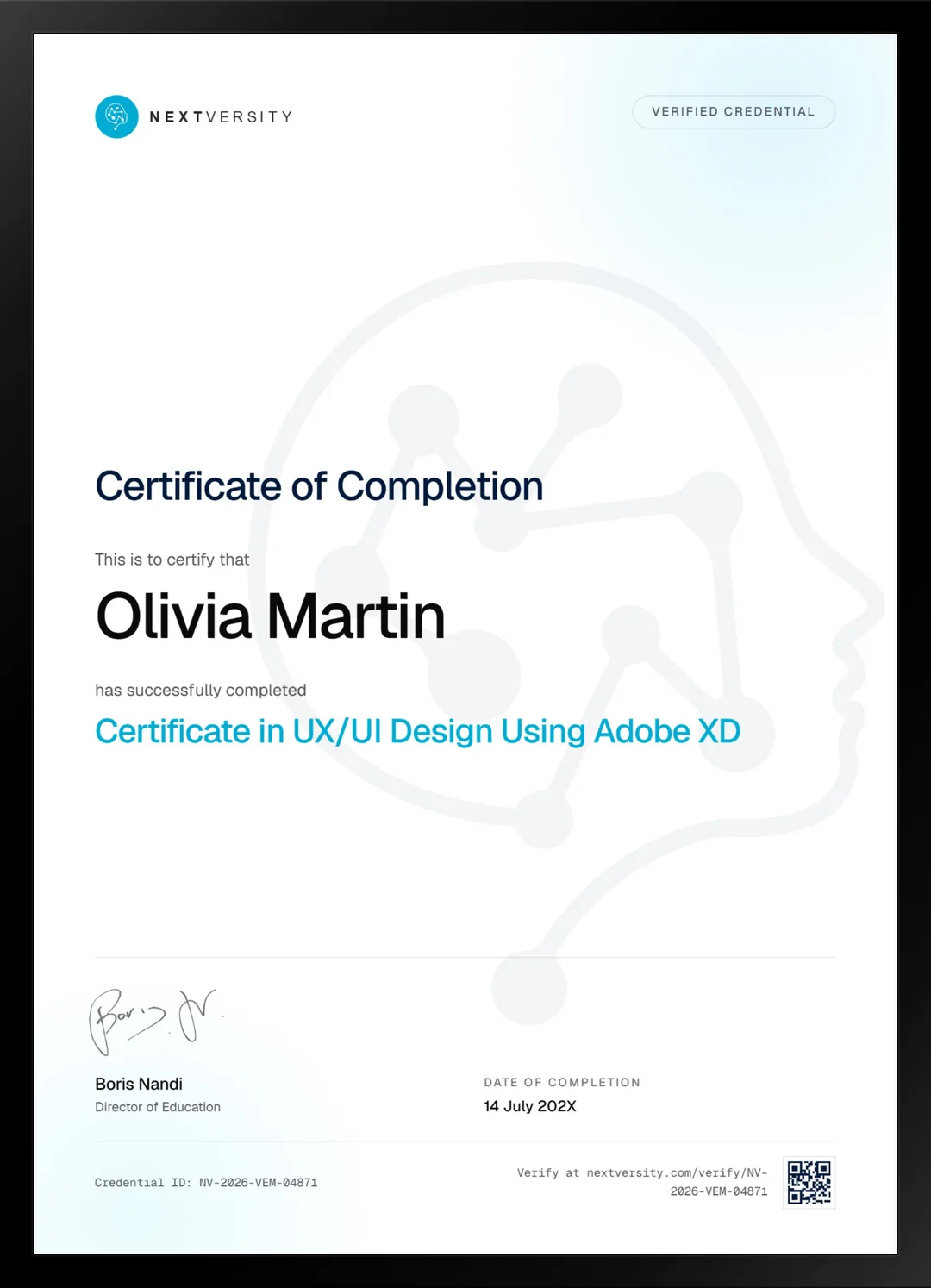
Certificate
Earn a certificate you can show
Finish the final module and your UX/UI Design Using Adobe XD certificate is issued automatically. Download it, share it with employers and clients, or add it to your resume and LinkedIn.
Where this can take you
Skills from this school show up in roles like these. The certificate proves you finished; the projects you build are what get you hired.
- Graphic designer
- Brand and identity designer
- Social media designer
- Illustrator
- Freelance design contractor
Enroll with confidence
Enroll with confidence
Full details in the refund policy. One subscription covers this course and every other course in all 8 schools.
Pair it with
More from the Graphic Design & Illustration school
 Certificate
UX theory, wireframes, auto layout, components, prototypes and design systems, ending in six real builds.
115 lessonsSelf-pacedCertificate
 Certificate
Design principles taught once, then applied to social, print, documents, video and product mockups.
160 lessonsSelf-pacedCertificate
FAQ
Common questions about the Adobe XD course
Is Adobe XD discontinued?
Yes. Adobe stopped active development and stopped selling it to new customers, which means getting hold of a copy may not be possible for you at all. We would rather say that on the course page than let you find out in module three. The design process the course teaches is unaffected, and that is the reason it is still here.
Why take an Adobe XD course now?
For the process, which is the two thirds of this course that never touches the software. Research, the ten interface principles, wireframing, prototyping, user testing, flow diagrams and product teardowns are all tool-agnostic. It is also short, so it is a fast way to get the whole shape of interface design in your head before going deeper in Figma.
Can I follow along in a different design tool?
Yes, and plenty of people will need to. Artboards, components, grids, styles and prototype wiring exist in every interface tool under slightly different names, so following in Figma works well. Decide before the software module which way you are going, because discovering the problem at lesson six is far more annoying than deciding now.
Does the course cover prototyping and user testing?
Both, in a module of their own, and it is the strongest stretch in the course. You wire a prototype with transitions, overlays, time triggers and fixed headers, share it four ways including a test link with the hotspot hints switched off, then put it in front of somebody who has never seen it and change the design because of what they did.
How long does this Adobe XD course take to finish?
Roughly 15 to 20 hours if you build alongside the lessons, and treat that as an estimate rather than a promise. It is the shortest course in this school, which is part of its appeal: you can have the entire interface design process in your head inside a fortnight, then go deep on the current tool afterward.
Do I need design experience before starting?
None. The course assumes you have never opened a design tool, and the software module was written for exactly that person. About a third of the run is process rather than software, so even the parts that look technical are really about how to make a decision and defend it, which is what interface design work actually is.
What certificate do I get for this course?
A Nextversity certificate with a verification code and a public link, issued once every lesson is done and the final exam is passed. It records that you completed a course in the interface design process. Pair it with the Figma certificate from this school and the combination reads exactly the way you would want it to on a portfolio site.
Free info pack
Not ready to enroll? Start with the guide.
The full curriculum for this course, what you'll build, and how it fits with the rest of the school, in one short guide.