
Business & Productivity school
Certificate in Freelancing Using Upwork
A proposal that opens with you is one nobody finishes.
This Upwork course fixes the two things beginners get wrong: a profile that says nothing specific, and a proposal about the freelancer instead of the client. Then it covers running the work.
Overview
What this Upwork course covers
Two sentences decide most of your results on this platform: the first line of your profile and the first line of a proposal. Both are usually about the freelancer and both should be about the client. That single correction runs through this entire Upwork course, and it is the difference between proposals that get read and proposals that get closed.
You narrow what you sell until it is a phrase somebody would type into a search box, learn when hourly beats fixed price, and read a job post for the signals that say whether it deserves your Connects. The cover letter gets built across two lessons and ends with a next step. Then the profile that sells while you sleep, reference work for people no client has hired yet, and the rules for client conversations that decide your review.
Outcomes
What you will be able to do
Requirements
Course requirements
- A skill a client would pay for. The course teaches positioning and selling, not the trade itself.
- A free Upwork account. Applying for jobs spends Connects, and the course covers how to spend them well.
- No portfolio of paid work needed. One lesson is built for people no client has hired yet.
- A willingness to build your real profile as you go, because the output is meant to be live rather than drafted.
Syllabus
Freelancing Using Upwork curriculum
19 recorded video lessons you follow along in the software, at your own pace. Quizzes through each module check what stuck, and a 20-question final exam earns your certificate.
1Upwork Foundations and Freelance Positioning4 lessons · 2 videos · quiz
- Introduction to Upwork (reading)
- Finding Your Freelance Niche (video lesson, 4 minutes 47 seconds)
- Creating Your First Upwork Service Offering (video lesson, 16 minutes 35 seconds)
- Creating Your Upwork Profile (reading)Quiz
2Upwork Pricing, Keywords and Proposal Basics4 lessons · 4 videos · 3 quizzes
- Setting Your Pricing and Freelance Rates (video lesson, 14 minutes 49 seconds)Quiz
- Using SEO and Keywords on Upwork (video lesson, 14 minutes 28 seconds)
- Submitting Your First Upwork Proposal Part 1 (video lesson, 13 minutes 6 seconds)Quiz
- Submitting Your First Upwork Proposal Part 2 (video lesson, 9 minutes 40 seconds)Quiz
3Upwork Profile Optimization and Personal Branding4 lessons · 4 videos · 3 quizzes
- Avoiding Profile Description Mistakes and Standing Out (video lesson, 14 minutes 49 seconds)Quiz
- Setting Up Your Upwork Project Catalogue Part 1 (video lesson, 17 minutes 21 seconds)
- Setting Up Your Upwork Project Catalogue Part 2 (video lesson, 14 minutes 15 seconds)Quiz
- Building a Strong Freelance Presence (video lesson, 11 minutes 22 seconds)Quiz
4Freelance Workflow, Communication and Client Management5 lessons · 5 videos · 2 quizzes
- Managing Deadlines and Time as a Freelancer (video lesson, 17 minutes 14 seconds)
- Building Reference Work as a New Freelancer (video lesson, 7 minutes 54 seconds)
- Writing Proposals and Client Messages Part 1 (video lesson, 19 minutes 55 seconds)Quiz
- Writing Proposals and Client Messages Part 2 (video lesson, 17 minutes 53 seconds)
- Using the Upwork Desktop App (video lesson, 4 minutes 46 seconds)Quiz
5Upwork Profile Enhancement and Video Introductions3 lessons · 3 videos · 2 quizzes
- Creating Strong Project Covers (video lesson, 22 minutes 7 seconds)
- Creating Engaging Video Introductions Part 1 (video lesson, 15 minutes 11 seconds)Quiz
- Creating Engaging Video Introductions Part 2 (video lesson, 7 minutes 35 seconds)Quiz
6Course Conclusion and Freelance Next Steps1 lesson · 1 video
- Course Summary (video lesson, 1 minute 43 seconds)
Certificate
Earn a certificate you can show
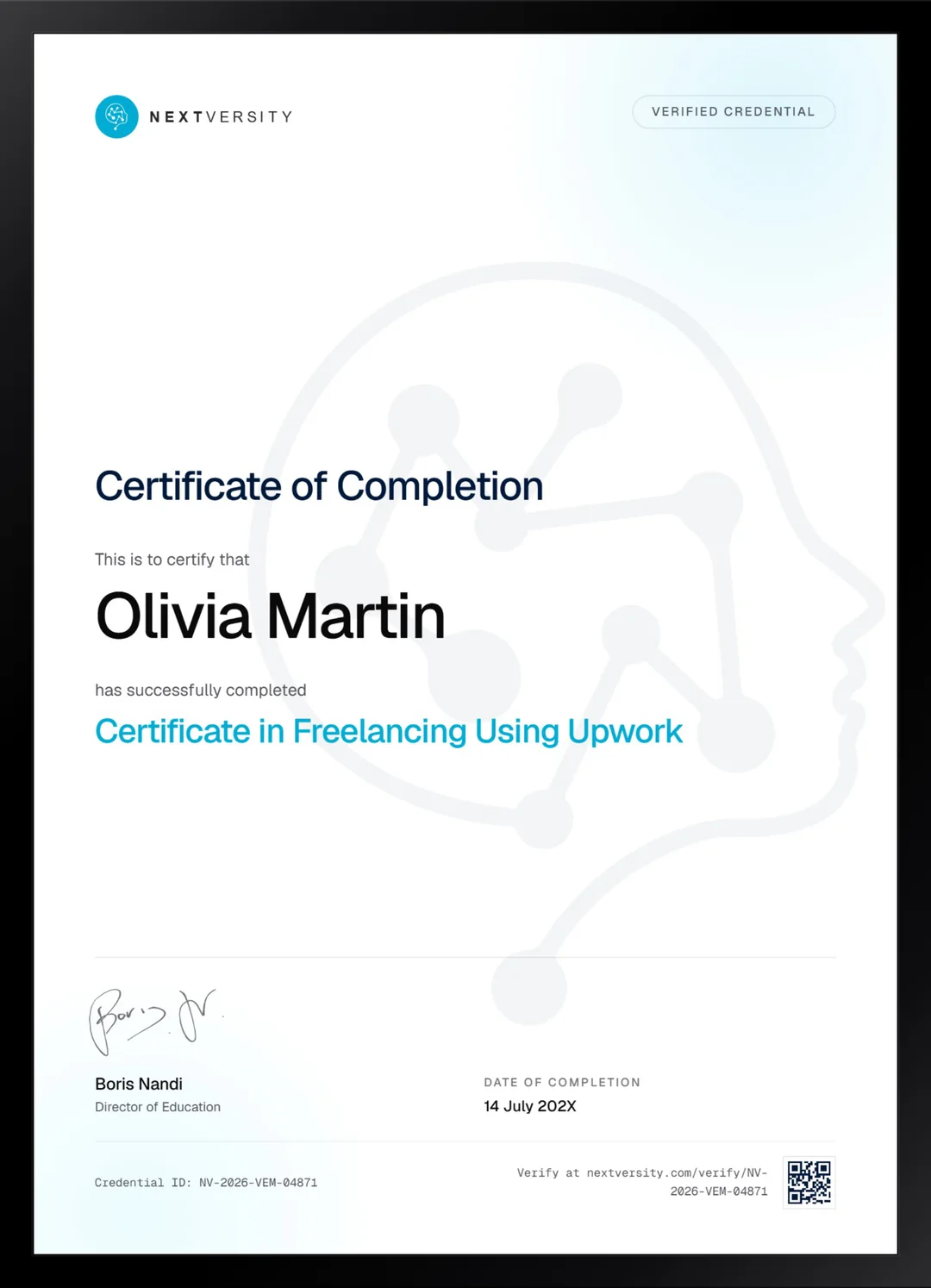
Finish the final module and your Freelancing Using Upwork certificate is issued automatically. Download it, share it with employers and clients, or add it to your resume and LinkedIn.
Where this can take you
Skills from this school show up in roles like these. The certificate proves you finished; the projects you build are what get you hired.
- Operations coordinator
- Project coordinator
- Data and reporting analyst
- Executive assistant
- Freelancer on Fiverr or Upwork
Enroll with confidence
Enroll with confidence
Full details in the refund policy. One subscription covers this course and every other course in all 8 schools.
Pair it with
More from the Business & Productivity school
 Certificate
Build a Fiverr gig end to end, price it after commission, get it found in search, and run the order when it arrives.
14 lessonsSelf-pacedCertificate
 Intro
IntroBuild the profile, make posts, carousels, reels and stories, then grow with ten organic strategies and Instagram SEO.
13 lessonsSelf-pacedCertificate
FAQ
Common questions about the Upwork course
Is this Upwork course worth it for a new freelancer?
It is aimed squarely at new freelancers, and it spends most of its time on the two failures that keep them invisible: a profile with nothing specific in it, and a proposal that talks about the freelancer instead of the client. Fixing those two things changes response rates more than anything else you could do.
What should an Upwork proposal actually say?
It should open on the client and their problem, show that you genuinely read the post, and end with a concrete next step rather than hoping to hear back. The course builds one across two lessons so you can see the difference between a template everyone sends and a message somebody answers.
Do I need a portfolio before joining Upwork?
You need something to show, but not paid work. One lesson is built specifically for people no client has ever hired: you create reference pieces from briefs you set yourself, presented honestly as self-directed work. That is enough to get started, and it is far better than an empty profile or borrowed screenshots.
Does the course explain Connects and Upwork fees?
Yes, with an important caveat. The lessons name a starting Connects balance, a cost per proposal and a service fee on one example job, but the recording is undated and those numbers move. Read the platform’s own fees pages before you price anything. The reasoning about which jobs deserve your Connects is the part that lasts.
Upwork or Fiverr: which should I start with?
The motion is different. Here you read job posts and write proposals, paying Connects for the privilege of applying, which suits bespoke work and higher rates. On Fiverr you publish a fixed offer and wait for buyers, which suits productized services. Both certificates are in this subscription, and many freelancers eventually run both.
How long does the Upwork course take to work through?
Eight to ten hours if you build the profile as you go, which is the only version worth your time, because the output is a live profile rather than notes about profiles. It is self-paced with no deadlines, so most people spread it across a couple of weeks alongside other work.
Is there a certificate with the Upwork course?
Yes, included in the subscription. Finish every lesson and quiz and a twenty-question final exam opens at a 75% pass mark. Passing issues a certificate with a verification code and a public link. What actually wins you work is the profile you built while taking it, which is the point of building as you go.
Free info pack
Not ready to enroll? Start with the guide.
The full curriculum for this course, what you'll build, and how it fits with the rest of the school, in one short guide.