Programming & Web Development school
Certificate in HTML & CSS
Structure with HTML, style with CSS, four sites to prove it.
This HTML CSS course starts at what a tag is and ends with a build step: semantic markup and forms, the box model, Flexbox, CSS Grid, media queries, Bootstrap and Sass.
Overview
What this HTML and CSS course covers
There is a stretch of this HTML CSS course where the page you are building looks genuinely broken, and you are warned about it repeatedly. Two modules build one site together, all of the markup first and then all of the styling, which is the clearest demonstration you will ever get of how much of a page appearance is CSS doing the work.
You start at what a tag is, with no code experience assumed, and move through semantic structure, forms, selectors and the box model. Then layout: floats and positioning because you will have to read them, then media queries, Flexbox and CSS Grid, with a project built in each. Bootstrap and Sass finish it, including a build step. You end with four sites you built and the ability to make a fifth on your own.
Outcomes
What you will be able to do
Requirements
Course requirements
- A free code editor and a live-reload extension, both walked through in the course.
- A browser, and ideally two, for checking a layout is not relying on one browser’s quirks.
- No prior code at all. The course starts at what a tag is and the pace reflects that.
- A willingness to type along, because nobody has ever learned CSS by watching somebody else write it.
Syllabus
HTML & CSS curriculum
82 recorded video lessons you follow along in the software, at your own pace. Quizzes through each module check what stuck, and a 20-question final exam earns your certificate.
1Course Orientation1 lesson
- Course Overview and Learning Expectations (reading)
2HTML and CSS Course Introduction1 lesson · 1 video · quiz
- Introduction to HTML and CSS (video lesson, 1 minute 20 seconds)Quiz
3HTML Foundations and Page Structure14 lessons · 14 videos · 4 quizzes
- HTML Course Overview (video lesson, 2 minutes 4 seconds)
- Setting Up Your HTML Course Tools (video lesson, 3 minutes 6 seconds)Quiz
- Understanding HTML Document Structure (video lesson, 12 minutes 2 seconds)
- Starting the Sloth Website Project (video lesson, 5 minutes 22 seconds)
- Creating Links in HTML (video lesson, 3 minutes 56 seconds)
- Adding Images in HTML (video lesson, 4 minutes 51 seconds)
- Creating the Website Header (video lesson, 5 minutes 43 seconds)Quiz
- Understanding Block and Inline Elements (video lesson, 3 minutes 39 seconds)
- Creating the Sloths Section and Footer (video lesson, 5 minutes 30 seconds)
- Creating a Contact Page (video lesson, 1 minute 44 seconds)
- Working with HTML Forms (video lesson, 10 minutes 46 seconds)
- Creating a Contact Page Form (video lesson, 1 minute 58 seconds)Quiz
- Working with HTML Tables (video lesson, 2 minutes 47 seconds)
- Creating a Contact Page Table (video lesson, 2 minutes 54 seconds)Quiz
4CSS Styling Fundamentals12 lessons · 12 videos · 4 quizzes
- Introduction to CSS (video lesson, 7 minutes 46 seconds)
- Using Classes and IDs (video lesson, 5 minutes 35 seconds)Quiz
- Understanding the CSS Box Model (video lesson, 11 minutes 37 seconds)
- Introduction to Flexbox (video lesson, 7 minutes 11 seconds)
- Styling Fonts (video lesson, 7 minutes 19 seconds)Quiz
- Styling the Logo and Title Text (video lesson, 19 minutes 35 seconds)
- Styling the Navigation Bar (video lesson, 6 minutes 6 seconds)Quiz
- Styling the Banner and Sloths Section (video lesson, 13 minutes 44 seconds)
- Styling the Footer (video lesson, 4 minutes 10 seconds)
- Preparing the Contact Page for Styling (video lesson, 3 minutes 3 seconds)
- Styling the Contact Page Form (video lesson, 13 minutes 12 seconds)
- Styling the Contact Page Table (video lesson, 6 minutes 57 seconds)Quiz
5Advanced CSS Course Orientation1 lesson · 1 video
- Introduction to Advanced CSS (video lesson, 6 minutes 17 seconds)
6CSS Layout Techniques13 lessons · 12 videos · 5 quizzes
- Understanding Normal Flow Part 1 (video lesson, 28 minutes 7 seconds)Quiz
- Working with Floats (video lesson, 16 minutes 20 seconds)
- Using CSS Positioning (video lesson, 33 minutes 30 seconds)
- Creating Multiple-Column Layouts (video lesson, 26 minutes 33 seconds)Quiz
- Using Media Queries (video lesson, 16 minutes 55 seconds)
- Layout Practice Project (video lesson, 43 minutes 24 seconds)
- Project: Creating Side-by-Side Boxes (video lesson, 20 minutes 7 seconds)Quiz
- Project: Product Thumbnails Part 1 (video lesson, 11 minutes 23 seconds)
- Project: Product Thumbnails Part 2 (video lesson, 14 minutes 25 seconds)Quiz
- Project: Creating Thumbnail Hover Effects (video lesson, 25 minutes 29 seconds)
- Project: Creating Modals (video lesson, 40 minutes 7 seconds)
- Project: Creating Thumbnail Layouts (video lesson, 16 minutes 36 seconds)
- Project: Creating Contact Layouts (reading)Quiz
7Flexbox Layouts and Responsive Design8 lessons · 8 videos · 3 quizzes
- Flexbox Fundamentals (video lesson, 28 minutes 1 second)
- Flexbox Practice Part 1 (video lesson, 4 minutes 35 seconds)
- Flexbox Practice Part 2 (video lesson, 7 minutes 19 seconds)Quiz
- Flexbox Practice Part 3 (video lesson, 21 minutes 40 seconds)
- Flexbox Layout Project Part 1 (video lesson, 21 minutes 1 second)
- Flexbox Layout Project Part 2 (video lesson, 34 minutes 5 seconds)
- Flexbox Layout Project Part 3 (video lesson, 16 minutes 58 seconds)Quiz
- Flexbox Layout Project Part 4 (video lesson, 26 minutes 4 seconds)Quiz
8CSS Grid Layouts and Advanced Page Structure12 lessons · 12 videos · 5 quizzes
- CSS Grid Properties and Concepts Part 1 (video lesson, 12 minutes 58 seconds)Quiz
- CSS Grid Properties and Concepts Part 2 (video lesson, 14 minutes 26 seconds)
- Creating Grid Boxes (video lesson, 7 minutes 21 seconds)Quiz
- Combining Media Queries and Grid Boxes (video lesson, 6 minutes)
- Advanced CSS Grid Layouts (video lesson, 35 minutes 2 seconds)
- Creating a Holy Grail Layout (video lesson, 25 minutes 6 seconds)Quiz
- CSS Grid Layout Project Part 1 (video lesson, 20 minutes 24 seconds)
- CSS Grid Layout Project Part 2 (video lesson, 26 minutes 54 seconds)
- CSS Grid Layout Project Part 3 (video lesson, 25 minutes 5 seconds)
- CSS Grid Layout Project Part 4 (video lesson, 17 minutes 28 seconds)Quiz
- CSS Grid Layout Project Part 5 (video lesson, 27 minutes 49 seconds)
- CSS Grid Layout Project Part 6 (video lesson, 12 minutes 38 seconds)Quiz
9Bootstrap Framework Fundamentals10 lessons · 10 videos · 4 quizzes
- Introduction to Bootstrap (video lesson, 25 minutes 53 seconds)
- Bootstrap Basics Part 1 (video lesson, 19 minutes 53 seconds)
- Bootstrap Basics Part 2 (video lesson, 9 minutes 7 seconds)Quiz
- Bootstrap Basics Part 3 (video lesson, 30 minutes 14 seconds)
- Working with Bootstrap Columns (video lesson, 40 minutes 37 seconds)
- Using Bootstrap Components (video lesson, 16 minutes 30 seconds)
- Bootstrap Website Project Part 1 (video lesson, 14 minutes 19 seconds)Quiz
- Bootstrap Website Project Part 2 (video lesson, 23 minutes)
- Bootstrap Website Project Part 3 (video lesson, 24 minutes 46 seconds)Quiz
- Bootstrap Website Project Part 4 (video lesson, 13 minutes 42 seconds)Quiz
10SASS Fundamentals and Advanced CSS Workflow12 lessons · 12 videos · 4 quizzes
- Introduction to SASS (video lesson, 23 minutes 56 seconds)Quiz
- Using SASS with Visual Studio Code (video lesson, 17 minutes 11 seconds)
- Using SASS with Scout (video lesson, 12 minutes 24 seconds)Quiz
- Understanding SASS Styles (video lesson, 19 minutes 12 seconds)
- Using SASS Variables (video lesson, 21 minutes 3 seconds)
- Using SASS Nesting (video lesson, 27 minutes 40 seconds)
- Using SASS Mixins (video lesson, 20 minutes 48 seconds)
- Using SASS Comments (video lesson, 32 minutes 57 seconds)
- Final SASS Project Part 1 (video lesson, 35 minutes 14 seconds)Quiz
- Final SASS Project Part 2 (video lesson, 30 minutes 4 seconds)Quiz
- Final SASS Project Part 3 (video lesson, 18 minutes 44 seconds)
- Final SASS Project Part 4 (video lesson, 27 minutes 11 seconds)
Certificate
Earn a certificate you can show
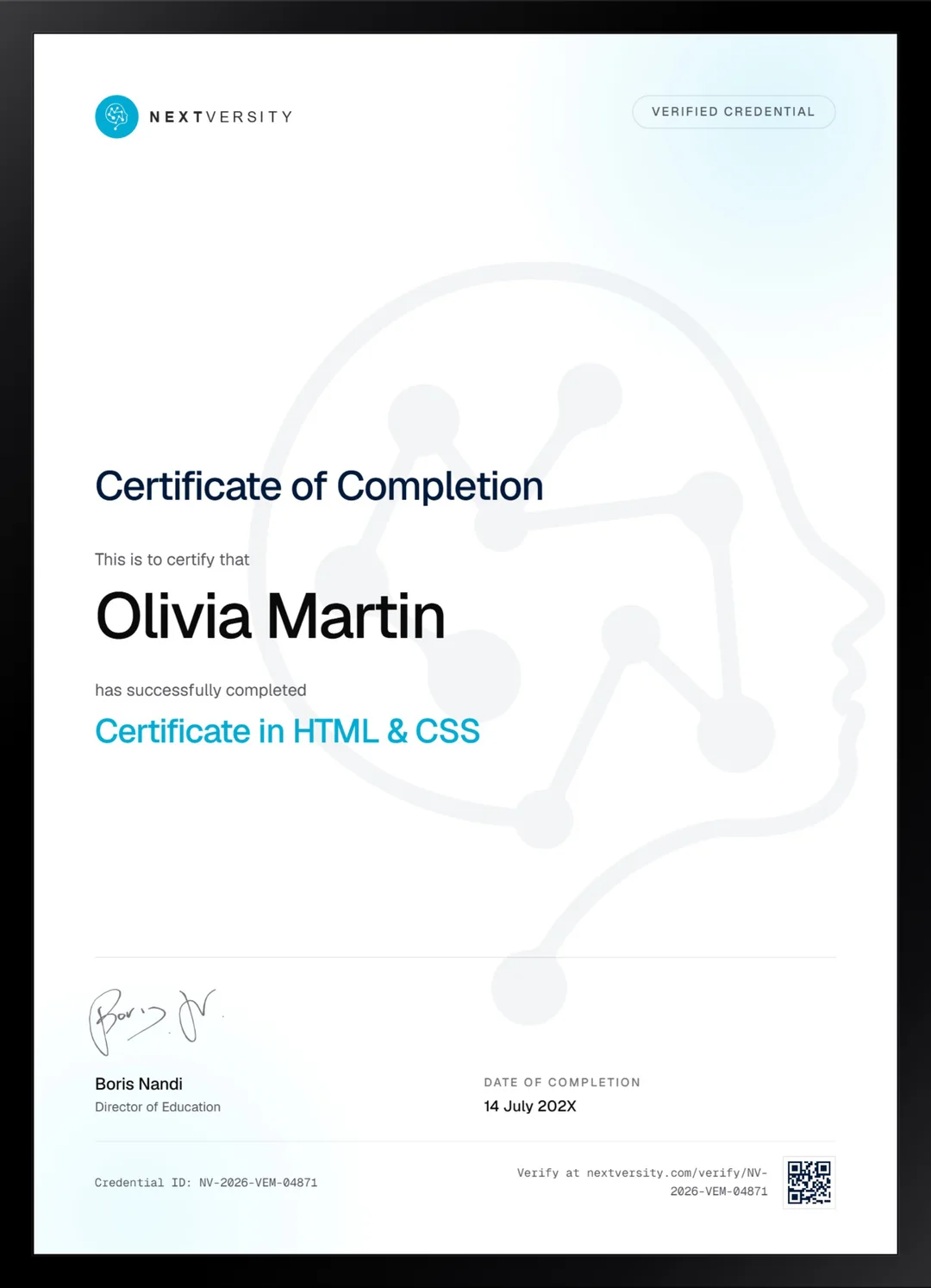
Finish the final module and your HTML & CSS certificate is issued automatically. Download it, share it with employers and clients, or add it to your resume and LinkedIn.
Where this can take you
Skills from this school show up in roles like these. The certificate proves you finished; the projects you build are what get you hired.
- Junior web developer
- Front-end developer
- Python developer
- Data and reporting analyst
- Automation specialist
Enroll with confidence
Enroll with confidence
Full details in the refund policy. One subscription covers this course and every other course in all 8 schools.
Pair it with
More from the Programming & Web Development school
 Advanced
A Flask application with logins, forms and a database, then algorithms, NumPy, pandas and Seaborn.
105 lessonsSelf-pacedCertificate
 Certificate
Python from a first variable to a database, with four projects including a fifteen-part banking system.
118 lessonsSelf-pacedCertificate
FAQ
Common questions about the HTML and CSS course
Do I need to know anything before learning HTML and CSS?
No code at all. The course starts at what a tag is and the pace assumes exactly that. What genuinely helps is a willingness to type along rather than watch, because CSS is one of those subjects where reading feels like understanding right up until you open a blank file and nothing happens.
Does this HTML CSS course teach JavaScript?
No, and that is worth knowing before you start. JavaScript is what makes a page respond, load data and update without a reload, and it is a separate language with its own learning curve. This course covers structure and appearance thoroughly, which is the right foundation to have before JavaScript makes any sense.
Will I be able to build a website after this course?
Yes, and you build four along the way. A two-page site across the foundations modules, then a project each in the layout, Flexbox and Grid modules. They are real builds rather than exercises, so by the end you have both the skill and something to point at when somebody asks what you can do.
Should I learn Flexbox or CSS Grid first?
Both, in that order, which is the order used here. Flexbox lays out one dimension at a time: a row of cards, a navigation bar, a column of content. Grid handles two dimensions at once and is how you lay out a whole page. Modern CSS uses them together constantly, so neither is optional.
How long does the HTML CSS course take?
Around 22 hours of video across 10 modules, and considerably longer if you type along, which is the only version that works. The two foundations modules are best treated as one continuous run, because they build the same site together. It is self-paced, so a module a week is a comfortable rhythm.
Are the Bootstrap and Sass modules out of date?
Partly, and both are flagged where they appear. The Bootstrap module teaches 4.6 while 5 is current, and the Sass module predates the module system. Every class name and rule that changed is tabled in the lesson, so you can follow the video and still write current code without hunting for the differences yourself.
Is there an HTML certification at the end?
Yes, a certificate of completion for this course with a verification code anyone can check. Each module ends with a quiz at a 75% pass mark that never blocks your progress, and a twenty-question final exam opens once everything is done. Alongside it you have four built sites, which employers care about more.
Free info pack
Not ready to enroll? Start with the guide.
The full curriculum for this course, what you'll build, and how it fits with the rest of the school, in one short guide.