
Business & Productivity school
Introduction to Microsoft Excel
Start at what a cell is. Finish having built a real spreadsheet.
No spreadsheet experience is assumed anywhere. This Excel course for beginners opens on getting the program open, then works up through references, lookups and charts to two workbooks you build from nothing.
Overview
What this introductory Excel course covers
This Excel course for beginners starts at what a cell is and assumes nothing before that. If you have never opened a spreadsheet, or you opened one and quietly closed it again, you are exactly the person it was made for. Twenty modules later you will be building working spreadsheets from an empty sheet.
You cover the ribbon, formulas and formatting, protection and validation, then the thing that trips up almost every self-taught user: relative, absolute and mixed references chosen on purpose. Then functions, lookups with VLOOKUP and INDEX with MATCH, dates and text tools, and charts that answer a question. Two build projects close it. You finish able to read a spreadsheet somebody else built, which is quietly the most valuable skill in any office.
Outcomes
What you will be able to do
Requirements
Course requirements
- Excel on a computer with a keyboard. A phone will not do for this.
- You do not have to buy it. A free spreadsheet program will carry you through most of the course.
- No prior spreadsheet experience. If you have never opened Excel, you are who this was made for.
- One real project of your own: a budget, a stock list, a class register or a training log.
Syllabus
Microsoft Excel curriculum
95 recorded video lessons you follow along in the software, at your own pace. Quizzes through each module check what stuck, and a 20-question final exam earns your certificate.
1Excel Course Orientation and Setup4 lessons · 3 videos · quiz
- Welcome (reading)
- Introduction to Microsoft Excel (video lesson, 2 minutes 30 seconds)
- Accessing Microsoft Excel (video lesson, 3 minutes 59 seconds)
- Opening Microsoft Excel (video lesson, 2 minutes 14 seconds)Quiz
2Excel Interface and Workbook Fundamentals6 lessons · 6 videos · quiz
- Understanding Cells, Worksheets and Workbooks (video lesson, 9 minutes 5 seconds)
- Using the Ribbon Toolbar (video lesson, 9 minutes 30 seconds)
- Selecting Cells and Using the Name Box (video lesson, 11 minutes 4 seconds)
- Adjusting Rows and Columns (video lesson, 10 minutes 20 seconds)
- Applying Cell Borders (video lesson, 9 minutes 6 seconds)
- Revision Exercise: Times Table Square (video lesson, 8 minutes 8 seconds)Quiz
3Excel Formula and Data Formatting Fundamentals8 lessons · 8 videos · quiz
- Understanding Excel Data Types (video lesson, 11 minutes 47 seconds)
- Formatting Data in Excel (video lesson, 14 minutes 50 seconds)
- Creating a Data Series (video lesson, 7 minutes 52 seconds)
- Creating Basic Formulae (video lesson, 11 minutes 22 seconds)
- Using Formulae, Autofill and Relative References (video lesson, 12 minutes 28 seconds)
- Using Absolute References in Formulae (video lesson, 13 minutes 28 seconds)
- Formatting Cells (video lesson, 9 minutes 55 seconds)
- Revision Exercise: Times Table Square (video lesson, 7 minutes 49 seconds)Quiz
4Worksheet Protection and Data Validation2 lessons · 2 videos · quiz
- Protecting Excel Worksheets (video lesson, 10 minutes 22 seconds)
- Restricting Cell Data with Validation (video lesson, 5 minutes 17 seconds)Quiz
5Lists, Conditional Formatting and Introductory Functions5 lessons · 5 videos · quiz
- Creating Lists in Excel (video lesson, 4 minutes 7 seconds)
- Adding and Deleting Rows and Columns (video lesson, 5 minutes 22 seconds)
- Using Conditional Formatting (video lesson, 10 minutes 5 seconds)
- Introduction to Functions: MOD (video lesson, 12 minutes 42 seconds)
- Revision Exercise: Times Table Square (video lesson, 20 minutes 59 seconds)Quiz
6Essential Excel Functions8 lessons · 8 videos · quiz
- Introduction to the Battleships Project (video lesson, 13 minutes 14 seconds)
- Using the IF Function (video lesson, 10 minutes 1 second)
- Using the COUNTIF Function (video lesson, 2 minutes 9 seconds)
- Using the COUNTA Function (video lesson, 2 minutes 34 seconds)
- Using Nested IF Functions (video lesson, 8 minutes 3 seconds)
- Using the SUM Function (video lesson, 5 minutes 51 seconds)
- Creating and Using Named Ranges (video lesson, 6 minutes 9 seconds)
- Revision Exercise: Battleships (video lesson, 18 minutes 44 seconds)Quiz
7Visual Elements and 3D Formulae5 lessons · 5 videos · quiz
- Using 3D Formulae (video lesson, 2 minutes 37 seconds)
- Inserting and Formatting Shapes (video lesson, 3 minutes 37 seconds)
- Inserting and Formatting Images (video lesson, 9 minutes 52 seconds)
- Revision Exercise: Battleships Part 1 (video lesson, 13 minutes 49 seconds)
- Revision Exercise: Battleships Part 2 (video lesson, 17 minutes 54 seconds)Quiz
8CSV Importing and Data Exporting4 lessons · 4 videos · quiz
- Working with CSV Files (video lesson, 15 minutes 47 seconds)
- Exporting Data to CSV Files (video lesson, 8 minutes 4 seconds)
- Understanding Common CSV File Issues (video lesson, 8 minutes 36 seconds)
- Importing CSV Files with the Legacy Wizard (video lesson, 8 minutes 38 seconds)Quiz
9Average and Statistical Functions6 lessons · 6 videos · quiz
- Using the AVERAGE Function (video lesson, 14 minutes 42 seconds)
- Using the MEDIAN Function (video lesson, 10 minutes 7 seconds)
- Using the MODE Function (video lesson, 5 minutes 59 seconds)
- Using the MODE.SNGL Function (video lesson, 3 minutes 2 seconds)
- Using the MODE.MULT Function (video lesson, 4 minutes 37 seconds)
- Revision Exercise: Gradebook (video lesson, 14 minutes 29 seconds)Quiz
10Lookup Functions in Excel2 lessons · 2 videos · quiz
- Using the VLOOKUP Function (video lesson, 11 minutes 32 seconds)
- Using the HLOOKUP Function (video lesson, 4 minutes 49 seconds)Quiz
11Advanced Basic Functions and Filtering6 lessons · 6 videos · quiz
- Using the MAX and MIN Functions (video lesson, 2 minutes 9 seconds)
- Using the RAND and RANDBETWEEN Functions (video lesson, 7 minutes 27 seconds)
- Using the INDEX Function (video lesson, 1 minute 58 seconds)
- Using the MATCH Function (video lesson, 5 minutes 1 second)
- Applying Filters in Excel (video lesson, 5 minutes 8 seconds)
- Revision Exercise: Gradebook (video lesson, 11 minutes 52 seconds)Quiz
12Conditional Calculation Functions2 lessons · 2 videos · quiz
- Using the SUMIF Function (video lesson, 3 minutes 16 seconds)
- Using the SUMIFS Function (video lesson, 5 minutes 16 seconds)Quiz
13Date and Text Tools in Excel2 lessons · 2 videos · quiz
- Working with Dates in Excel (video lesson, 5 minutes 26 seconds)
- Working with Text in Excel (video lesson, 3 minutes 45 seconds)Quiz
14Basic Charts and Data Visualization4 lessons · 4 videos · quiz
- Creating Simple Bar Graphs (video lesson, 6 minutes 15 seconds)
- Creating Pie Charts (video lesson, 3 minutes 50 seconds)
- Creating Scatter Graphs Part 1 (video lesson, 18 minutes 1 second)
- Creating Scatter Graphs Part 2 (video lesson, 13 minutes 12 seconds)Quiz
15Text Manipulation and Web Data Importing3 lessons · 3 videos · quiz
- Manipulating Text in Excel (video lesson, 12 minutes 23 seconds)
- Advanced Text Manipulation (video lesson, 17 minutes 1 second)
- Importing Web Data into Excel (video lesson, 7 minutes 53 seconds)Quiz
16Test Data Creation2 lessons · 2 videos · quiz
- Creating Test Data Part 1 (video lesson, 22 minutes 17 seconds)
- Creating Test Data Part 2 (video lesson, 19 minutes 5 seconds)Quiz
17Budget Spreadsheet Project2 lessons · 2 videos · quiz
- Developing a Budget Spreadsheet (video lesson, 28 minutes 50 seconds)
- Building Out the Budget Spreadsheet (video lesson, 21 minutes 56 seconds)Quiz
18Revision Project: Astronomical Modeling4 lessons · 4 videos · quiz
- Astronomical Modeling Revision Part 1 (video lesson, 21 minutes 56 seconds)
- Astronomical Modeling Revision Part 2 (video lesson, 23 minutes 39 seconds)
- Astronomical Modeling Revision Part 3 (video lesson, 27 minutes 56 seconds)
- Astronomical Modeling Revision Part 4 (video lesson, 5 minutes 33 seconds)Quiz
19Excel 365 Dynamic Array and Modern Functions13 lessons · 13 videos · quiz
- Using UNIQUE and Spill Ranges (video lesson, 9 minutes 7 seconds)
- Using the IFS Function (video lesson, 8 minutes 58 seconds)
- Using the MAXIFS Function (video lesson, 2 minutes 22 seconds)
- Using the MINIFS Function (video lesson, 1 minute 10 seconds)
- Using the SWITCH Function (video lesson, 2 minutes 34 seconds)
- Using the SORT Function (video lesson, 2 minutes 56 seconds)
- Using the XMATCH Function (video lesson, 8 minutes 23 seconds)
- Using the LET Function (video lesson, 3 minutes 30 seconds)
- Using the XLOOKUP Function (video lesson, 4 minutes 20 seconds)
- Using the FILTER Function (video lesson, 2 minutes 11 seconds)
- Using the SORTBY Function (video lesson, 2 minutes 12 seconds)
- Using the SEQUENCE Function (video lesson, 5 minutes 54 seconds)
- Revision Exercise: Combining Functions (video lesson, 11 minutes 27 seconds)Quiz
20Additional Excel Tools and Final Review8 lessons · 8 videos
- Using the RANDARRAY Function (video lesson, 7 minutes 49 seconds)
- Using Text to Columns (video lesson, 1 minute 28 seconds)
- Using Zoom and Sheet Selection Tools (video lesson, 2 minutes 21 seconds)
- Working with Logical Functions (video lesson, 10 minutes 10 seconds)
- Working with ODD and EVEN Functions (video lesson, 6 minutes 47 seconds)
- Using Trigonometry Functions (video lesson, 10 minutes 7 seconds)
- Using CEILING and FLOOR Functions (video lesson, 6 minutes 8 seconds)
- Final Course Review (video lesson, 6 minutes 25 seconds)
Certificate
Earn a certificate you can show
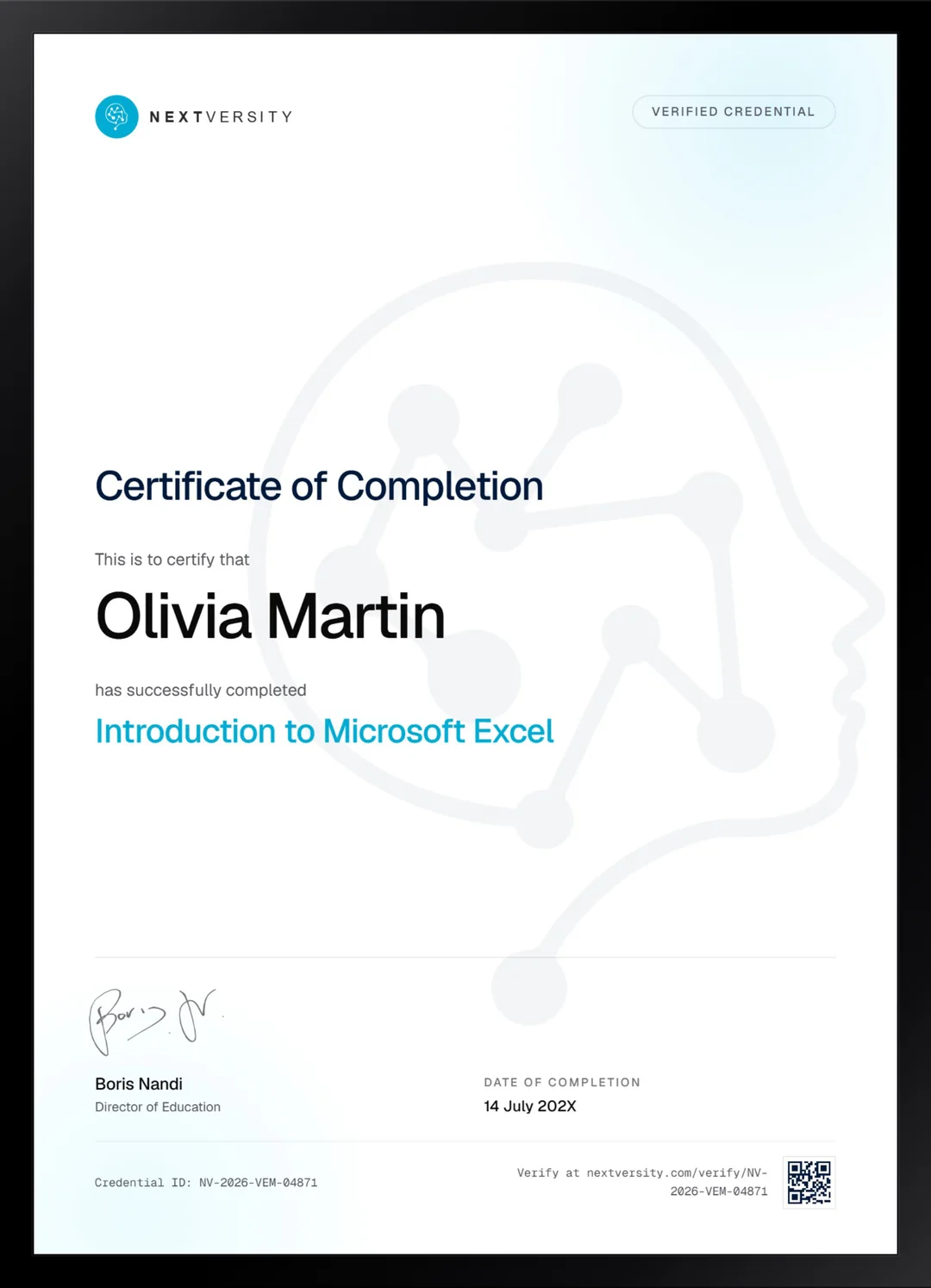
Finish the final module and your Microsoft Excel certificate is issued automatically. Download it, share it with employers and clients, or add it to your resume and LinkedIn.
Where this can take you
Skills from this school show up in roles like these. The certificate proves you finished; the projects you build are what get you hired.
- Operations coordinator
- Project coordinator
- Data and reporting analyst
- Executive assistant
- Freelancer on Fiverr or Upwork
Enroll with confidence
Enroll with confidence
Full details in the refund policy. One subscription covers this course and every other course in all 8 schools.
Pair it with
More from the Business & Productivity school
 Certificate
Formulas, lookups and PivotTables, then charts, dashboards and maps, built in your own workbook.
125 lessonsSelf-pacedCertificate
 Certificate
PivotTables, Power Query, Power Pivot and dynamic arrays on one dataset, then VBA to make it run itself.
77 lessonsSelf-pacedCertificate
FAQ
Common questions about the introductory Excel course
Do I need any spreadsheet experience to start?
None. The course starts at what a cell is and assumes nothing before that, so if you have never opened Excel you are exactly who it was built for. The pace is deliberately gentle at the start, and the difficulty only rises once the vocabulary is in place and you stop being afraid of the grid.
Do I have to buy Microsoft Excel to take the course?
No. A free spreadsheet program shares the same structure and most of the same vocabulary and will carry you through most of this course. The cost is occasional differences in menu names and a handful of functions. If work or school already provides Excel, use that, and the first module walks every route to getting it.
What is the difference between this and the main Excel course?
This one assumes nothing. The Certificate in Microsoft Excel assumes you already know IF, SUM and VLOOKUP and goes considerably further and faster. If those three are already familiar, the first thirteen modules here will bore you and you should start there instead. Both are in the same subscription.
Does this Excel course teach pivot tables and analysis?
Barely, and it is worth knowing. Pivot tables appear briefly rather than as a subject, and proper analysis is not what this course is for. It builds the foundation that analysis sits on. When you want the analysis itself, the Excel Data Analysis certificate in this school is the one built for it.
How long does the beginner Excel course take?
Roughly 25 to 35 hours if you build along, across 20 modules. It is self-paced with no deadlines, and the structure suits an hour or two at a time. The two build projects near the end take longer than their runtimes suggest, which is normal and is where most of the learning actually lands.
Will I learn the lookup functions everybody asks for?
Yes, and properly. VLOOKUP, HLOOKUP and INDEX with MATCH each get real coverage, along with which one a given job actually needs, which is the part most tutorials skip. Lookups are the single most requested Excel skill in job listings, and getting them right is what makes a spreadsheet trustworthy.
Is there a certificate for the beginner Excel course?
Yes, included in the subscription. Module quizzes run at a 75% pass mark and never block your progress, and a twenty-question final exam opens once every lesson and quiz is done. Passing issues a certificate with a verification code and a public link. It is not a Microsoft credential and does not claim to be.
Free info pack
Not ready to enroll? Start with the guide.
The full curriculum for this course, what you'll build, and how it fits with the rest of the school, in one short guide.