Music Production school
Certificate in Music Production Using Cubase
From an interface plugged in to a bounced master.
A short, dense Cubase course about capturing real instruments and mixing them properly: interfaces and buffer size, editing takes, EQ, sends, groups, drums and the final bounce.
Overview
What this Cubase course covers
Getting sound into a computer is the part almost nobody teaches, and it is exactly where this Cubase course begins. A short, dense run takes a band recording from an interface plugged into the wall to a bounced master, using nothing but the plugins Cubase already ships with. No plugin purchases and no sample packs.
You cover interfaces, drivers, buffer size and the bus layer, then cleaning up raw takes and tightening timing before mixing with channel EQ, sends, reverb, compression, group routing and a limiter. A module of its own goes to drums, both programmed to sound played and recorded for real, including gating the bleed between microphones. That last skill alone is worth the course to anyone recording a live kit.
Outcomes
What you will be able to do
Requirements
Course requirements
- Cubase, any version from Elements upwards. If you bought monitor speakers or an audio interface, check the box, because a Cubase licence is often bundled.
- An audio interface for about half the course. The first lesson covers how to choose one.
- Headphones or speakers you know well, and not laptop speakers.
- A free drum plugin used from the loops lesson onward, plus an optional MIDI keyboard. Everything can be drawn in with a mouse.
Syllabus
Music Production Using Cubase curriculum
10 recorded video lessons you follow along in the software, at your own pace. Quizzes through each module check what stuck, and a 20-question final exam earns your certificate.
1Course orientation1 lesson
- Introduction (reading)
2Studio setup and session foundations3 lessons · 3 videos · quiz
- Setting Up Cubase and Creating a Project (video lesson, 64 minutes 55 seconds)
- Organizing a Cubase session and adding tracks (video lesson, 22 minutes 11 seconds)
- Starting a track with audio loops (video lesson, 11 minutes 9 seconds)Quiz
3From raw tracks to a finished mix5 lessons · 5 videos · quiz
- Editing and preparing your tracks (video lesson, 63 minutes 55 seconds)
- Mixing: EQ and frequency (video lesson, 59 minutes 24 seconds)
- Mixing: inserts, sends and compression (video lesson, 69 minutes 17 seconds)
- Mixing: groups, bus processing and limiting (video lesson, 65 minutes 57 seconds)
- Mixing: automation, analysis and export (video lesson, 48 minutes 15 seconds)Quiz
4Going deeper: programming and editing drums2 lessons · 2 videos · quiz
- Creating MIDI Drums (video lesson, 61 minutes 12 seconds)
- Editing Drum Tracks (video lesson, 71 minutes 44 seconds)Quiz
Certificate
Earn a certificate you can show
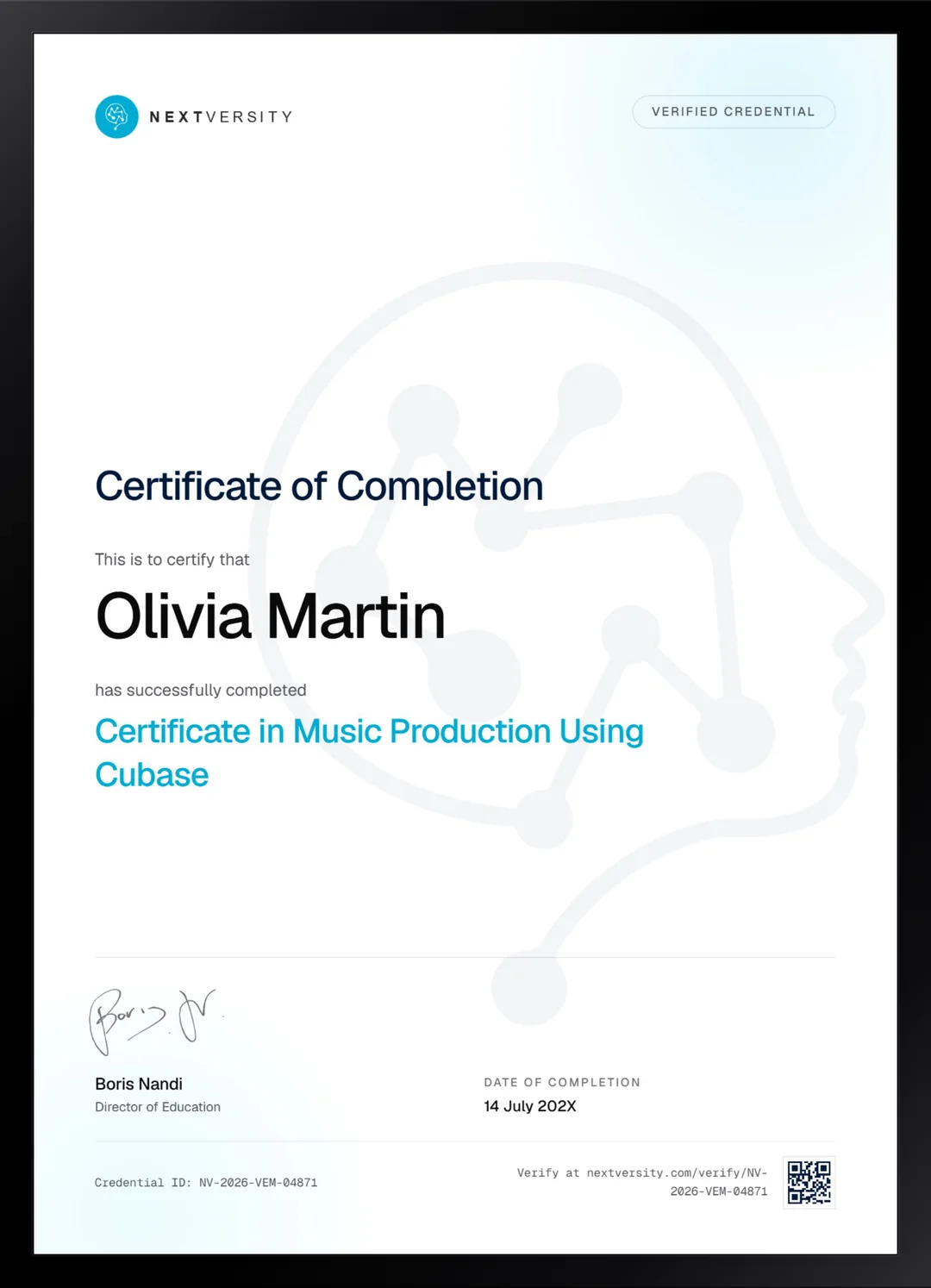
Finish the final module and your Music Production Using Cubase certificate is issued automatically. Download it, share it with employers and clients, or add it to your resume and LinkedIn.
Where this can take you
Skills from this school show up in roles like these. The certificate proves you finished; the projects you build are what get you hired.
- Music producer
- Audio editor
- Podcast producer
- Sound designer
Enroll with confidence
Enroll with confidence
Full details in the refund policy. One subscription covers this course and every other course in all 8 schools.
Pair it with
More from the Music Production school
 Certificate
Learn FL Studio end to end, then write one full track from a single chord to an exported master.
39 lessonsSelf-pacedCertificate
FAQ
Common questions about the Cubase course
Which version of Cubase do I need for this course?
Anything from Elements upwards works. It was recorded on Elements against a much later release, and unusually, every limitation worked around in the lessons is still a real limitation today, so the workarounds have aged well. If you are on Artist or Pro, two lessons tell you exactly where to skip ahead.
What are the track limits in Cubase Elements?
Elements gives you 48 audio tracks, 64 MIDI tracks and 24 instrument tracks, plus 16 group channels and 8 send and return channels. Those numbers have held steady across releases and are generous for a band recording. Most people hit their own patience long before they hit forty-eight audio tracks.
Do I need an audio interface to learn Cubase?
For about half of this course, yes. The setup and mixing modules work in full without one, because they run on imported audio and a free drum plugin. The recording lessons genuinely need hardware, since the whole point is capturing a microphone or an instrument. Interfaces start cheap and last for years.
Is this Cubase course good for guitarists?
It is aimed at them more directly than at anyone else. The demo track is a band recording, and there is real content on DI recording, where a guitar or bass goes straight into the interface, alongside microphone technique. If you play and want to record yourself properly, this is the course for it.
Does the course cover recording and editing drums?
Both, in a module of its own. You program MIDI drums that sound played rather than typed and route a drum plugin out to separate groups so each part can be treated on its own. Then you edit a real multi-mic drum recording, including gating the bleed between microphones, which is the fiddly part nobody explains.
How long does the Cubase course take?
It is short and dense: a handful of lessons across four modules and about nine hours of video, plus a good deal more time in Cubase between them. That density is the appeal. There is no padding, and you can realistically go from never having recorded anything to a finished mix in a few weekends.
Do I get a certificate for finishing the Cubase course?
Yes, included in the subscription with no extra fee. Quizzes sit at the end of the modules at a 75% pass mark and never block your progress, and a twenty-question final exam opens once every lesson and quiz is done. Passing issues a certificate with a verification code and a public link.
Free info pack
Not ready to enroll? Start with the guide.
The full curriculum for this course, what you'll build, and how it fits with the rest of the school, in one short guide.