Video Editing & Motion Graphics school
Certificate in Video Editing Using CapCut
Post this week, on the desktop and on your phone.
This CapCut course teaches both halves of the tool, desktop and phone, and finishes with three portfolio pieces you can send to somebody rather than three exercises.
Overview
What this CapCut course covers
CapCut exists to make short vertical video quickly, and this CapCut course holds itself to that standard throughout. You export something real before the first module ends, then learn keyframe animation, multi-track audio, blend modes, green screen keying, grading for a mood and cutting to a beat, on the desktop and on your phone.
Two modules cover the generated tools: images, video, voiceovers, auto captions and reframing, including a short film built from an idea and no footage at all. It closes on three portfolio projects, a children’s story, a horror edit and a music video, made to be shown to a client or a brand rather than finished and filed away.
Outcomes
What you will be able to do
Requirements
Course requirements
- CapCut on a computer. The download is free, and at the time of recording no purchase and no account were needed to start.
- CapCut on a phone for the three mobile modules, with some footage already in your camera roll.
- No editing experience and no camera. The supplied resource packs cover the footage the projects need.
Syllabus
Video Editing Using CapCut curriculum
70 recorded video lessons you follow along in the software, at your own pace. Quizzes through each module check what stuck, and a 20-question final exam earns your certificate.
1CapCut Desktop Foundations and First Edit6 lessons · 5 videos · quiz
- Course Welcome and Project Overview (reading)
- Understanding CapCut and Short-Form Video Use Cases (video lesson, 1 minute 11 seconds)
- Choosing Between CapCut Desktop and Mobile (video lesson, 1 minute 35 seconds)
- Creating a Project and Importing Footage (video lesson, 7 minutes 33 seconds)
- Editing on the Timeline: Trim, Cut and Arrange Clips (video lesson, 12 minutes 5 seconds)
- Exporting Your First CapCut Video (video lesson, 4 minutes 51 seconds)Quiz
2Video Editing Principles and Technical Foundations4 lessons · 4 videos · quiz
- Understanding Core Video Editing Concepts (video lesson, 5 minutes 22 seconds)
- Understanding Video Aspect Ratios (video lesson, 4 minutes 16 seconds)
- Understanding Resolution, Frame Rate and Video Quality (video lesson, 3 minutes 53 seconds)
- Understanding a Professional Editing Workflow (video lesson, 4 minutes 8 seconds)Quiz
3CapCut Desktop Core Editing Tools5 lessons · 5 videos · quiz
- Navigating the Home Screen and Setting Up Projects (video lesson, 2 minutes 55 seconds)
- Using CapCut Timeline Tools (video lesson, 4 minutes 25 seconds)
- Adding Text and Captions (video lesson, 8 minutes 27 seconds)
- Applying Transitions and Speed Controls (video lesson, 3 minutes 54 seconds)
- Working with Audio Basics (video lesson, 7 minutes 58 seconds)Quiz
4Desktop Short-Form Video Project4 lessons · 4 videos · quiz
- Planning an Effective Short-Form Video (video lesson, 1 minute 49 seconds)
- Building a Short-Form Edit from Start to Finish (video lesson, 7 minutes 47 seconds)
- Adding Text, Music and Transitions to a Short Video (video lesson, 8 minutes 27 seconds)
- Exporting Short-Form Videos for Social Media (video lesson, 2 minutes 27 seconds)Quiz
5CapCut Mobile Editing Fundamentals2 lessons · 2 videos · quiz
- Navigating the CapCut Mobile Interface (video lesson, 9 minutes 22 seconds)
- Creating a Quick Edit on Mobile (video lesson, 8 minutes 1 second)Quiz
6Practice Strategy and Learning Path2 lessons · 2 videos · quiz
- Practicing CapCut to Improve Faster (video lesson, 2 minutes 7 seconds)
- Avoiding Common Beginner Editing Mistakes (video lesson, 2 minutes 54 seconds)Quiz
7AI Tools, Text and Captions in CapCut7 lessons · 7 videos · quiz
- Exploring CapCut AI Tools (video lesson, 2 minutes)
- Creating AI Designs in CapCut (video lesson, 12 minutes 14 seconds)
- Generating Videos with AI Video Maker (video lesson, 7 minutes 59 seconds)
- Using Auto Reframe for Social Media Formats (video lesson, 3 minutes 47 seconds)
- Translating and Localising Video Content (video lesson, 8 minutes 7 seconds)
- Creating Text, Titles and On-Screen Graphics (video lesson, 9 minutes 33 seconds)
- Generating and Editing Auto Captions (video lesson, 9 minutes 37 seconds)Quiz
8AI-Assisted Short-Form Video Project4 lessons · 4 videos · quiz
- Planning an AI-Assisted Short Video and Script (video lesson, 5 minutes 9 seconds)
- Generating Visuals and Preparing Audio (video lesson, 7 minutes 54 seconds)
- Adding Transitions and Visual Elements (video lesson, 9 minutes 17 seconds)
- Exporting the Final Video and Creating a Thumbnail (video lesson, 6 minutes 52 seconds)Quiz
9Mobile Editing Workflow and Creative Tools4 lessons · 4 videos · quiz
- Building an Efficient Mobile Editing Workflow (video lesson, 5 minutes 39 seconds)
- Applying Filters and Quick Styles (video lesson, 7 minutes 39 seconds)
- Removing Backgrounds on Mobile (video lesson, 5 minutes 6 seconds)
- Creating Speed Edits and Trend Effects (video lesson, 10 minutes 29 seconds)Quiz
10Advanced Editing Workflows and Motion Techniques4 lessons · 4 videos · quiz
- Using Advanced Timeline Workflows (video lesson, 6 minutes 38 seconds)
- Creating Keyframe Animations (video lesson, 9 minutes 3 seconds)
- Mixing Audio and Sound Effects (video lesson, 13 minutes 24 seconds)
- Using Essential CapCut Shortcuts (video lesson, 4 minutes 10 seconds)Quiz
11Visual Effects, Compositing and Thumbnail Design4 lessons · 4 videos · quiz
- Applying Video Effects and Overlays (video lesson, 6 minutes 24 seconds)
- Using Green Screen and Background Replacement (video lesson, 5 minutes 4 seconds)
- Applying Advanced Color Grading (video lesson, 6 minutes 51 seconds)
- Designing Clickable Video Thumbnails (video lesson, 8 minutes 40 seconds)Quiz
12Cinematic Horror Editing Project5 lessons · 5 videos · quiz
- Planning a Cinematic Horror Edit (video lesson, 7 minutes 59 seconds)
- Creating Atmosphere with Sound Design (video lesson, 8 minutes 32 seconds)
- Using Markers and Timing for Suspense (video lesson, 8 minutes 36 seconds)
- Applying Horror Effects and Overlays (video lesson, 4 minutes 22 seconds)
- Finalising and Exporting the Horror Edit (video lesson, 8 minutes 48 seconds)Quiz
13Advanced CapCut Mobile Techniques2 lessons · 2 videos · quiz
- Creating Mobile Transitions and Motion Effects (video lesson, 5 minutes 28 seconds)
- Designing Titles and Motion Text on Mobile (video lesson, 6 minutes 13 seconds)Quiz
14Course Wrap-Up and Next Steps1 lesson · 1 video
- Continuing Your CapCut Learning Path (video lesson, 38 seconds)
15Course Recap and Editing Workflow Review4 lessons · 3 videos · quiz
- Setting Up a Project Before You Start (reading)
- Reviewing the CapCut Workspace (video lesson, 6 minutes 15 seconds)
- Reviewing the Timeline, Layers and Editing Keys (video lesson, 8 minutes 24 seconds)
- Reviewing the Text, Effects and AI Tool Panels (video lesson, 9 minutes 8 seconds)Quiz
16Portfolio Project 1: Children's Story Video5 lessons · 5 videos · quiz
- Export Settings, and the Story Video Brief (video lesson, 3 minutes 44 seconds)
- Planning the Story Concept and Script (video lesson, 10 minutes 46 seconds)
- Generating the Story Visuals (video lesson, 7 minutes 7 seconds)
- Building the Story Timeline (video lesson, 6 minutes 20 seconds)
- Adding Voiceover, Music and Sound (video lesson, 6 minutes 54 seconds)Quiz
17Portfolio Project 2: Horror Video Edit5 lessons · 5 videos · quiz
- Captioning and Exporting the Story Video (video lesson, 4 minutes 59 seconds)
- Sourcing Horror Footage and Creative Assets (video lesson, 4 minutes 39 seconds)
- Structuring a Suspenseful Horror Edit (video lesson, 9 minutes)
- Applying Horror Effects and Overlays (video lesson, 8 minutes 11 seconds)
- Syncing Sound Design with the Edit (video lesson, 11 minutes 25 seconds)Quiz
18Portfolio Project 3: Music Video Edit4 lessons · 4 videos
- Color Grading the Horror Edit (video lesson, 5 minutes 4 seconds)
- Choosing or Creating a Music Track (video lesson, 6 minutes 12 seconds)
- Matching the Edit to the Beat (video lesson, 3 minutes 18 seconds)
- Polishing the Music Video and Wrapping Up (video lesson, 4 minutes 43 seconds)
Certificate
Earn a certificate you can show
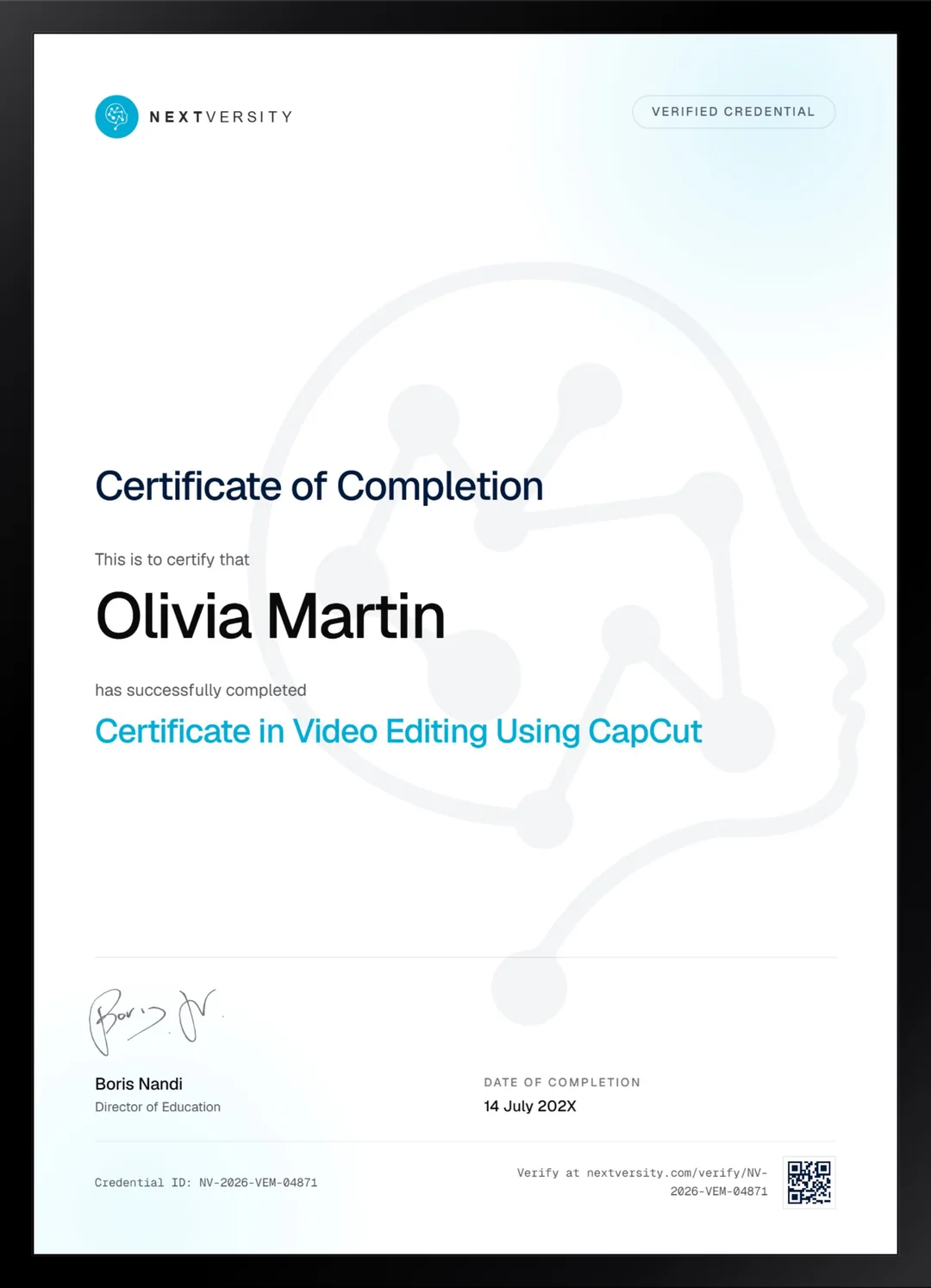
Finish the final module and your Video Editing Using CapCut certificate is issued automatically. Download it, share it with employers and clients, or add it to your resume and LinkedIn.
Where this can take you
Skills from this school show up in roles like these. The certificate proves you finished; the projects you build are what get you hired.
- Video editor
- Motion graphics designer
- Content editor for YouTube and social
- Post-production assistant
Enroll with confidence
Enroll with confidence
Full details in the refund policy. One subscription covers this course and every other course in all 8 schools.
Pair it with
More from the Video Editing & Motion Graphics school
 Certificate
Tools first, then five builds and fifty-one effect recipes, from clone shots to portals and weather.
111 lessonsSelf-pacedCertificate
 Certificate
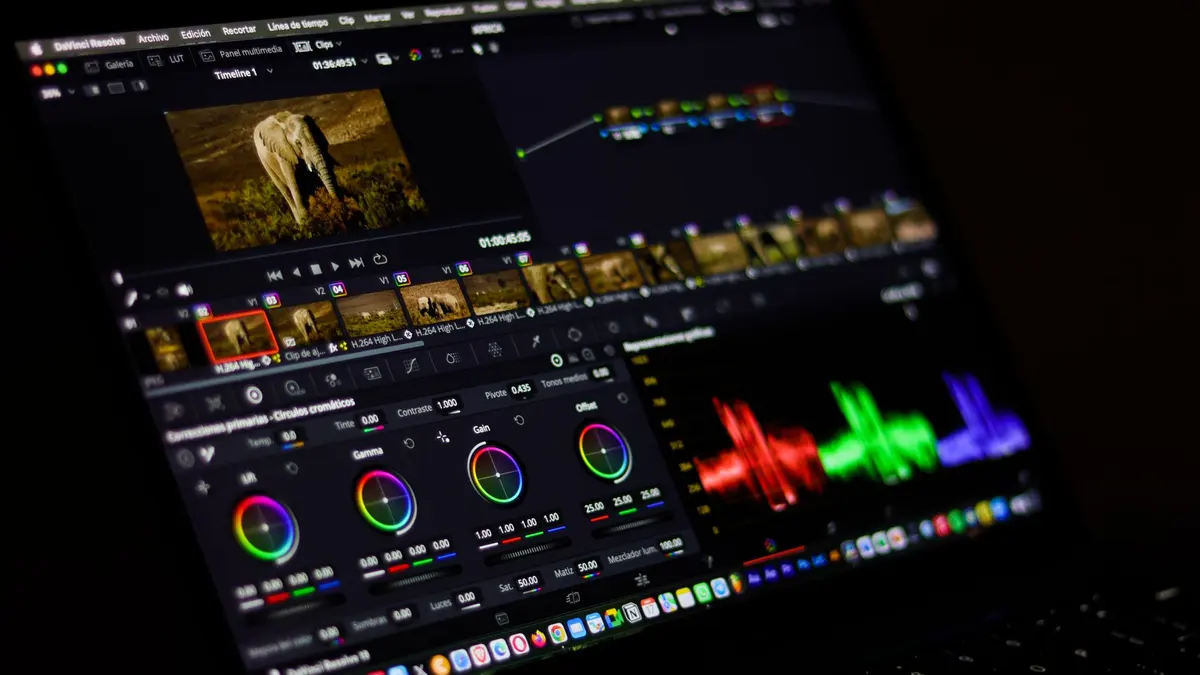
All seven Resolve pages on the free edition, with three modules of grading and a Fairlight mix.
105 lessonsSelf-pacedCertificate
FAQ
Common questions about the CapCut course
Is CapCut free to use?
The download is free, and at the time of recording no purchase and no account were needed to start editing. Pro tiers exist and some assets and effects sit behind them, but the course is built so you can complete every project without paying. Where a lesson touches a paid asset, it says so.
Does this CapCut course cover the mobile app or just desktop?
Both, deliberately. Most of the course runs on the desktop editor, where a timeline is easier to handle and the technical work is clearer. Three modules run entirely on the phone app, because that is where most short video actually gets made, on the device the footage is already sitting on. The skills carry across in both directions.
Can you make professional-looking videos in CapCut?
For short vertical video, absolutely. Keyframe animation, green screen keying, blend modes, multi-track audio and color grading are all in the tool and all in this course. What CapCut is not built for is a feature-length edit or a deep color session, and the course is honest about where that ceiling sits rather than pretending it is not there.
Is CapCut good for TikTok, Reels and Shorts?
That is exactly what it is for, and it is why this course values speed over depth. You set aspect ratio, resolution and frame rate deliberately at the start rather than fixing them afterward, learn to cut to a beat, and finish with thumbnail design and captions. Everything is aimed at getting something posted rather than perfected.
Do I need to use the AI tools, or can I skip them?
They come up a lot, so skipping is not really practical. Two modules are the generated tools themselves: image and video generation, voiceovers, auto captions, reframing and translation. One portfolio project is built from generated media start to finish. The course teaches you to check what comes back before you post it, which is the part most people miss.
Should I learn CapCut or Premiere Pro first?
CapCut first if your work is short and vertical and you want to be posting this week. Premiere Pro first if you are heading toward client work, longer edits or a studio pipeline where project files have to open on someone else’s machine. Both courses come with one subscription, so plenty of people do CapCut now and Premiere later.
Is there a certificate for the CapCut course?
Yes. Quizzes appear through the modules at a 75% pass mark and never stop you moving on. The certificate comes from the final exam, which opens once every lesson and quiz is complete, and passing it issues a certificate carrying a verification code and a public link. Alongside it you will have three finished pieces, which is what people actually look at.
Free info pack
Not ready to enroll? Start with the guide.
The full curriculum for this course, what you'll build, and how it fits with the rest of the school, in one short guide.