
Game Design & Development school
Certificate in 2D Game Development Using Unity
Five projects, C# from zero, and a platformer to build on.
This Unity 2D course teaches C# from nothing, then builds five projects with it, including a platformer with sprite animation, enemies, shooting, damage and a saved high score.
Overview
What this Unity 2D course covers
Half the people who try to learn a game engine bounce off the programming rather than the engine. This Unity 2D course fixes that by teaching C# from absolutely nothing, variables through loops, lists and arrays, before it asks you to build anything serious, then spends the rest of its length putting that code to work.
The platformer carries most of it: Rigidbody 2D, colliders, triggers, layers and raycasts, sprite animation, a character rigged with bones, then enemies, shooting, damage, health, scoring, a menu and a saved high score. Pong, a card game and a touch-controlled mobile project sit around it. You leave with a platformer kit you can keep extending and enough engine knowledge to read somebody else’s project.
Outcomes
What you will be able to do
Requirements
Course requirements
- Unity installed through the Unity Hub, with Visual Studio alongside it. Both are free, and the first module walks the whole install.
- No prior programming. Half the opening module is C# from zero, each idea explained then used immediately.
- A computer that runs Unity on Windows, Mac or Linux, with room for the editor plus a project.
- Nothing to draw. Sprites and character parts are supplied throughout, because this course teaches the engine rather than the art.
Syllabus
2D Game Development Using Unity curriculum
63 recorded video lessons you follow along in the software, at your own pace. Quizzes through each module check what stuck, and a 20-question final exam earns your certificate.
1Unity Setup and Game Development Foundations23 lessons · 22 videos · quiz
- Introduction (reading)
- Course Overview and Learning Expectations (video lesson, 2 minutes 33 seconds)
- Downloading and Installing Unity Part 1 (video lesson, 2 minutes 33 seconds)
- Downloading and Installing Unity Part 2 (video lesson, 3 minutes 30 seconds)
- Unity Overview and First Project Setup (video lesson, 10 minutes 8 seconds)
- Creating Your First Unity Script (video lesson, 11 minutes 40 seconds)
- Creating Asset Prefabs with Parent-Child Objects, Quads, Colors and Materials (video lesson, 11 minutes 30 seconds)
- Working with Prefabs and Material Opacity (video lesson, 7 minutes 28 seconds)
- Creating Basic UI with Canvas (video lesson, 14 minutes 32 seconds)
- Understanding Variables (video lesson, 9 minutes 11 seconds)
- Working with Time and Randomness (video lesson, 9 minutes 4 seconds)
- Using If Statements Part 1 (video lesson, 12 minutes 21 seconds)
- Using If Statements Part 2 (video lesson, 5 minutes 31 seconds)
- Using For Loops Part 1 (video lesson, 20 minutes 2 seconds)
- Using For Loops Part 2 (video lesson, 21 minutes 53 seconds)
- Introduction to Lists and Arrays (video lesson, 8 minutes 55 seconds)
- Lists and Arrays Practice Part 1 (video lesson, 31 minutes 17 seconds)
- Lists and Arrays Practice Part 2 (video lesson, 11 minutes 21 seconds)
- Project Polish Part 1 (video lesson, 17 minutes 8 seconds)
- Project Polish Part 2 (video lesson, 24 minutes 25 seconds)
- Project Polish Part 3 (video lesson, 16 minutes 10 seconds)
- Unity Foundations Review (video lesson, 49 minutes 14 seconds)
- Importing Projects into Unity (video lesson, 2 minutes 34 seconds)Quiz
2Unity 2D Movement, Input and Core Gameplay6 lessons · 6 videos · quiz
- Understanding Transform Position, Local Position and Translate (video lesson, 20 minutes 36 seconds)
- Working with Rotations (video lesson, 12 minutes 48 seconds)
- Handling Mouse and Keyboard Input (video lesson, 25 minutes 28 seconds)
- Building a Pong Game Part 1 (video lesson, 26 minutes 18 seconds)
- Building a Pong Game Part 2 (video lesson, 18 minutes 49 seconds)
- Building a Pong Game Part 3 (video lesson, 26 minutes 38 seconds)Quiz
32D Platformer Physics and Character Systems29 lessons · 29 videos · quiz
- Platformer Project Setup and Asset Creation (video lesson, 20 minutes 43 seconds)
- Introduction to Rigidbody 2D (video lesson, 15 minutes 27 seconds)
- Testing Rigidbody 2D Behavior (video lesson, 26 minutes 50 seconds)
- Adding Sprite Animation to a Rigidbody 2D Character (video lesson, 27 minutes 37 seconds)
- Refining Character Movement (video lesson, 18 minutes 29 seconds)
- Rigging and Skinning a 2D Character Part 1 (video lesson, 28 minutes 2 seconds)
- Rigging and Skinning a 2D Character Part 2 (video lesson, 27 minutes 18 seconds)
- Animating a Rigged 2D Character (video lesson, 24 minutes 55 seconds)
- Creating Enemy Behavior (video lesson, 28 minutes 44 seconds)
- 2D Physics Concepts Part 1 (video lesson, 25 minutes 53 seconds)
- 2D Physics Concepts Part 2 (video lesson, 29 minutes 52 seconds)
- Refining Enemy Behavior Part 1 (video lesson, 28 minutes 12 seconds)
- Refining Enemy Behavior Part 2 (video lesson, 16 minutes 56 seconds)
- Refining Enemy Behavior Part 3 (video lesson, 14 minutes 28 seconds)
- Refining Enemy Behavior Part 4 (video lesson, 28 minutes 41 seconds)
- Refining Enemy Behavior Part 5 (video lesson, 6 minutes)
- Refining Enemy Behavior Part 6 (video lesson, 34 minutes 42 seconds)
- Introduction to Platformer Environment Design (video lesson, 28 minutes 32 seconds)
- Fixing Character Movement Issues (video lesson, 14 minutes 40 seconds)
- Revising the Platformer Environment (video lesson, 36 minutes 58 seconds)
- Setting Up the Game Camera (video lesson, 15 minutes 13 seconds)
- Creating Shooting Mechanics Part 1 (video lesson, 31 minutes 52 seconds)
- Creating Shooting Mechanics Part 2 (video lesson, 13 minutes 12 seconds)
- Adding Gameplay Effects (video lesson, 41 minutes 52 seconds)
- Preparing the Damage System (video lesson, 37 minutes 54 seconds)
- Creating a Damage System (video lesson, 39 minutes 46 seconds)
- Platformer Project Wrap-Up Part 1 (video lesson, 37 minutes 49 seconds)
- Platformer Project Wrap-Up Part 2 (video lesson, 53 minutes 44 seconds)
- Platformer Project Wrap-Up Part 3 (video lesson, 32 minutes 34 seconds)Quiz
4Card Game Development and Advanced Loops3 lessons · 3 videos · quiz
- Building a Card Game Part 1 (video lesson, 22 minutes 2 seconds)
- Building a Card Game Part 2 (video lesson, 18 minutes 50 seconds)
- Building a Card Game Part 3 (video lesson, 32 minutes 18 seconds)Quiz
5Mobile Input and Touch Controls3 lessons · 3 videos
- Understanding Unity Remote Requirements (video lesson, 11 minutes 25 seconds)
- Understanding Mobile Input and Touch Controls (video lesson, 26 minutes 28 seconds)
- Final Mobile Input Review (video lesson, 19 minutes 46 seconds)
Certificate
Earn a certificate you can show
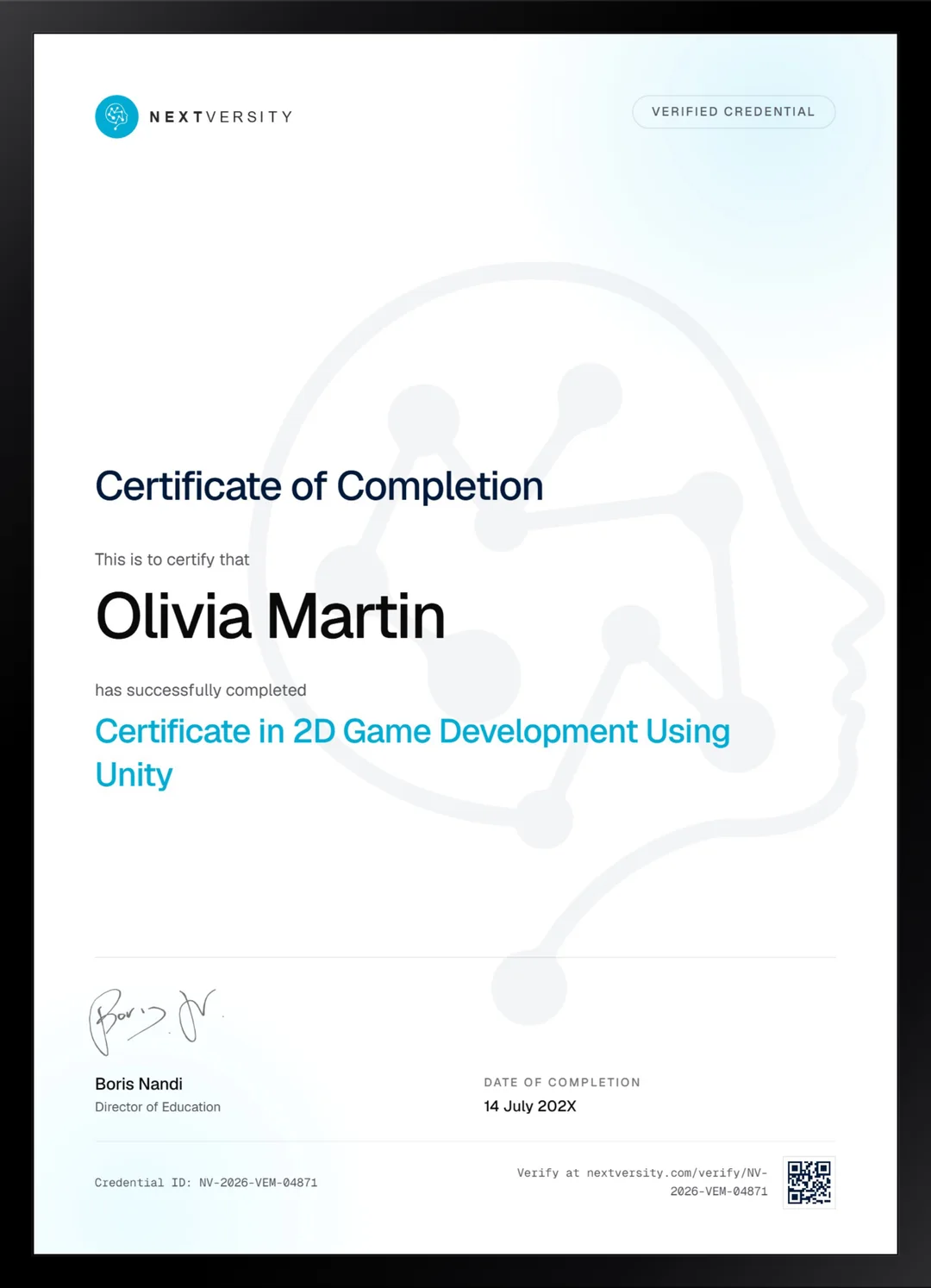
Finish the final module and your 2D Game Development Using Unity certificate is issued automatically. Download it, share it with employers and clients, or add it to your resume and LinkedIn.
Where this can take you
Skills from this school show up in roles like these. The certificate proves you finished; the projects you build are what get you hired.
- Junior game developer
- Gameplay programmer
- Level designer
- Indie game developer
- QA and games tester
Enroll with confidence
Enroll with confidence
Full details in the refund policy. One subscription covers this course and every other course in all 8 schools.
Pair it with
More from the Game Design & Development school
 Certificate
Build one complete 2D role-playing game in Godot 4 and GDScript, from world map to exported build.
114 lessonsSelf-pacedCertificate
 Certificate
Plan a five-room level, prototype it in Blueprint, then model, texture and animate the art for it in Blender.
96 lessonsSelf-pacedCertificate
FAQ
Common questions about the Unity 2D course
Do I need programming experience for this Unity 2D course?
None at all. About half of the opening module is C# taught from zero: variables, time, randomness, conditions, loops, lists and arrays, each explained and then used straight away. That is unusual for an engine course and it is the reason beginners get further here than they do elsewhere.
Is Unity good for 2D games, or should I use something else?
Unity is a strong 2D choice and has the largest job market and asset ecosystem of the engines taught here. Godot is free, open source and lighter to run, and the Godot courses in this school cover it properly. If employability is the goal, Unity and C# appear in more job listings than either alternative.
What do I actually build in this Unity course?
Five things. A console application you decorate, a two-player spawn game, a 2D platformer with animation, enemies, shooting and damage, a card matching game, and a touch-controlled mobile project. The platformer is the centerpiece and takes the largest share of the course by a wide margin.
Do I need a phone to finish the Unity course?
Only for the last module, and even then it is optional. Those lessons stream to an Android device so you can test touch input on real hardware. If you do not have one, watch the module for the concepts. Nothing earlier in the course depends on having done it yourself.
Do I need to be able to draw to make a 2D game?
No. Sprites and character parts are supplied throughout, and this course is explicit that it teaches the Unity side rather than art or animation. If you later want to make your own assets, the Pixel Art certificate in the graphic design school pairs with this one extremely well and is in the same subscription.
Will I have a finished game at the end?
You will have a platformer kit rather than something you would put on a store. That is a deliberate choice: the instructor leaves his own mistakes and fixes in, so you see how problems actually get solved. What you gain is a foundation you can keep extending, which is more useful than a polished demo you cannot modify.
How long does the Unity 2D course take?
The two big modules dominate. The opening module runs about five hours of video and the platformer about thirteen, with the rest considerably shorter, and building along at least doubles those figures. It is self-paced with no deadlines, so plan around those two long stretches rather than expecting five even ones.
Free info pack
Not ready to enroll? Start with the guide.
The full curriculum for this course, what you'll build, and how it fits with the rest of the school, in one short guide.