Game Design & Development school
Certificate in Unreal Engine 5
One small level: planned, prototyped in Blueprint, then built.
This Unreal Engine 5 course builds a five-room level in the order a studio would: plan it, prototype the gameplay in Blueprint, then replace every placeholder with art you made yourself.
Overview
What this Unreal Engine 5 course covers
Most engine tutorials hand you a working project and walk you through it. This Unreal Engine 5 course hands you a blank page and makes you build a five-room level from nothing, in the order a real studio works: scope first, prototype second, art last. That order is the actual lesson, and it is the one thing most self-taught developers never learn.
You plan it, block it out, and wire the gameplay in Blueprint, with overlap events, timelines, health and damage and a HUD, all taught directly rather than assumed. Then the longest module in the course builds the art in Blender: a tiling tileset, a prop through sculpting, retopology, baking and hand painting, and a rigged character driven by an animation blueprint. It ends on polish and four genuine bugs, fixed on camera.
Outcomes
What you will be able to do
Requirements
Course requirements
- Unreal Engine 5 and Blender, both free, and both walked through in the course. Install the current supported release.
- A computer that can run Unreal, which is the demanding half. Epic publishes recommended requirements on the download page.
- No prior Unreal, Blender or scripting experience. Blueprint is taught directly rather than assumed.
- Somewhere to collect reference and track your work. Two free tools are shown, and anything equivalent is fine.
Syllabus
Unreal Engine 5 curriculum
94 recorded video lessons you follow along in the software, at your own pace. Quizzes through each module check what stuck, and a 20-question final exam earns your certificate.
1Course Orientation and Game Design Foundations3 lessons · 1 video
- Introduction (reading)
- Course Overview and Learning Expectations (reading)
- Introduction to Game Design (video lesson, 4 minutes 59 seconds)
2Game Pre-Production and Planning5 lessons · 5 videos · quiz
- Understanding Game Pre-Production (video lesson, 5 minutes 8 seconds)
- Creating Level Design Documents (video lesson, 10 minutes 33 seconds)
- Creating Game Asset Lists (video lesson, 8 minutes 54 seconds)
- Gathering Game Design References (video lesson, 6 minutes 37 seconds)
- Organizing Game Projects with Trello (video lesson, 4 minutes 26 seconds)Quiz
3Unreal Engine 5 Prototyping and Blueprint Scripting27 lessons · 27 videos · quiz
- Downloading and Installing Unreal Engine 5 (video lesson, 13 minutes 25 seconds)
- Unreal Engine 5 Interface Overview (video lesson, 36 minutes 34 seconds)
- Level Prototyping Part 1 (video lesson, 31 minutes 35 seconds)
- Level Prototyping Part 2 (video lesson, 30 minutes 25 seconds)
- Level Prototyping Part 3 (video lesson, 42 minutes 56 seconds)
- Level Prototyping Part 4 (video lesson, 39 minutes 5 seconds)
- Level Prototyping Part 5 (video lesson, 40 minutes 4 seconds)
- Level Prototyping Part 6 (video lesson, 45 minutes 16 seconds)
- Blueprint Scripting: Creating Pitfalls Part 1 (video lesson, 41 minutes 34 seconds)
- Blueprint Scripting: Creating Pitfalls Part 2 (video lesson, 8 minutes 54 seconds)
- Blueprint Scripting: Creating Falling Blocks Part 1 (video lesson, 35 minutes 43 seconds)
- Blueprint Scripting: Creating Falling Blocks Part 2 (video lesson, 21 minutes 30 seconds)
- Blueprint Scripting: Creating Fire Spurts Part 1 (video lesson, 24 minutes 43 seconds)
- Blueprint Scripting: Creating Fire Spurts Part 2 (video lesson, 9 minutes 33 seconds)
- Blueprint Scripting: Player Health Part 1 (video lesson, 14 minutes 30 seconds)
- Blueprint Scripting: Player Health Part 2 (video lesson, 16 minutes 30 seconds)
- Blueprint Scripting: Player Health Part 3 (video lesson, 13 minutes 32 seconds)
- Blueprint Scripting: Creating Health Pickups (video lesson, 21 minutes 53 seconds)
- Blueprint Scripting: Creating Timer Gates Part 1 (video lesson, 22 minutes 43 seconds)
- Blueprint Scripting: Creating Timer Gates Part 2 (video lesson, 16 minutes 7 seconds)
- Blueprint Scripting: Creating Timer Gates Part 3 (video lesson, 22 minutes 53 seconds)
- Blueprint Scripting: Creating a Treasure Chest (video lesson, 37 minutes 50 seconds)
- Creating a Player Health Bar (video lesson, 17 minutes 48 seconds)
- Creating a Game Over Screen Part 1 (video lesson, 25 minutes 14 seconds)
- Creating a Game Over Screen Part 2 (video lesson, 5 minutes 49 seconds)
- Adding Player Feedback Audio Part 1 (video lesson, 15 minutes 11 seconds)
- Adding Player Feedback Audio Part 2 (video lesson, 13 minutes 46 seconds)Quiz
4Game Asset Creation with Blender and Unreal Engine 545 lessons · 45 videos · quiz
- Downloading and Installing Blender (video lesson, 10 minutes 13 seconds)
- Blender Interface Overview Part 1 (video lesson, 11 minutes 10 seconds)
- Blender Interface Overview Part 2 (video lesson, 19 minutes 23 seconds)
- Creating Game Tilesets Part 1 (video lesson, 32 minutes 41 seconds)
- Creating Game Tilesets Part 2 (video lesson, 23 minutes 31 seconds)
- Creating Game Tilesets Part 3 (video lesson, 9 minutes 39 seconds)
- Creating Game Tilesets Part 4 (video lesson, 30 minutes 30 seconds)
- Creating Game Tilesets Part 5 (video lesson, 23 minutes)
- Creating Game Tilesets Part 6 (video lesson, 14 minutes 41 seconds)
- Creating Game Tilesets Part 7 (video lesson, 12 minutes 48 seconds)
- Prop Creation: Gathering References (video lesson, 13 minutes 54 seconds)
- Prop Creation: Modeling (video lesson, 18 minutes 51 seconds)
- Prop Creation: Sculpting Part 1 (video lesson, 28 minutes 10 seconds)
- Prop Creation: Sculpting Part 2 (video lesson, 32 minutes 31 seconds)
- Prop Creation: Retopology Part 1 (video lesson, 31 minutes 34 seconds)
- Prop Creation: Retopology Part 2 (video lesson, 24 minutes 32 seconds)
- Prop Creation: High-Resolution Sculpting Part 1 (video lesson, 30 minutes 12 seconds)
- Prop Creation: High-Resolution Sculpting Part 2 (video lesson, 18 minutes 20 seconds)
- Prop Creation: UV Unwrapping (video lesson, 14 minutes 25 seconds)
- Prop Creation: Baking Normal Maps (video lesson, 14 minutes 35 seconds)
- Prop Creation: Baking Ambient Occlusion (video lesson, 16 minutes 48 seconds)
- Prop Creation: Texture Painting Part 1 (video lesson, 35 minutes 30 seconds)
- Prop Creation: Texture Painting Part 2 (video lesson, 16 minutes 20 seconds)
- Importing Props into Unreal Engine (video lesson, 15 minutes 21 seconds)
- Character Creation: Concept and Reference (video lesson, 9 minutes 6 seconds)
- Character Creation: Modeling Part 1 (video lesson, 15 minutes 8 seconds)
- Character Creation: Modeling Part 2 (video lesson, 11 minutes 26 seconds)
- Character Creation: Sculpting Part 1 (video lesson, 32 minutes 21 seconds)
- Character Creation: Sculpting Part 2 (video lesson, 13 minutes 39 seconds)
- Character Creation: Retopology Part 1 (video lesson, 37 minutes 30 seconds)
- Character Creation: Retopology Part 2 (video lesson, 23 minutes 8 seconds)
- Character Creation: Retopology Part 3 (video lesson, 13 minutes 49 seconds)
- Character Creation: Retopology Part 4 (video lesson, 11 minutes 53 seconds)
- Character Creation: High-Resolution Sculpting (video lesson, 24 minutes 2 seconds)
- Character Creation: UV Unwrapping Part 1 (video lesson, 28 minutes 17 seconds)
- Character Creation: UV Unwrapping Part 2 (video lesson, 6 minutes 17 seconds)
- Character Creation: Baking Normal Maps (video lesson, 24 minutes 52 seconds)
- Character Creation: Baking Ambient Occlusion (video lesson, 6 minutes 43 seconds)
- Character Creation: Texture Painting Part 1 (video lesson, 30 minutes 17 seconds)
- Character Creation: Texture Painting Part 2 (video lesson, 26 minutes 6 seconds)
- Character Creation: Texture Painting Part 3 (video lesson, 13 minutes 8 seconds)
- Character Creation: Rigging (video lesson, 25 minutes 35 seconds)
- Adding Mixamo Animations to Characters (video lesson, 15 minutes 17 seconds)
- Creating Character Animation Blueprints Part 1 (video lesson, 20 minutes 46 seconds)
- Creating Character Animation Blueprints Part 2 (video lesson, 9 minutes 32 seconds)Quiz
5Game Polish, Bug Fixing and Final Delivery16 lessons · 16 videos
- Final Game Polish Part 1 (video lesson, 46 minutes 45 seconds)
- Final Game Polish Part 2 (video lesson, 33 minutes 24 seconds)
- Final Game Polish Part 3 (video lesson, 37 minutes 26 seconds)
- Final Game Polish Part 4 (video lesson, 24 minutes 21 seconds)
- Final Game Polish Part 5 (video lesson, 13 minutes 7 seconds)
- Final Game Polish Part 6 (video lesson, 36 minutes 48 seconds)
- Final Game Polish Part 7 (video lesson, 15 minutes 25 seconds)
- Final Game Polish Part 8 (video lesson, 16 minutes 52 seconds)
- Final Game Polish Part 9 (video lesson, 5 minutes 40 seconds)
- Final Game Polish Part 10 (video lesson, 9 minutes 46 seconds)
- Final Game Polish Part 11 (video lesson, 5 minutes 26 seconds)
- Bug Fixing Part 1 (video lesson, 5 minutes 16 seconds)
- Bug Fixing Part 2 (video lesson, 2 minutes 33 seconds)
- Bug Fixing Part 3 (video lesson, 10 minutes 43 seconds)
- Bug Fixing Part 4 (video lesson, 1 minute 57 seconds)
- Course Conclusion (video lesson, 1 minute 14 seconds)
Certificate
Earn a certificate you can show
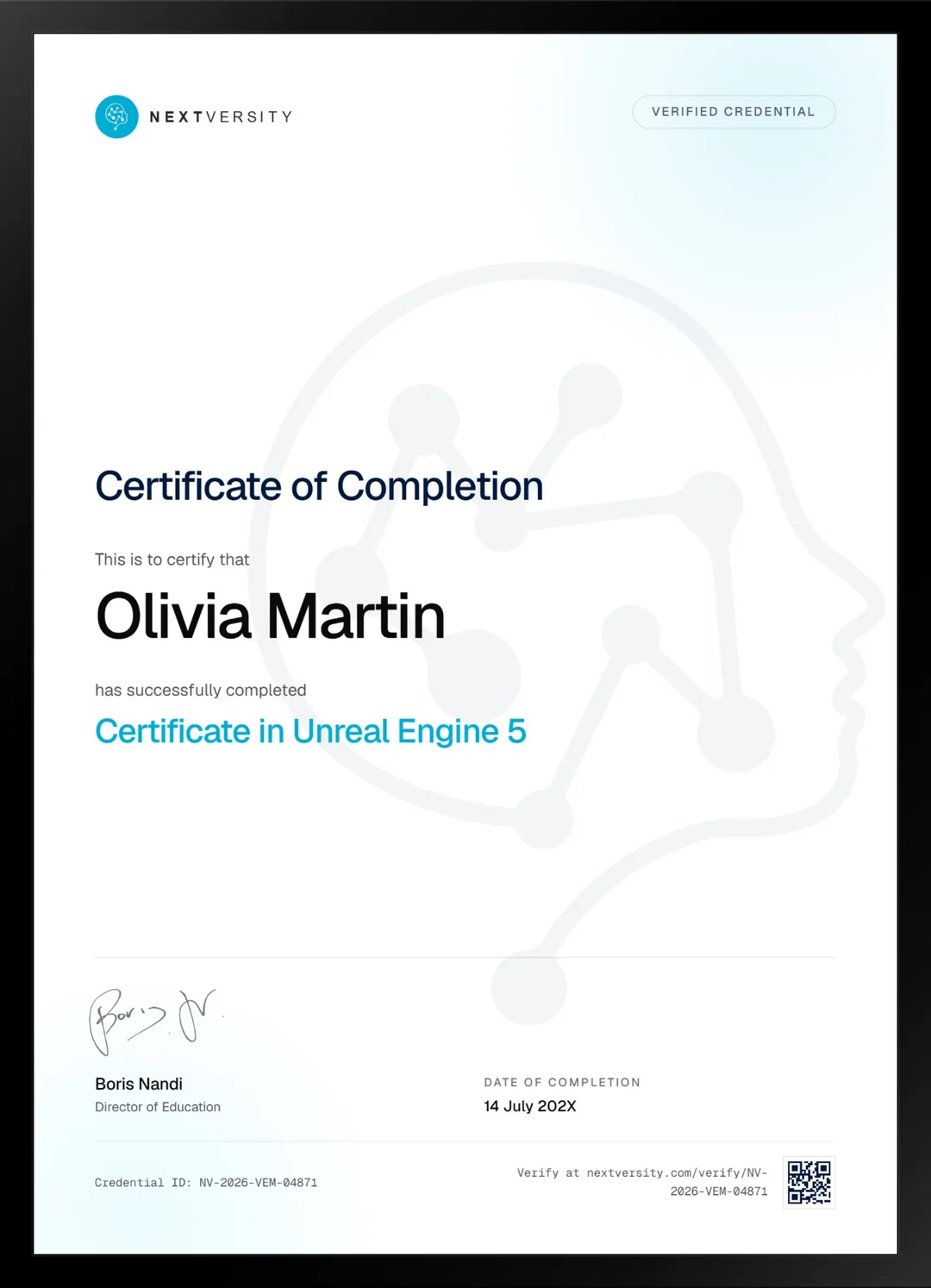
Finish the final module and your Unreal Engine 5 certificate is issued automatically. Download it, share it with employers and clients, or add it to your resume and LinkedIn.
Where this can take you
Skills from this school show up in roles like these. The certificate proves you finished; the projects you build are what get you hired.
- Junior game developer
- Gameplay programmer
- Level designer
- Indie game developer
- QA and games tester
Enroll with confidence
Enroll with confidence
Full details in the refund policy. One subscription covers this course and every other course in all 8 schools.
Pair it with
More from the Game Design & Development school
 Certificate
C# from zero, then five Unity projects, with a 2D platformer carrying most of the engine work.
64 lessonsSelf-pacedCertificate
 Certificate
Build an arena tank battle in Godot: vectors, physics, enemy state machines, a minimap and menus.
39 lessonsSelf-pacedCertificate
FAQ
Common questions about the Unreal Engine 5 course
Is this Unreal Engine 5 course good for beginners?
Yes, with one caveat worth knowing. It assumes no Unreal, no Blender and no scripting, and Blueprint is taught directly. The caveat is breadth: you are learning an engine and a 3D package at the same time, which is genuinely how a solo developer works but is more to hold in your head than a single-tool course.
Do I need to know how to code to learn Unreal Engine 5?
No. Everything built here is built in Blueprint, the visual scripting system inside Unreal, which is a node graph rather than a typed language. You wire logic together by connecting nodes. If you later want C++, the concepts transfer directly, because branches, events and references mean the same thing in both.
What computer do I need to run Unreal Engine 5?
Something with headroom. Unreal is the demanding half of this course and Blender will run on considerably less. Epic publishes recommended system requirements on the download page, and it is worth checking yours honestly before starting, because fighting your machine is the fastest way to abandon a game project.
Does the course teach Blender as well as Unreal?
Yes, and at length. The asset module is the longest in the course: a tiling stone tileset, a prop taken from modeling through sculpting, retopology, UV unwrapping, baking and hand painting, then a rigged and animated character. That is the full art pipeline, taught because a level needs art and somebody has to make it.
Should I learn Unreal Engine or Unity first?
Pick by what you want to build. Unreal aims at high-fidelity 3D and is the heaviest to run, with Blueprint meaning you can build a lot without writing code. Unity is lighter, uses C# and dominates mobile and indie 2D. Godot is free, open source and the smallest download. All three courses are in this subscription.
How long does this Unreal Engine 5 course take?
Plan around the two long modules rather than five even ones. The Blueprint module runs about eleven hours of video and the Blender module about fifteen, and building along at least doubles both. It is self-paced with no deadlines, and finishing with a playable level you designed yourself is worth the run.
Is there a certificate, and how do I earn it?
Yes, included in the subscription. Work through every lesson, then take the final exam, which is twenty questions at a 75% pass mark and opens once the lessons and quizzes are complete. Passing issues a certificate with a verification code. Alongside it you will have a playable level, which is what a studio actually asks to see.
Free info pack
Not ready to enroll? Start with the guide.
The full curriculum for this course, what you'll build, and how it fits with the rest of the school, in one short guide.