Game Design & Development school
Certificate in 3D Game Development Using Godot
Drive a tank, aim a turret, fight enemies that think.
The project in this Godot 3D course is a retro arena tank fight, and taking it from an empty scene to an exported build covers every system a 3D game needs.
Overview
What this Godot 3D course covers
This Godot 3D course builds a retro arena tank fight, because putting one together happens to touch every system a 3D game needs. You start with no Godot and no 3D experience at all, blocking out an arena from primitive meshes, then meeting the vector maths exactly when it is needed rather than as a lecture up front.
You drive a body from the input map, aim a turret independently of where you are heading, fire physics-driven shells, and set collision layers so the right things hit each other. Enemies get a reusable state machine that patrols, spots you and shoots back. Then scoring, a minimap, menus, pausing and spawning, before particles, decals and an exported build that runs outside the editor.
Outcomes
What you will be able to do
Requirements
Course requirements
- Godot, free, and the first module walks you through getting it. Take the standard build rather than the .NET one.
- No prior Godot and no prior 3D experience. Vector math is introduced at the point it is first needed.
- A desktop or laptop with a three-button mouse. The 3D viewport is not usable on a phone or tablet.
- Nothing to buy and no assets to supply. Almost everything is built from primitives.
Syllabus
3D Game Development Using Godot curriculum
38 recorded video lessons you follow along in the software, at your own pace. Quizzes through each module check what stuck, and a 20-question final exam earns your certificate.
1Course Orientation and Project Overview4 lessons · 3 videos · quiz
- Welcome (reading)
- Course Overview and Learning Expectations (video lesson, 42 seconds)
- Installing Godot (video lesson, 1 minute 28 seconds)
- Project Overview: Zone Battle (video lesson, 3 minutes 34 seconds)Quiz
2Godot Interface and 3D Navigation2 lessons · 2 videos · quiz
- Understanding the Main Window, Scene Tree and Inspector (video lesson, 4 minutes 34 seconds)
- Navigating the Game Window and 3D Space (video lesson, 5 minutes 25 seconds)Quiz
33D Object Creation and Scene Building5 lessons · 5 videos · quiz
- Working with Primitives, Rotation, Scaling and Translation (video lesson, 14 minutes 24 seconds)
- Applying Materials to 3D Objects (video lesson, 7 minutes 39 seconds)
- Building a Tank from Primitive Objects (video lesson, 26 minutes 23 seconds)
- Building the Game Playfield (video lesson, 15 minutes 51 seconds)
- Working with the Camera3D Node (video lesson, 8 minutes 34 seconds)Quiz
43D Physics, Movement and Player Controls6 lessons · 6 videos · quiz
- Understanding Vectors (video lesson, 12 minutes 3 seconds)
- Working with the CharacterBody3D Node (video lesson, 10 minutes 32 seconds)
- Creating Player Movement Controls (video lesson, 26 minutes 41 seconds)
- Creating Turret Control Input (video lesson, 10 minutes 42 seconds)
- Implementing Collision (video lesson, 13 minutes 13 seconds)
- Firing Shells with the RigidBody Node (video lesson, 52 minutes 57 seconds)Quiz
53D Environment Lighting1 lesson · 1 video · quiz
- Setting Up World Lighting and the Global Sun (video lesson, 6 minutes 23 seconds)Quiz
6Enemy Targets and Gameplay Interaction2 lessons · 2 videos · quiz
- Adding Enemy Tanks with Inherited Scenes (video lesson, 5 minutes 1 second)
- Implementing Tank Destruction (video lesson, 6 minutes 34 seconds)Quiz
7Enemy AI and State Machines3 lessons · 3 videos · quiz
- Understanding State Machines (video lesson, 16 minutes 21 seconds)
- Adding a State Machine to Enemy Tanks with ECS Part 1 (video lesson, 50 minutes 23 seconds)
- Adding a State Machine to Enemy Tanks with ECS Part 2 (video lesson, 22 minutes 13 seconds)Quiz
83D Sound Effects1 lesson · 1 video · quiz
- Implementing 3D Audio (video lesson, 12 minutes 41 seconds)Quiz
9Game UI, Scoring and Minimap Systems4 lessons · 4 videos · quiz
- Creating Basic UI Layers (video lesson, 14 minutes 22 seconds)
- Using UI Events and Signals for Scoring (video lesson, 18 minutes 16 seconds)
- Creating a Minimap (video lesson, 6 minutes 40 seconds)
- Creating 3D UI with Label3D Nodes (video lesson, 3 minutes 34 seconds)Quiz
10Menus, Game States and Enemy Spawning5 lessons · 5 videos · quiz
- Creating a Start Menu (video lesson, 12 minutes 42 seconds)
- Creating a Pause Menu (video lesson, 6 minutes 25 seconds)
- Creating Begin and End States with a Game Manager (video lesson, 31 minutes 27 seconds)
- Creating an Enemy Spawn System (video lesson, 53 minutes 5 seconds)
- Adding Multiple Camera Angles (video lesson, 8 minutes 25 seconds)Quiz
11Visual Polish and Advanced Game Effects3 lessons · 3 videos
- Creating Better Explosions with Particle Effects (video lesson, 28 minutes 37 seconds)
- Re-Texturing Tanks and Revisiting Materials (video lesson, 5 minutes 18 seconds)
- Adding Decals (video lesson, 3 minutes 49 seconds)
12External Assets and Level Terrain Upgrades2 lessons · 2 videos
- Importing External 3D Models (video lesson, 9 minutes 33 seconds)
- Upgrading Level Terrain (video lesson, 21 minutes 4 seconds)
13Game Export and Course Conclusion1 lesson · 1 video
- Exporting Your Godot Game (video lesson, 1 minute 19 seconds)
Certificate
Earn a certificate you can show
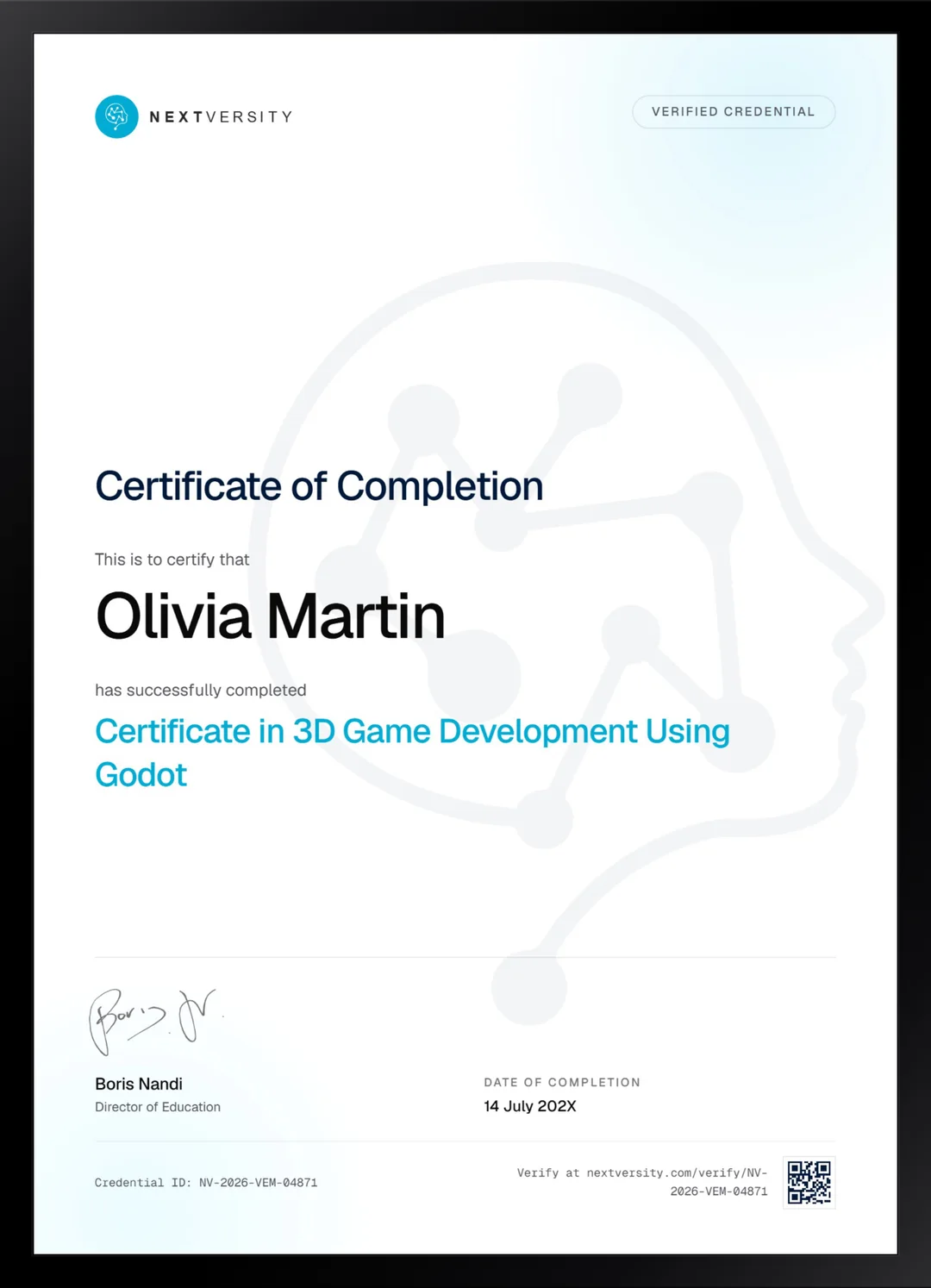
Finish the final module and your 3D Game Development Using Godot certificate is issued automatically. Download it, share it with employers and clients, or add it to your resume and LinkedIn.
Where this can take you
Skills from this school show up in roles like these. The certificate proves you finished; the projects you build are what get you hired.
- Junior game developer
- Gameplay programmer
- Level designer
- Indie game developer
- QA and games tester
Enroll with confidence
Enroll with confidence
Full details in the refund policy. One subscription covers this course and every other course in all 8 schools.
Pair it with
More from the Game Design & Development school
 Certificate
Build one complete 2D role-playing game in Godot 4 and GDScript, from world map to exported build.
114 lessonsSelf-pacedCertificate
 Certificate
Plan a five-room level, prototype it in Blueprint, then model, texture and animate the art for it in Blender.
96 lessonsSelf-pacedCertificate
FAQ
Common questions about the Godot 3D course
Can I learn 3D game development in Godot as a complete beginner?
Yes. This course assumes no Godot and no 3D at all. It starts in the editor, blocks a level out of primitive shapes, and introduces vector math at the exact point you need it rather than as a lecture up front. That ordering is what makes 3D approachable instead of intimidating.
What game do you build in the Godot 3D course?
A retro tank fight in an arena, in the spirit of the early eighties original. You drive a tank, aim its turret independently, fire physics-driven shells, and fight enemies that patrol, spot you and shoot back. It is deliberately simple to look at so that every minute goes on systems rather than on art.
Which Godot download do I need for this course?
The standard build, not the .NET one. The .NET version adds C# support, and every line in this course is GDScript, so the extra download buys you nothing here and adds setup steps. Getting this right before lesson one saves an irritating detour later.
Do I need a good graphics card to run Godot in 3D?
Far less than a heavyweight engine would demand. Godot is a small download and the arena in this course is built from primitives, so it runs comfortably on modest hardware. If your machine cannot handle Unreal, this is the 3D course to take, and the concepts transfer if you move engines later.
Does the course cover enemy AI?
Yes, and it gets proper treatment rather than a chase script. You build a reusable state machine that patrols, spots the player and shoots back, then reuse it through scene inheritance instead of copying it around. State machines are the standard way game behavior is structured, so this transfers to any engine.
Is Godot good enough for real games, or just for learning?
It ships real games, and plenty of them. The honest limit is fidelity: Godot handles stylized and mid-range 3D comfortably, while Unreal is built for high-end visuals and the hardware to match. For a solo developer or a small team making a stylized game, Godot is a completely legitimate professional choice.
Do I get a certificate for the Godot 3D course?
Yes, and it costs nothing on top of the subscription. Module quizzes run through the course at a 75% pass mark without blocking your progress, and a twenty-question final exam opens once every lesson and quiz is done. Passing issues a certificate with a verification code and a public link anyone can check.
Free info pack
Not ready to enroll? Start with the guide.
The full curriculum for this course, what you'll build, and how it fits with the rest of the school, in one short guide.