
AI & Automation school
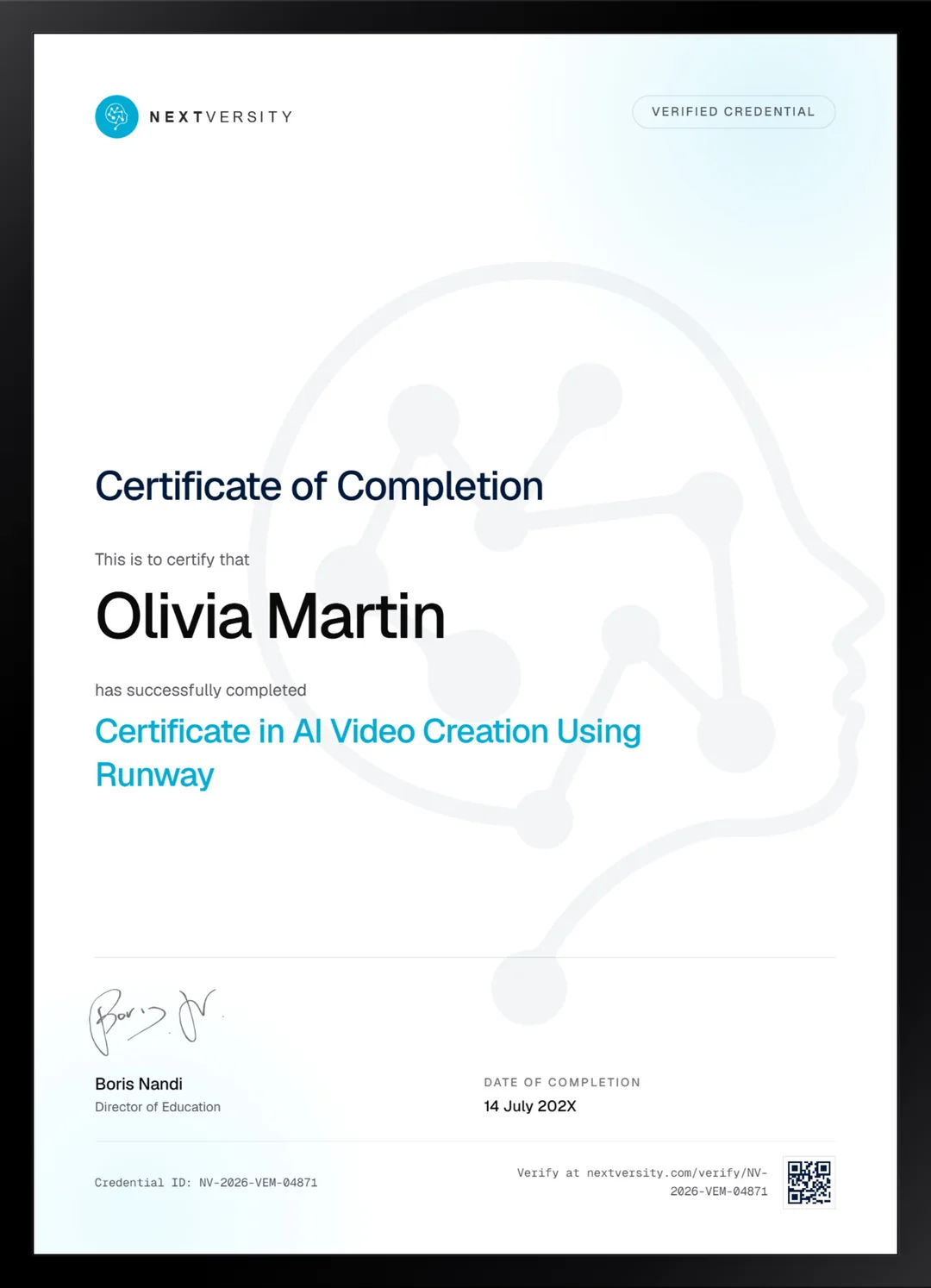
Certificate in AI Video Creation Using Runway
A short film with no camera, no crew and no budget.
This Runway AI course runs the same job three times, because the workflow is the skill: a seven-part prompt formula and credit discipline first, then three finished short films.
Overview
What this Runway course covers
Every generation spends credits, a failed one costs exactly what a good one costs, and video costs many times what an image costs. That ratio is why this Runway AI course organizes itself around not wasting them: generate in images first, take the approved subject to video, and iterate the wording in a chatbot where iterating is free.
You learn a seven-part video prompt formula, then the tool set of lip sync, background removal, inpainting, interpolation and character performance, each taught as a fix for a specific problem. Then you build three short films, running the same workflow on a live-action look and again in an anime style. Some shots simply will not happen, and knowing when to stop pushing one and fake it instead is a real production skill almost nobody teaches.
Outcomes
What you will be able to do
Requirements
Course requirements
- A Runway account. There is a free tier and every lesson can be followed on it, though rerunning exercises freely will need credits.
- A chatbot open in a second tab. The prompt gets written and iterated there, because iterating is free.
- No video editing experience. Somewhere to assemble clips is useful for the third film.
- Patience with an imperfect tool. Some generations fail, and the course teaches you what to do about it.
Syllabus
AI Video Creation Using Runway curriculum
24 recorded video lessons you follow along in the software, at your own pace. Quizzes through each module check what stuck, and a 20-question final exam earns your certificate.
1Course Introduction1 lesson
- Welcome (reading)
2Runway AI Foundations and Prompting Workflow6 lessons · 6 videos · quiz
- Introduction to Runway AI and Platform Overview (video lesson, 10 minutes 47 seconds)
- Introduction to AI Image Generation (video lesson, 14 minutes 54 seconds)
- Introduction to AI Video Generation (video lesson, 11 minutes 51 seconds)
- Managing and Saving Runway Credits (video lesson, 15 minutes 52 seconds)
- Using ChatGPT to Create Better Prompts (video lesson, 19 minutes 13 seconds)
- Building a Runway Workflow and Prompting System (video lesson, 14 minutes 3 seconds)Quiz
3Runway AI Tools and Creative Features8 lessons · 8 videos · quiz
- Creating Generative Audio (video lesson, 11 minutes 11 seconds)
- Creating Lip Sync Videos (video lesson, 13 minutes 45 seconds)
- Using the Remove Background Tool Part 1 (video lesson, 14 minutes 28 seconds)
- Using the Remove Background Tool Part 2 (video lesson, 19 minutes 35 seconds)
- Using Frame Interpolation (video lesson, 5 minutes 55 seconds)
- Using the Inpainting Tool (video lesson, 3 minutes 35 seconds)
- Using Act-One and Session Tools (video lesson, 6 minutes 49 seconds)
- Creating Slow Motion and Exploring Additional Tools (video lesson, 8 minutes 46 seconds)Quiz
4AI Short Film Project Workflow3 lessons · 3 videos · quiz
- Developing the Concept and Source Images Part 1 (video lesson, 13 minutes 59 seconds)
- Generating Source Videos (video lesson, 15 minutes)
- Assembling the Short Film (video lesson, 9 minutes 43 seconds)Quiz
5Advanced Runway Tools and Short Film Production3 lessons · 3 videos · quiz
- Preparing Source Images (video lesson, 20 minutes 17 seconds)
- Turning Images into AI Video (video lesson, 16 minutes 33 seconds)
- Applying Special Effects and Editing Techniques (video lesson, 11 minutes 47 seconds)Quiz
62D and Anime-Style AI Film Production3 lessons · 3 videos · quiz
- Creating Anime-Style Source Images (video lesson, 14 minutes 58 seconds)
- Editing with Runway AI Tools (video lesson, 8 minutes 19 seconds)
- Adding Creative Effects with Runway Tools (video lesson, 11 minutes 32 seconds)Quiz
7AI Video Monetisation and Next Steps1 lesson · 1 video
- Exploring Monetisation Options with AI Video (video lesson, 3 minutes 40 seconds)
Certificate
Earn a certificate you can show
Finish the final module and your AI Video Creation Using Runway certificate is issued automatically. Download it, share it with employers and clients, or add it to your resume and LinkedIn.
Where this can take you
Skills from this school show up in roles like these. The certificate proves you finished; the projects you build are what get you hired.
- AI content specialist
- Prompt engineer
- Marketing automation specialist
- AI workflow consultant
Enroll with confidence
Enroll with confidence
Full details in the refund policy. One subscription covers this course and every other course in all 8 schools.
Pair it with
More from the AI & Automation school
 Certificate
Generative fill and expand, then product mockups in Photoshop, logos in Illustrator and social sets in Express.
37 lessonsSelf-pacedCertificate
 Certificate
Prompt anatomy, parameters, reference images and the edit tab, then three projects taken from moodboard to export.
51 lessonsSelf-pacedCertificate
FAQ
Common questions about the Runway course
Is Runway free to use?
There is a free tier and every lesson can be followed on it. What it will not do is let you rerun exercises as often as you would like, and it does not include the newest video model. The course is straightforward about that rather than discovering it for you at lesson twelve.
How many short films do you build in the Runway course?
Three, and that repetition is the design rather than padding. The first goes from concept to an assembled piece with narration and sound. The second runs the same workflow using the advanced tools on a live-action look. The third does it in a 2D and anime style. You do not own a workflow until you have run it more than once.
Do I need video editing experience for the Runway course?
No, and the editing involved is not complicated. What helps is somewhere to assemble clips, because the third film is put together outside Runway. If you want to get better at cutting real footage, that is a different discipline and the video editing school here covers it properly with Premiere, Resolve and CapCut.
How do Runway credits work?
Every generation spends them, a failed one costs the same as a good one, and video costs many times what an image costs. A whole lesson is dedicated to working around that: generating in images first, fixing the prompt in a chatbot where iteration is free, and only taking an approved subject to video. That discipline is the course.
Does the course cover lip sync and character performance?
Both, in the tools module, alongside generative audio, background removal, frame interpolation, inpainting and slow motion. Each is taught as a fix for a specific problem rather than as a feature demonstration, which means you learn when to reach for it rather than just where the button is.
How long does the Runway AI course take?
Roughly 23 to 35 hours of real work if you build along and spend credits doing it. That is a wide range because it depends how many times you re-roll a shot. It is self-paced with no deadlines, and the three film modules are where nearly all of the time goes.
Do I get a certificate for the Runway course?
Yes. Once every lesson and quiz is done, a twenty-question final exam opens at a 75% pass mark, and passing issues a certificate with a verification code and a public link. Alongside it you will have three finished short films, which is a far more persuasive thing to show than a certificate on its own.
Free info pack
Not ready to enroll? Start with the guide.
The full curriculum for this course, what you'll build, and how it fits with the rest of the school, in one short guide.