
Business & Productivity school
Certificate in Project Management Using Monday.com
A board is easy. A board still worth opening in six months is not.
This Monday.com course runs one project from an empty account to a finished dashboard: a board built from a written plan, columns that mean something, saved views, and automations you test before trusting.
Overview
What this Monday.com course covers
Monday.com asks less of you than most project tools before it starts working, and gives you less freedom afterward. That trade is the reason to pick it, and this Monday.com course treats it as a reason rather than hurrying past it. You start on an empty account and finish with a working system.
What transfers is not the case study but how work gets carved into groups, items and columns, and where each stops being the right container. You learn workspaces still findable months later, columns that carry meaning rather than color, saved views, the update thread that keeps reasoning attached to the row it belongs to, and four kinds of automation tested before anyone trusts them. It ends on dashboards for the manager who will never open the board.
Outcomes
What you will be able to do
Requirements
Course requirements
- A monday.com account. A trial account covers everything taught here, and the two features it cannot reach are named as they arrive.
- No project management background. The course builds the vocabulary as it goes.
- One real project of your own, so you finish with a board you are already using.
- Nothing to install. Everything runs in a browser.
Syllabus
Project Management Using Monday.com curriculum
18 recorded video lessons you follow along in the software, at your own pace. Quizzes through each module check what stuck, and a 20-question final exam earns your certificate.
1Monday.com Project Management Foundations2 lessons · 1 video · quiz
- Course Overview and Learning Objectives (reading)
- Introduction to Monday.com (video lesson, 18 minutes 16 seconds)Quiz
2Monday.com Workspace Setup4 lessons · 4 videos · quiz
- Creating a Monday.com Account (video lesson, 9 minutes 13 seconds)
- Navigating the Monday.com Homepage (video lesson, 9 minutes 31 seconds)
- Setting Up Your Monday.com Workspace (video lesson, 7 minutes 5 seconds)
- Introduction to Boards and Pulses (video lesson, 2 minutes 27 seconds)Quiz
3Case Study Project Setup4 lessons · 4 videos · quiz
- Introduction to the Case Study Project (video lesson, 10 minutes 56 seconds)
- Setting Up a Project Board (video lesson, 11 minutes 22 seconds)
- Adding and Customizing Columns (video lesson, 6 minutes 59 seconds)
- Setting Up Project Phases (video lesson, 5 minutes 30 seconds)Quiz
4Task Tracking and Resource Management3 lessons · 3 videos · quiz
- Prioritising and Tracking Tasks (video lesson, 11 minutes 32 seconds)
- Time and Resource Management in Monday.com Part 1 (video lesson, 6 minutes 39 seconds)
- Time and Resource Management in Monday.com Part 2 (video lesson, 10 minutes 38 seconds)Quiz
5Project Automation, Dashboards and Reporting4 lessons · 4 videos · quiz
- Introduction to Monday.com Automations (video lesson, 6 minutes 50 seconds)
- Creating Project Automations (video lesson, 7 minutes 10 seconds)
- Building Advanced Automations (video lesson, 5 minutes 59 seconds)
- Creating Dashboards and Reports (video lesson, 6 minutes 10 seconds)Quiz
6Templates, Best Practice and Course Conclusion2 lessons · 2 videos
- Using Pre-Built Templates and Use Cases (video lesson, 12 minutes 18 seconds)
- Course Recap, Tips and Best Practice (video lesson, 12 minutes 55 seconds)
Certificate
Earn a certificate you can show
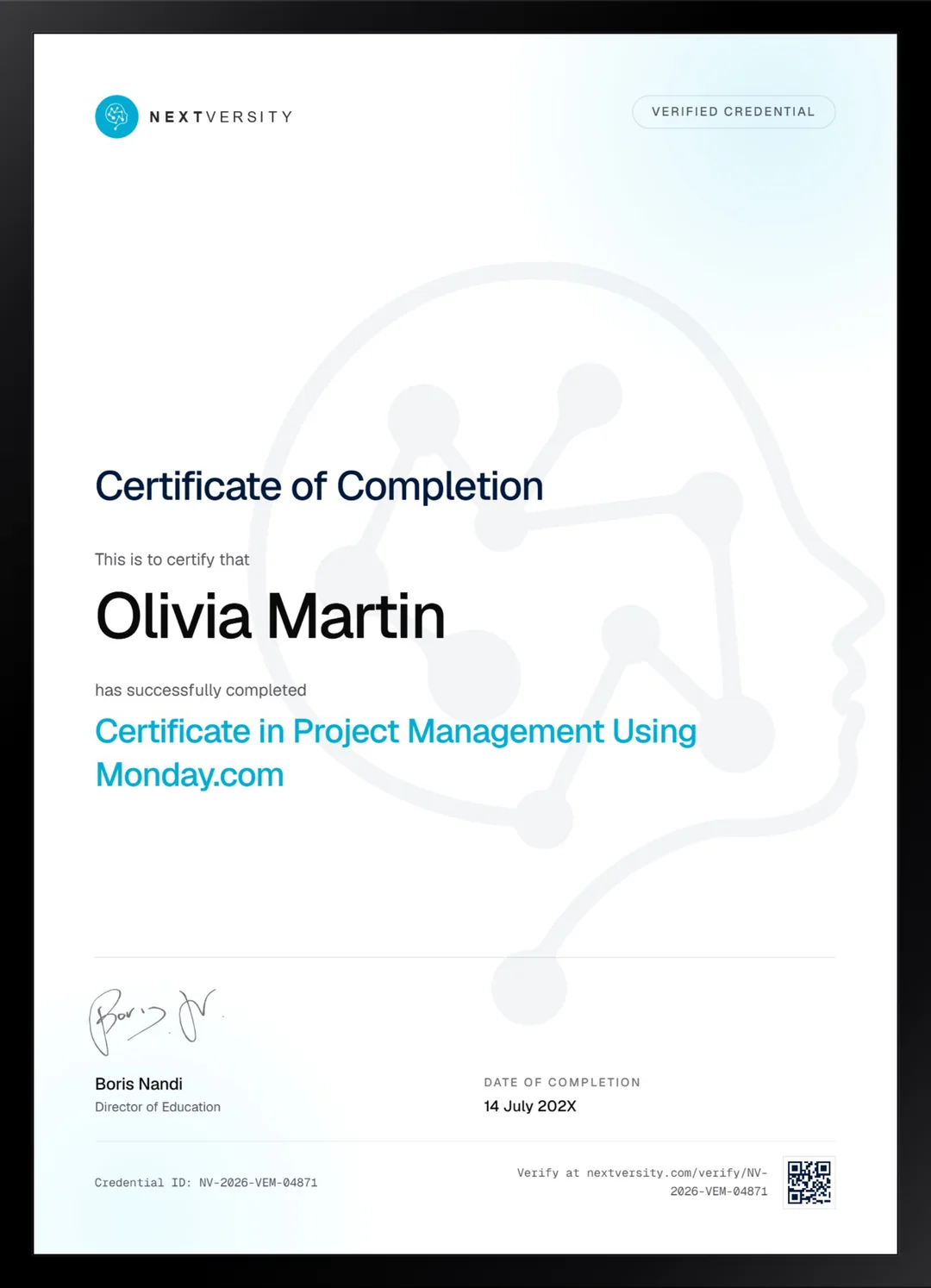
Finish the final module and your Project Management Using Monday.com certificate is issued automatically. Download it, share it with employers and clients, or add it to your resume and LinkedIn.
Where this can take you
Skills from this school show up in roles like these. The certificate proves you finished; the projects you build are what get you hired.
- Operations coordinator
- Project coordinator
- Data and reporting analyst
- Executive assistant
- Freelancer on Fiverr or Upwork
Enroll with confidence
Enroll with confidence
Full details in the refund policy. One subscription covers this course and every other course in all 8 schools.
Pair it with
More from the Business & Productivity school
 Certificate
Build a Notion workspace from empty: real databases, a project plan in seven views, a budget tracker and shared permissions.
23 lessonsSelf-pacedCertificate
 Certificate
Build an Airtable base with linked tables, field types chosen on purpose, forms, automations and an interface people can read.
22 lessonsSelf-pacedCertificate
FAQ
Common questions about the Monday.com course
Is this Monday.com course for beginners?
Yes. A second account gets created on camera so you can watch the entire signup, and nothing early on assumes you have used a project tool before. If your team has just adopted monday.com and handed you a login with no explanation, this is a direct answer to that situation.
Do I need a paid monday.com plan to follow along?
No. The lessons work on a trial account throughout, and the two features that plan cannot reach are named at the moment they come up rather than left as a surprise. Plan names, prices and seat rules do change, so check the current pricing page before you commit to anything.
Does the course cover automations and dashboards?
Yes, a full module on both. You learn the four kinds of automation available, build them, then test one before trusting it with real work, which is the step almost everyone skips. Dashboards come next, aimed at the manager who wants the answer without opening the board itself.
I already use Trello or Asana. Is this worth taking?
Partly. The early modules will be an hour of watching somebody name concepts you already have, so skim those and start where the case study gets built. The genuinely transferable material is the automation module and the thinking about saved views and column meaning, which applies whichever board tool you end up in.
Monday.com or Airtable: which fits my project?
This one if you want a board that works today and you are content inside the shape it gives you. Airtable if your data is genuinely relational, with the same fact needing to appear in several tables without being retyped. Both certificates come with one subscription, so trying the wrong one costs you nothing but an evening.
How long does the Monday.com course take?
Five to seven hours if you build alongside, which is the only version worth doing, across six modules. It is self-paced with no deadlines. Most people spread it over a week or two and end up with a live board for something they are actually responsible for, which is the right outcome.
Is there a certificate, and how is it issued?
Each of the first five modules ends with a quiz at a 75% pass mark. When every lesson and quiz is done, a twenty-question final exam opens, and passing it issues a certificate automatically with a verification code and a public link anyone can check. It is included in the subscription with no extra fee.
Free info pack
Not ready to enroll? Start with the guide.
The full curriculum for this course, what you'll build, and how it fits with the rest of the school, in one short guide.