
Business & Productivity school
Certificate in Project Management Using Notion
Notion does almost nothing until you build it. Here is how.
This Notion course starts on an empty account and ends with a workspace holding your documents and your tracking in one place, including a project plan you can view seven ways without duplicating it.
Overview
What this Notion course covers
Notion is closer to a set of building materials than a ready-made tool, which is why so many people open it, admire it and never use it again. This Notion course spends its time on the building. You start on an empty account and end with a workspace holding a project documents and its tracking in the same place.
It settles the distinction everything rests on, that a database is not a page with pages inside it, then builds a real project plan on the answer: properties chosen deliberately, filters and sorts, and one plan shown seven ways with nothing duplicated. A budget tracker, sharing across five permission levels, integrations and templates close it. Bring one real project you are responsible for and you finish with a system you are already using.
Outcomes
What you will be able to do
Requirements
Course requirements
- A browser and a free Notion account. The free plan is genuinely enough for one person.
- No project management background. The vocabulary is real, and it is used rather than lectured.
- One real project you are responsible for, so you build something you will actually keep using.
- The mobile app, optional but recommended, because a plan you cannot reach away from your desk stops getting updated.
Syllabus
Project Management Using Notion curriculum
22 recorded video lessons you follow along in the software, at your own pace. Quizzes through each module check what stuck, and a 20-question final exam earns your certificate.
1Notion Setup and Project Management Foundations5 lessons · 4 videos · quiz
- Course Overview and Learning Expectations (reading)
- Understanding Notion's Key Features (video lesson, 11 minutes 55 seconds)
- Creating and Setting Up a Notion Account (video lesson, 9 minutes 41 seconds)
- Creating Pages and Sub-Pages in Notion (video lesson, 10 minutes 29 seconds)
- Introduction to the Case Study Project (video lesson, 8 minutes 18 seconds)Quiz
2Building a Project Management System in Notion4 lessons · 4 videos · quiz
- Introduction to Databases and the Project Lifecycle (video lesson, 11 minutes 18 seconds)
- Creating a Project Plan Part 1 (video lesson, 12 minutes 6 seconds)
- Creating a Project Plan Part 2 (video lesson, 8 minutes 12 seconds)
- Creating a Project Plan Part 3 (video lesson, 7 minutes 32 seconds)Quiz
3Project Plans, Dashboards and Budget Tracking3 lessons · 3 videos · quiz
- Using Filters, Sorts and Views in Notion (video lesson, 11 minutes 37 seconds)
- Creating a Simple Budget Tracker (video lesson, 12 minutes 59 seconds)
- Notion Recap and Practice Activity (video lesson, 10 minutes 19 seconds)Quiz
4Resource Management, Sharing and Collaboration4 lessons · 4 videos · quiz
- Sharing Pages in Notion (video lesson, 7 minutes 33 seconds)
- Understanding Permission Levels Part 1 (video lesson, 11 minutes 56 seconds)
- Understanding Permission Levels Part 2 (video lesson, 7 minutes 10 seconds)
- Understanding Permission Levels Part 3 (video lesson, 5 minutes 53 seconds)Quiz
5Notion Integrations, AI and Workflow Optimization4 lessons · 4 videos · quiz
- Integrating Notion with Google and Other Platforms (video lesson, 9 minutes 7 seconds)
- Importing Data and Files into Notion (video lesson, 4 minutes 53 seconds)
- Introduction to Notion AI (video lesson, 7 minutes 6 seconds)
- Exporting Data and Files from Notion (video lesson, 6 minutes 6 seconds)Quiz
6Templates, Course Review and Next Steps3 lessons · 3 videos
- Creating Customized Templates from Scratch (video lesson, 10 minutes 9 seconds)
- Exploring Notion's Template Library (video lesson, 11 minutes 2 seconds)
- Course Recap and Final Activities (video lesson, 19 minutes 10 seconds)
Certificate
Earn a certificate you can show
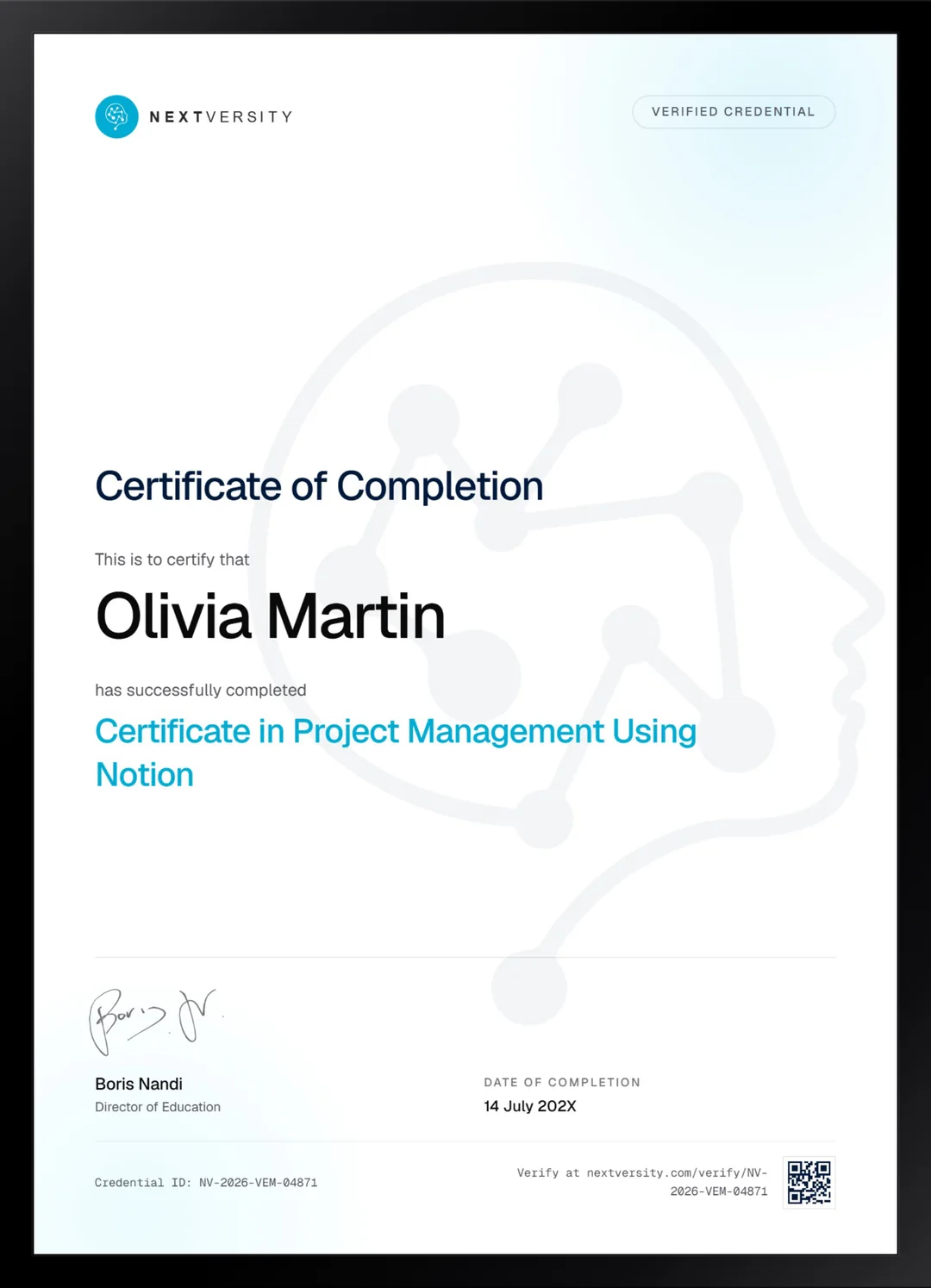
Finish the final module and your Project Management Using Notion certificate is issued automatically. Download it, share it with employers and clients, or add it to your resume and LinkedIn.
Where this can take you
Skills from this school show up in roles like these. The certificate proves you finished; the projects you build are what get you hired.
- Operations coordinator
- Project coordinator
- Data and reporting analyst
- Executive assistant
- Freelancer on Fiverr or Upwork
Enroll with confidence
Enroll with confidence
Full details in the refund policy. One subscription covers this course and every other course in all 8 schools.
Pair it with
More from the Business & Productivity school
 Certificate
Build an Airtable base with linked tables, field types chosen on purpose, forms, automations and an interface people can read.
22 lessonsSelf-pacedCertificate
 Certificate
Build a monday.com board from a written plan, then add saved views, four kinds of automation and a dashboard people read.
19 lessonsSelf-pacedCertificate
FAQ
Common questions about the Notion course
Is this Notion course good for beginners?
Yes, it starts from an empty account. You create one on camera, then build pages and subpages before anything else happens. No project management background is assumed either. If you have opened Notion before and felt overwhelmed by a blank page, that reaction is the exact problem this course was built to solve.
Do I need a paid Notion plan for this course?
No. A free personal account covers everything taught here, and the course says so repeatedly rather than steering you toward an upgrade. The two moments where the free plan stops are named as they arrive. Plan details do change, so check Notion’s own pricing before relying on any specific limit.
What is the difference between a Notion page and a database?
A database is a set of records with properties you define, so it can be filtered, sorted and shown as a board or a calendar. A page with pages inside it looks similar and can do none of that. Getting this right early is the difference between a workspace that works and a very tidy filing cabinet.
Should I learn Notion, Airtable or Monday.com?
Notion is the one where a project’s documents and its tracking live in the same place, and the one that asks you to design the structure yourself. Airtable is stronger when your data is genuinely relational. Monday.com gives you a working board fastest. All three certificates come with one subscription, so you can try the shape that fits.
Does the course cover Notion AI and integrations?
Yes, a full module on both. You connect Notion to other tools you already use, import files from elsewhere, write prompts Notion AI can genuinely act on rather than answer vaguely, and export without silently losing rows to a filter, which is a trap that catches almost everyone once.
How long does the Notion course take to finish?
Around six to eight hours if you build alongside the lessons, spread over as long as you like. It is self-paced with no deadlines, and it is one of the shortest certificates here. Watching without building takes half that and teaches roughly a quarter as much, which is not a good trade.
Is there a certificate at the end of the Notion course?
Yes, included in the subscription. Each of the first five modules ends with a quiz at a 75% pass mark, and once every lesson and quiz is done the final exam opens. Passing issues a certificate with a verification code and a public link anyone can check against the site.
Free info pack
Not ready to enroll? Start with the guide.
The full curriculum for this course, what you'll build, and how it fits with the rest of the school, in one short guide.