Video Editing & Motion Graphics · Tools
Is DaVinci Resolve really free?
Yes, genuinely. Not a trial, not watermarked, not time limited. Here is what the free version includes, what Studio adds, and whether you will ever need to upgrade.
The Nextversity teamVideo Editing & Motion Graphics schoolUpdated August 10, 20265 min read
On this page
The short answer
Yes, genuinely free. Not a trial, not a watermark, not a time limit, and no restriction on commercial use.
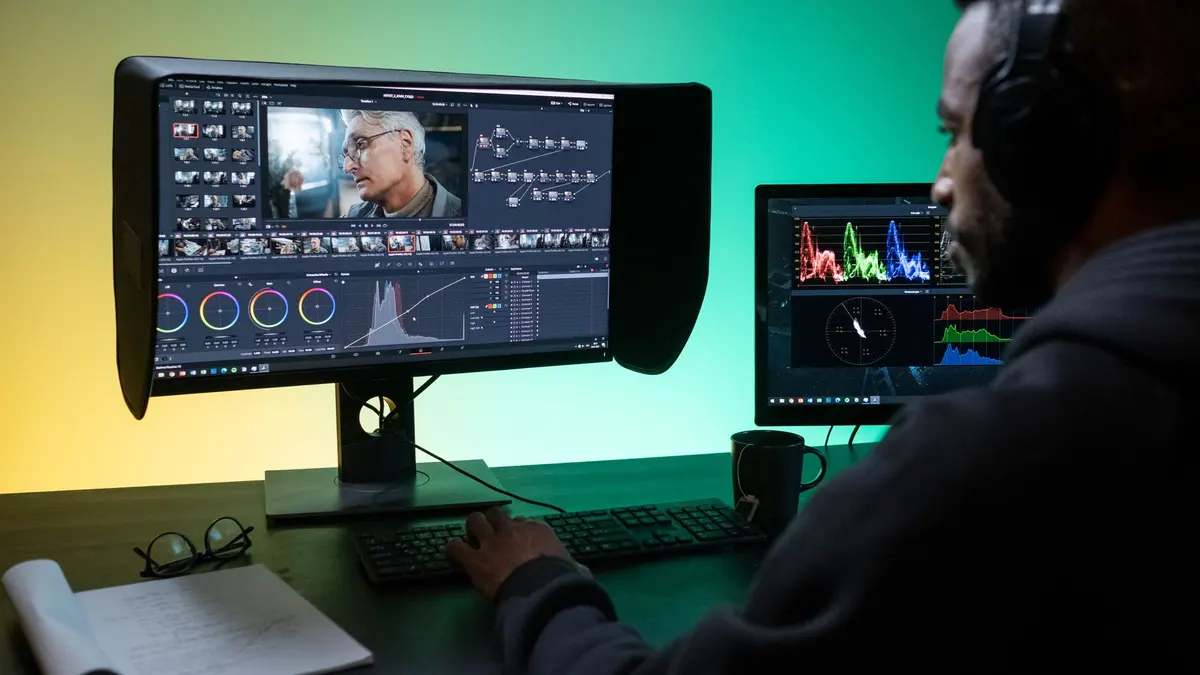
DaVinci Resolve's free version is a full professional editor with the best color tools in the business, and Blackmagic sells hardware, which is why it can give the software away. The product page sets out the split.
What free includes
- The full editor, both the Cut page for fast turnarounds and the Edit page for detailed work
- The color page, which is the industry benchmark for grading
- Fairlight, a complete audio suite
- Fusion, node-based visual effects and motion graphics
- Multicam, speed ramps, tracking, keying, titles
- Export at common resolutions with no watermark
That list is longer than the paid feature list of several competitors.
What Studio adds
The paid version is a one-time purchase rather than a subscription, and it adds:
- Extra effects, film grain and better noise reduction
- Various AI-assisted tools that arrive first in Studio
- Support for higher resolutions and frame rates beyond the free ceiling
- More hardware acceleration options, including multiple GPUs
- Multi-user collaboration on the same project
- Some codec support
Most solo editors and small creators never hit these limits. The people who buy Studio usually do so for the noise reduction, the collaboration, or a specific codec their client requires.
A free version that is genuinely professional is rare enough to be suspicious of. In this case the business model explains it: the software sells the cameras.
Who should use the free version
Everyone, until something stops you. That is not a glib answer, it is the honest one:
- Learners. Everything you need to learn editing, color and audio is included.
- Freelancers. Commercial use is allowed, so you can be paid for work made in the free version.
- YouTubers and social creators. More than enough for any web delivery.
- Small productions. Only larger collaborative teams hit the collaboration limits.
Who should buy Studio
- Anyone needing the good noise reduction. This is the most commonly cited reason.
- Teams collaborating on one project.
- Anyone delivering above the free version's resolution or frame rate ceiling.
- Editors using specific professional codecs their clients require.
Studio is a one-off cost, not a subscription, which makes it an easier decision than most upgrade questions.
The real cost: hardware
Resolve is powerful and hungry. It leans heavily on your graphics card, and it runs best with a recent machine, a dedicated GPU and plenty of memory.
If your computer is modest, you have options: use the Cut page, work in 1080p, and use proxies (lower-resolution stand-ins) while editing. It is entirely workable, and it is worth knowing before you conclude the software is broken.
Check Blackmagic's published system requirements before assuming your machine is up to it.
How it compares
Against Premiere Pro: Resolve is free with better color, Premiere is subscription-only with a bigger ecosystem and more job listings. There is a full comparison.
Against CapCut: different jobs. CapCut is faster for short social video, Resolve is the tool for longer projects and anything needing real color and audio work.
Against Filmora: Filmora is simpler and paid, Resolve is deeper and free. Filmora suits people who want fewer decisions.
Adobe's Premiere Pro user guide is worth a look if you are comparing the two directly.
Where to start
Download it, open the Cut page, and edit something short. Ignore Fusion and Fairlight entirely for the first month. The intimidation people feel about Resolve comes from seeing all seven pages at once, when you only need two.
There is a beginner walkthrough that covers a first edit.
Where to learn it
The DaVinci Resolve certificate covers editing, color, audio and delivery in order. One subscription opens it plus the rest of the Video Editing & Motion Graphics school.
Download the free version. You will not need the paid one for a long time, and possibly ever.
Questions people ask
Is DaVinci Resolve completely free?
Yes. The free version is a full professional editor with no watermark, no time limit and no export restrictions. Blackmagic sells a paid Studio version with extra features.
What is the catch with free DaVinci Resolve?
There is no catch, and there are limits. Some advanced effects, certain codecs, higher-resolution output beyond a point and some collaboration features are Studio-only. Most editors never hit them.
What does DaVinci Resolve Studio add?
Additional effects and noise reduction, some AI-assisted tools, higher-resolution and higher-frame-rate support, better hardware acceleration options, and multi-user collaboration.
Is DaVinci Resolve hard to learn?
It has more surface area than most editors because it includes editing, color, audio and effects in one app. The Cut and Edit pages are approachable, and the rest can wait until you need it.
Can I use free DaVinci Resolve commercially?
Yes. There is no restriction on commercial use of the free version, which is why so many freelancers use it.